3 - 20
CHK
ADJ
ADJUSTING THE EXHAUST GAS VOLUME/
CHECKING THE EXHAUST GAS AT IDLE
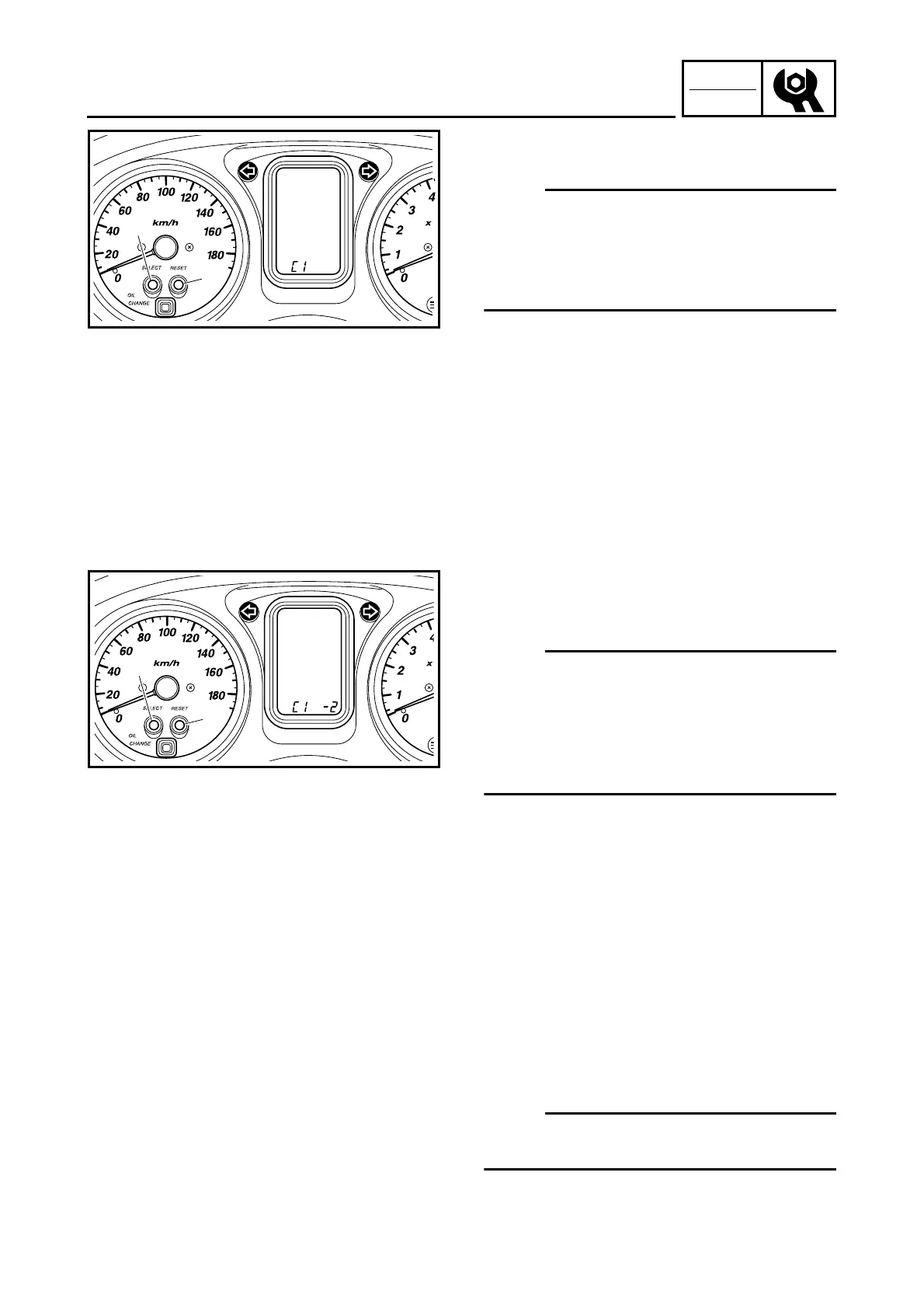
5. Press the “SELECT” 1 and “RESET” 2
buttons to select a cylinder.
NOTE:
The selected cylinder number appears on the
tripmeter LCD.
• Both the “SELECT” button and “RESET” but-
ton can be used to change the selected cylin-
der number.
6. After selecting the cylinder, simultaneously
press the “SELECT” and “RESET” buttons
for 2 seconds or more to execute the selec-
tion.
1
2
7. Change the CO adjustment volume by
pressing the “SELECT” 1 and “RESET” 2
buttons.
NOTE:
The CO adjustment volume appears on the
tripmeter LCD.
• To decrease the CO adjustment volume,
press the “RESET” button.
• To increase the CO adjustment volume,
press the “SELECT” button.
8. Release the switch to execute the selection.
9. Simultaneously press the “SELECT” and
“RESET” buttons to return to the cylinder
selection (step 5).
10.Turn the main switch to “OFF” to cancel the
mode.
1
2
CHECKING THE EXHAUST GAS AT IDLE
(Measuring the exhaust gas at idle [when cata-
lytic converter is operating])
1. Stand the scooter on a level surface.
NOTE:
• Place the scooter on a suitable stand.
• Make sure the scooter is upright.



 To Next Page