1 - 15
GEN
INFO
FEATURES
INSTRUMENT FUNCTION
Multi-function display
WARNING
Be sure to stop the vehicle before making
any setting changes to the multi-function
display.
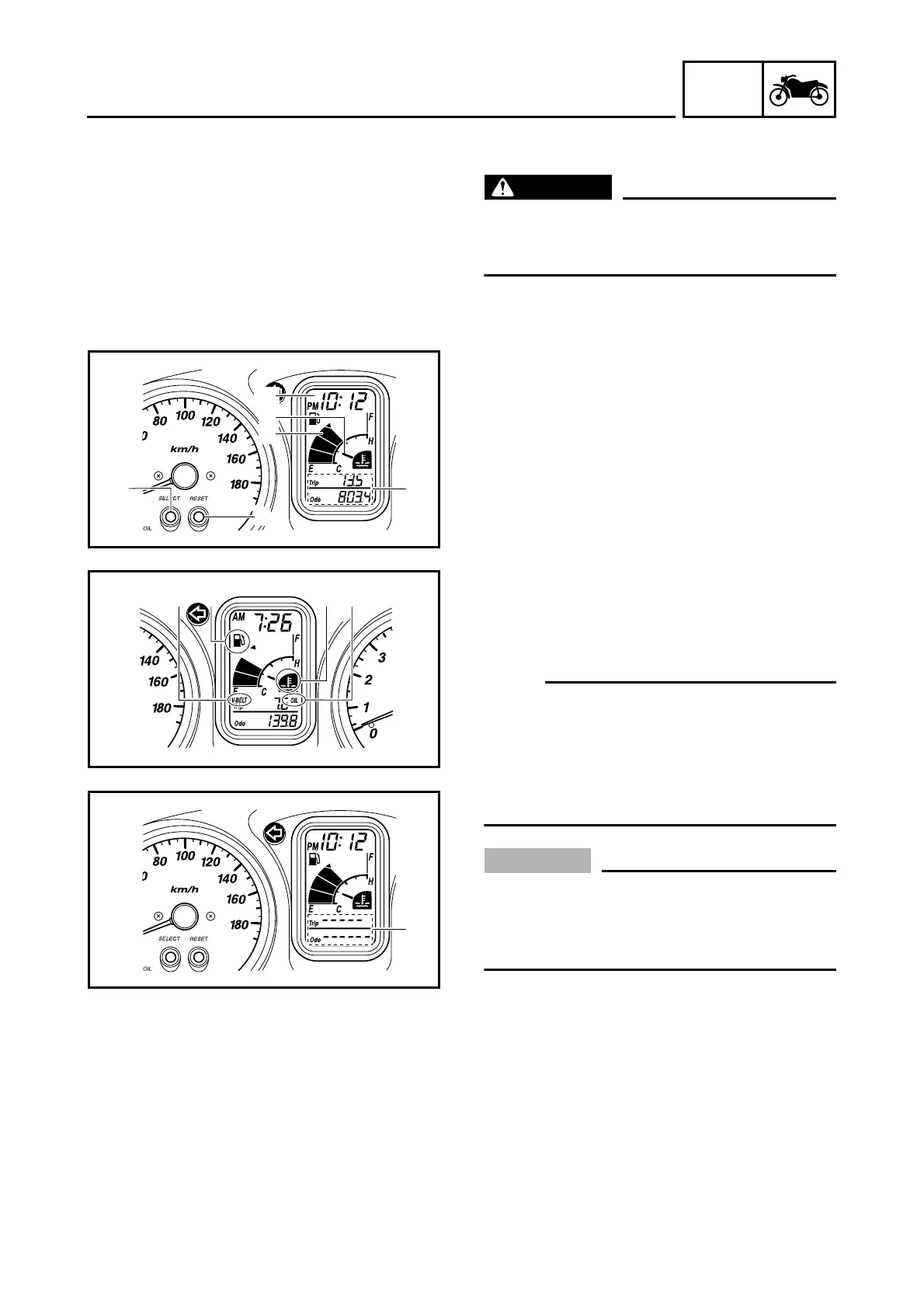
The multi-function display is equipped with the
following:
• a fuel meter 1
• a coolant temperature meter 2
• an odometer (which shows the total dis-
tance traveled), two tripmeters (which show
the distance traveled since they were last
set to zero), a fuel reserve tripmeter (which
shows the distance traveled since the bot-
tom segment of the fuel meter and fuel level
warning symbol started flashing), a self-
diagnosis device (engine and ABS) 3
•a clock 4
• an oil change indicator 5
• a V-belt replacement indicator 6
• a fuel level warning symbol 7
• a coolant temperature symbol 8
NOTE:
• Be sure to turn the key to “ON” before using
the “SELECT” 9 and “RESET” 0 buttons.
• When the key is turned to “ON”, all of the dis-
play segments of the multi-function display
will appear one after the other and then dis-
appear, in order to test the electrical circuit.
CAUTION:
If bars
A
appear where the odometer and
tripmeters are normally displayed, the
multi-function display is malfunctioning.
Replace the entire multi-function display.
1
2
9
0
3
4
56
7
8
A
Odometer and tripmeter modes
Pushing the “SELECT” button switches the
display between the odometer mode “ODO”
and the tripmeter modes “TRIP” in the follow-
ing order:
ODO → TRIP F → TRIP (top) → TRIP (bot-
tom) → ODO





 To Next Page