6 - 12
COOL
WATER PUMP
EAS00471
DISASSEMBLING THE WATER PUMP
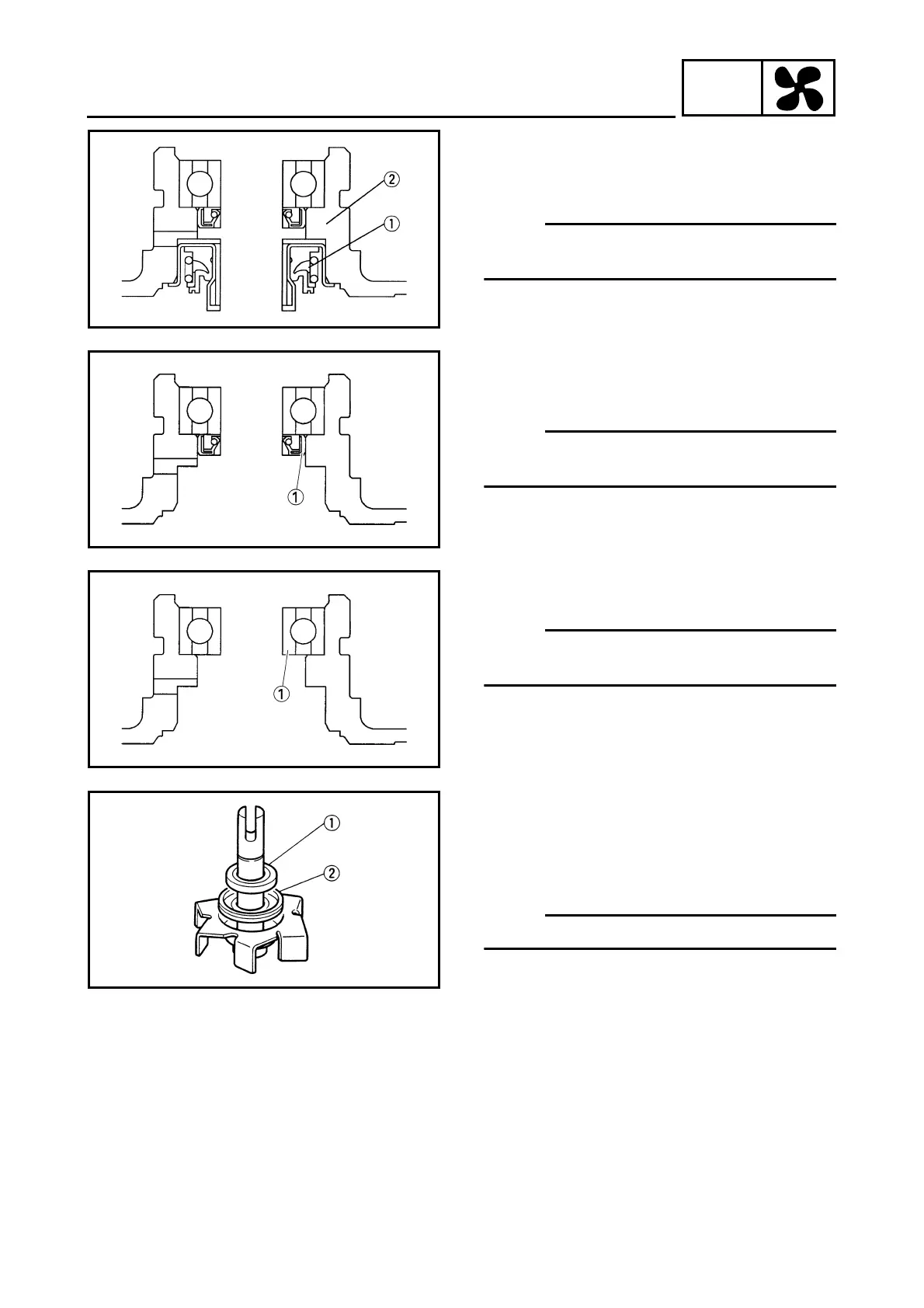
1. Remove:
• water pump seal
1
NOTE:
NOTE:
Remove the water pump seal from the outside
of the water pump housing.
2
Water pump housing
2. Remove:
• oil seal
1
(with a thin, flat-head screwdriver)
NOTE:
NOTE:
Remove the oil seal from the outside of the
water pump housing.
3. Remove:
• bearing
1
NOTE:
NOTE:
Remove the bearing from inside of the water
pump housing.
4. Remove:
• rubber damper holder
1
• rubber damper
2
(from the impeller, with a thin, flat-head
screwdriver)
NOTE:
NOTE:
Do not scratch the impeller shaft.



 To Next Page