S-Series IP PBX Administrator Guide
107
Click to reboot the system
Click to reset the system to factory configurations.
System Log
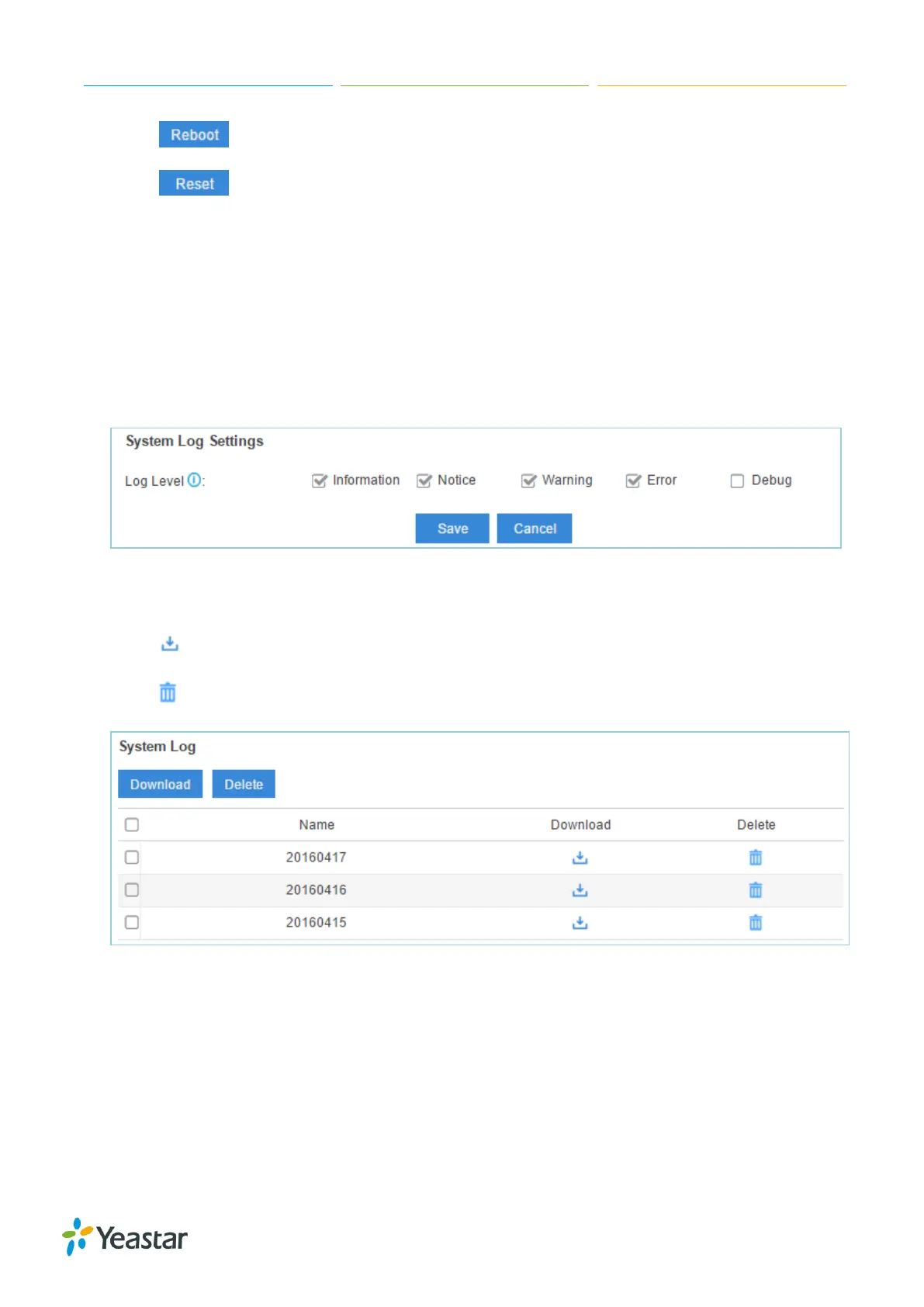
Users could check system logs under Maintenance > System Log.
The system logs will be generated everyday automatically and a log file will be listed in the System
Log.
1) System Log Settings
You can set the debug level by checking/unchecking the options "Info", "Notice", "Warning",
"Error" and "Debug", click Save and Apply to save the changes.
Figure 15-9 System Log Settings
2) System Log
Click to download the file to your local PC.
Click to delete the log file.
Figure 15-10 System Log
Operation Log
Go to Maintenance > Operation Log to check the operation log.
You can filter the logs by user, IP address, and specifying a certain time period. Click Search, the
matching results will be displayed.


 To Next Page
 Loading...








