OPERATION
Axio Observer Contrast Manager on the Axio Observer 7, 7 materials ZEISS
12/2016 431004-7244-001 113
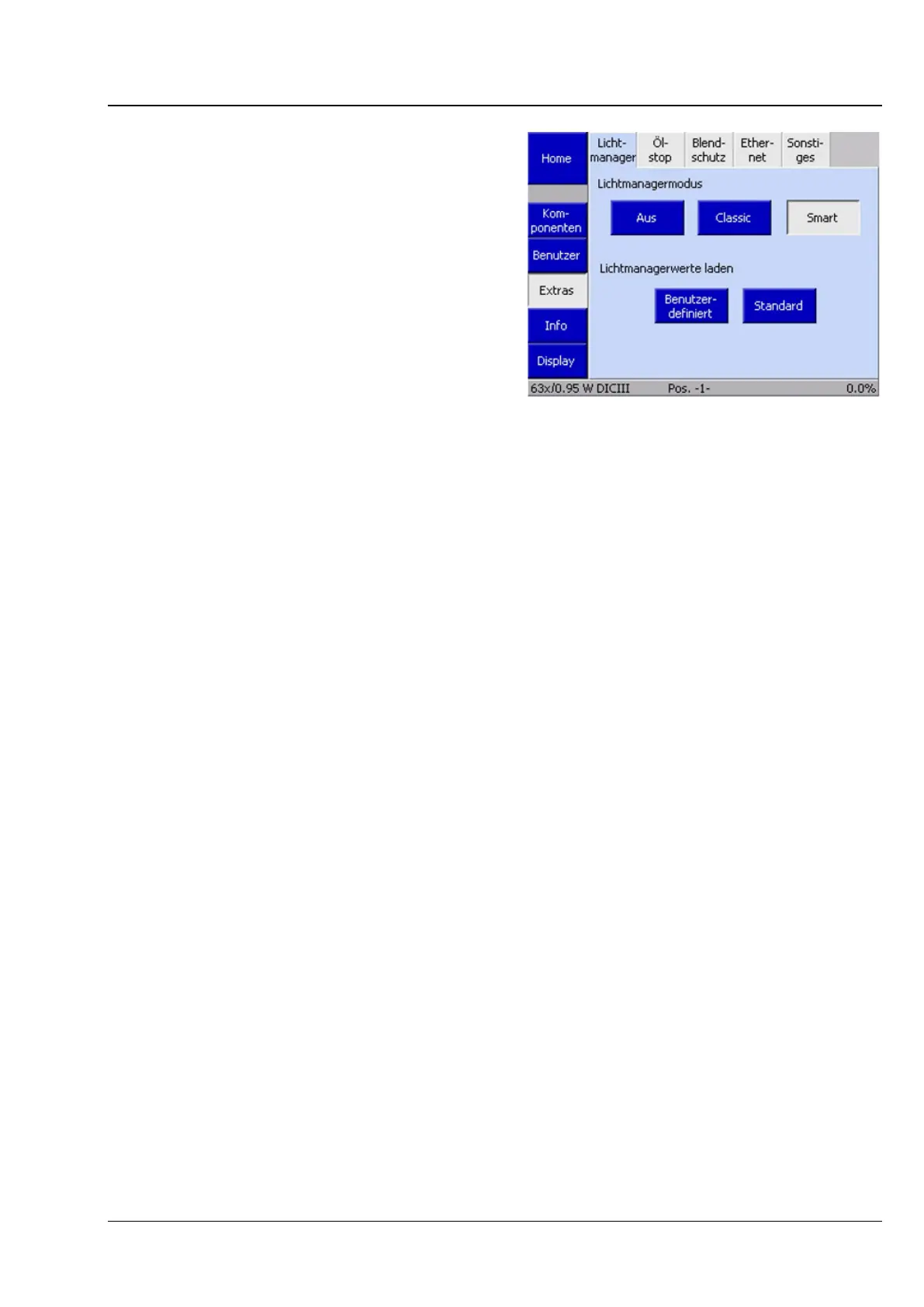
5.9.5 Selecting and configuring
Light Manager mode on the 7,
7 materials stand
• The Light Manager can be deactivated or
activated in the selected mode by pressing
either Off, Classic or Smart.
• If temporary Light Manager values must be
reset to the last settings made using the LM-Set
button, press the User defined button. The
temporary settings are discarded and the
permanently saved settings are set as active.
• Press the Default button if the manufacturer’s
default settings are to be used instead. The
default values will be loaded, written to the
temporary memory and set as active. If standard
settings are to be permanently used, they must
be written to the permanent memory by
pressing the LM-Set button. It is not possible to
overwrite the manufacturer's default settings.
5.10 Contrast Manager on the Axio Observer 7, 7 materials
The Contrast Manager is only available on the 7, 7 materials stand.
It is used for rapid switching between contrast techniques and for configuring mixed contrasts. This
facilitates the finding of contrasted cells and the allocation of fluorescence signals to a particular position
in the cell.
When a new objective is moved into the optical path, all necessary settings for the contrast technique
used will be applied. This includes both shutter settings and the position of the condenser turret.
If, for example, the user is working with phase contrast, the condenser turret position with the phase
stop for the current objective will automatically be moved into the optical path. The shutter positions will
be retained.
Using the Contrast Manager’s buttons (FL, BF, PH, DIC), it is possible to combine contrast techniques as
required, e.g.: brightfield, phase contrast,or DIC with fluorescence.
Fig. 91 Selecting and configuring Light
Manager mode









 To Next Page