OPERATION
Axio Observer TFT display touchscreen on the Axio Observer 7, 7 materials ZEISS
12/2016 431004-7244-001 121
5.11.4 Microscope
Pressing Microscope on the navigation bar of the Home page brings up the Microscope page.
The Control, Automatic, XYZ and Incubation pages are available from the Microscope page.
Different tabs will be displayed on the Microscope -> Control page depending on the stand type
selected (Bio / Med or MAT) in Settings -> User -> Stand type (see page 140).
5.11.5 Microscope -> Control
The Microscope -> Control page can contain the following tabs depending on the optional configurable
motorized components.
− Objectives (only Bio / Med stands)
− Colibri-LEDs
− Reflector
− Virtual reflector
− Optovar (only Bio / Med stands)
− Light path
− F/A
− Magnification (only materials type stands)
− Contrast (only materials type stands)
5.11.5.1 Objectives
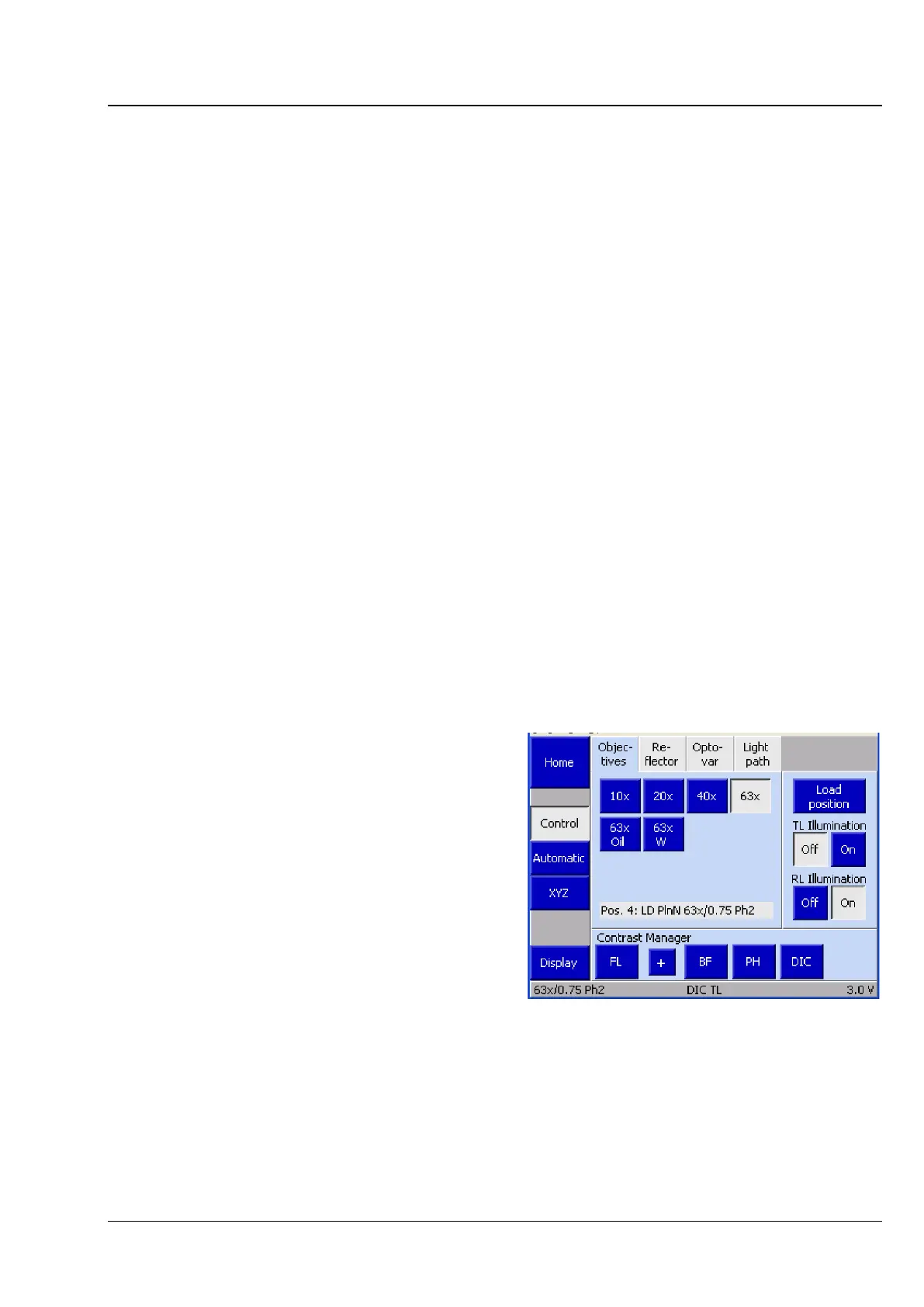
For objective positions which have already been
configured, the magnification and, where
applicable, the following additional information is
displayed:
Water immersion objective
• To move an objective into the optical path,
touch the button for that objective.
Fig. 100 Microscope -> Control -> Objectives









 To Next Page