OPERATION
ZEISS TFT display touchscreen on the Axio Observer 7, 7 materials Axio Observer
122 431004-7244-001 12/2016
If an Auto immersion module is installed on the microscope and a water objective is swiveled
in, the Immersion bar will be displayed on the TFT display showing the four buttons Create,
Renew, Setup and Prime for auto immersion. Instructions for the use of auto immersion are
to be found in the Quick Reference Guide Auto Immersion Module (433801-7044-001).
If the Light Manager is active, the brightness will be
readjusted automatically when the
objective is changed.
If a contrast technique was set in the Contrast Manager before changing the objective, this will
automatically adapt the process to the new objective (i.e. the condenser and reflector turret
positions may change - contrast adjustment). If the contrast technique is not available for the
objective, the system will switch to brightfield.
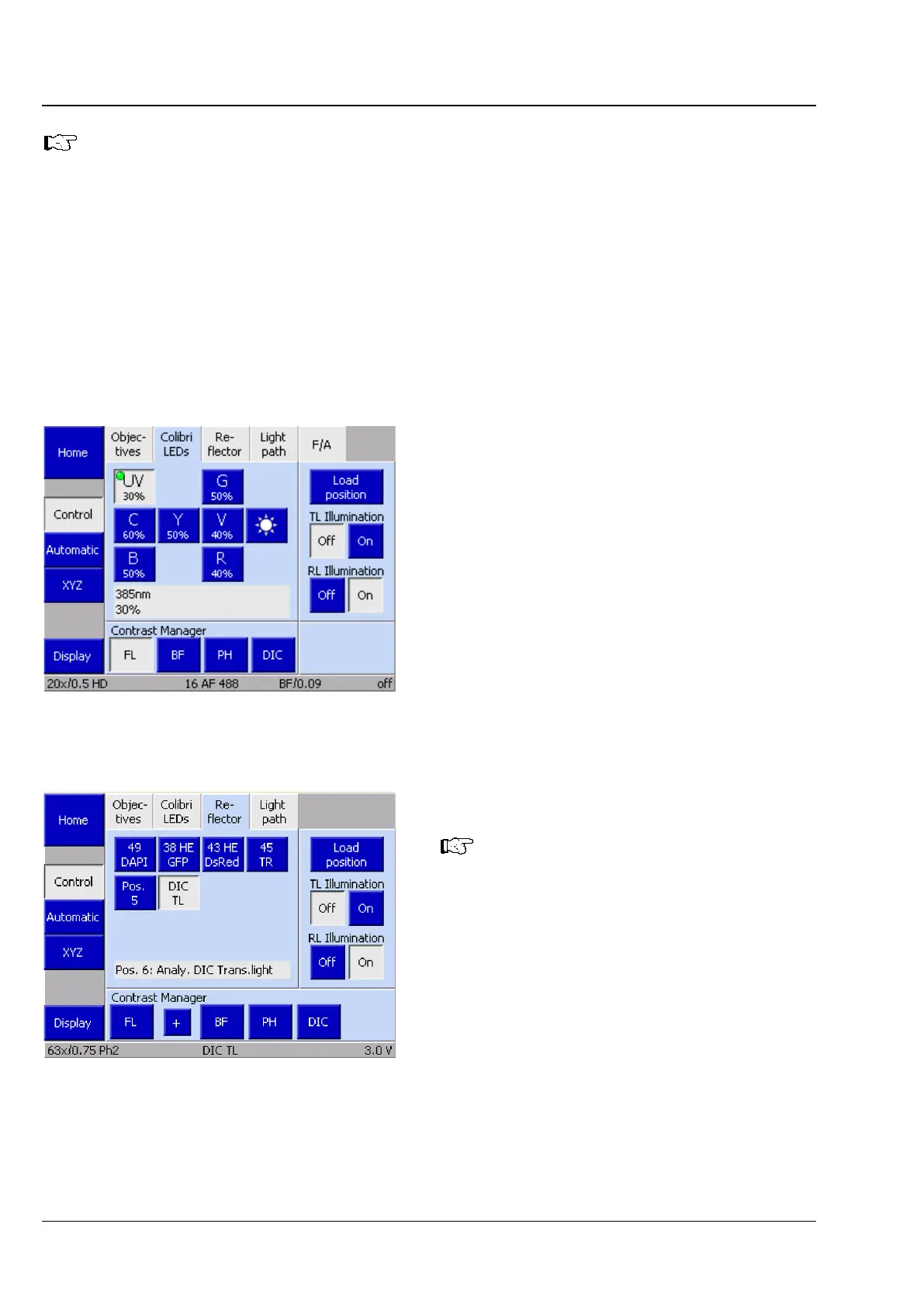
5.11.5.2 Colibri LEDs
Instructions for the use of Colibri LEDs are to be
found in the separate operating manual Colibri 7
(423052-7344-001).
5.11.5.3 Reflector
This tab will not be available if no
motorized reflector turret is installed.
The active reflector module will only be
displayed on the status page (
Fig. 95).
Up to six controls can be displayed for reflector
positions 1 to 6 depending on the reflector turret
mounted. Reflector modules which have already
been configured are identified by the description
on the button.
• To swivel in the desired reflector module, press
the relevant button.
Fig. 101 Microscope -> Control -> Colibri
LEDs page
Fig. 102 Microscope -> Control -> Reflector
page









 To Next Page