OPERATION
ZEISS TFT display touchscreen on the Axio Observer 7, 7 materials Axio Observer
134 431004-7244-001 12/2016
(3) Focus
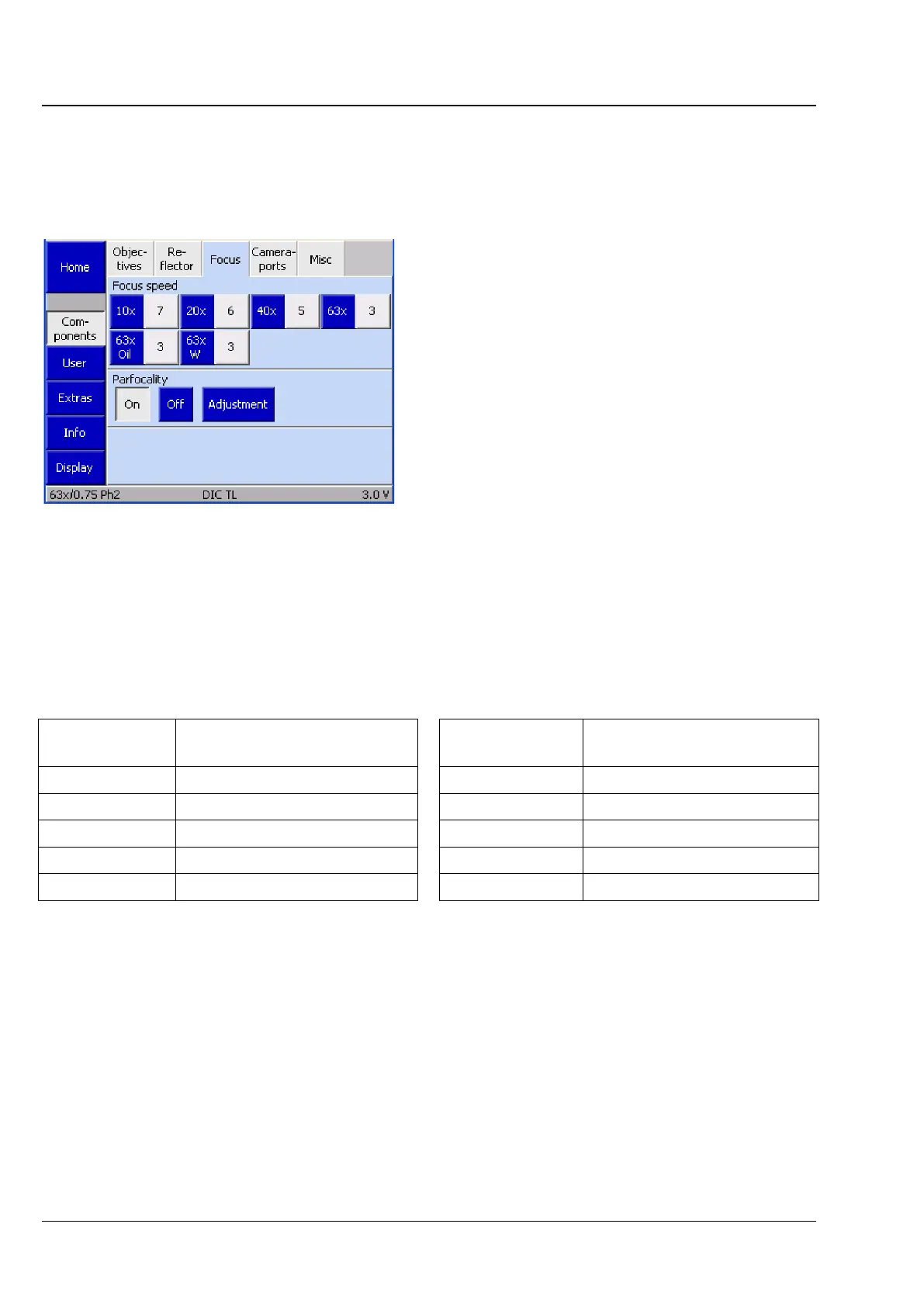
On this tab, you can enter the firmware settings for the focus drive. The speed of the focus drive can be
set individually for each objective.
a) Focus speed
Up to six buttons are displayed, depending on the
actual number of turret positions. The system
detects the number of nosepiece positions during
initialization (and when the Settings ->
Components page is opened). Before any
objectives have been configured, the buttons are
labeled only with the numbers of the nosepiece
positions.
After an objective is assigned to a specific button,
the magnification appears on the left (blue) half of
the button. The right, gray part of the button
shows the focus speed.
• To change the focus speed for an objective,
press the respective gray part of the button.
• The speed can be set between values of 1 and 10 using the ◄► buttons in the Focus speed for
objective # pop-up window. The higher the numerical value, the higher the focus speed in the
selected magnification.
The following factors are recommended for the focus control speed, depending on the objective
magnification.
Objective
magnification
Factors for focus control
speed
Objective
magnification
Factors for focus control
speed
1x 10 20x 6
1.25x 8 40x 5
2.5x 8 50x 4
5x 7 63x 3
10x 7 100x 3
• Press the Save button.
Fig. 125 Settings -> Components -> Focus









 To Next Page