206-3802
PAGE 31
Selecting Channel Labels
1
2
3
4
5
If a channel label is picked, the Channel Label for the channel you are
watching appears when you press ENTER or change to a different chan-
nel that also has a channel label, a convenient way to know which net-
work you are viewing.
Some networks display their own channel labels.
Channel Labels do not appear for video sources.
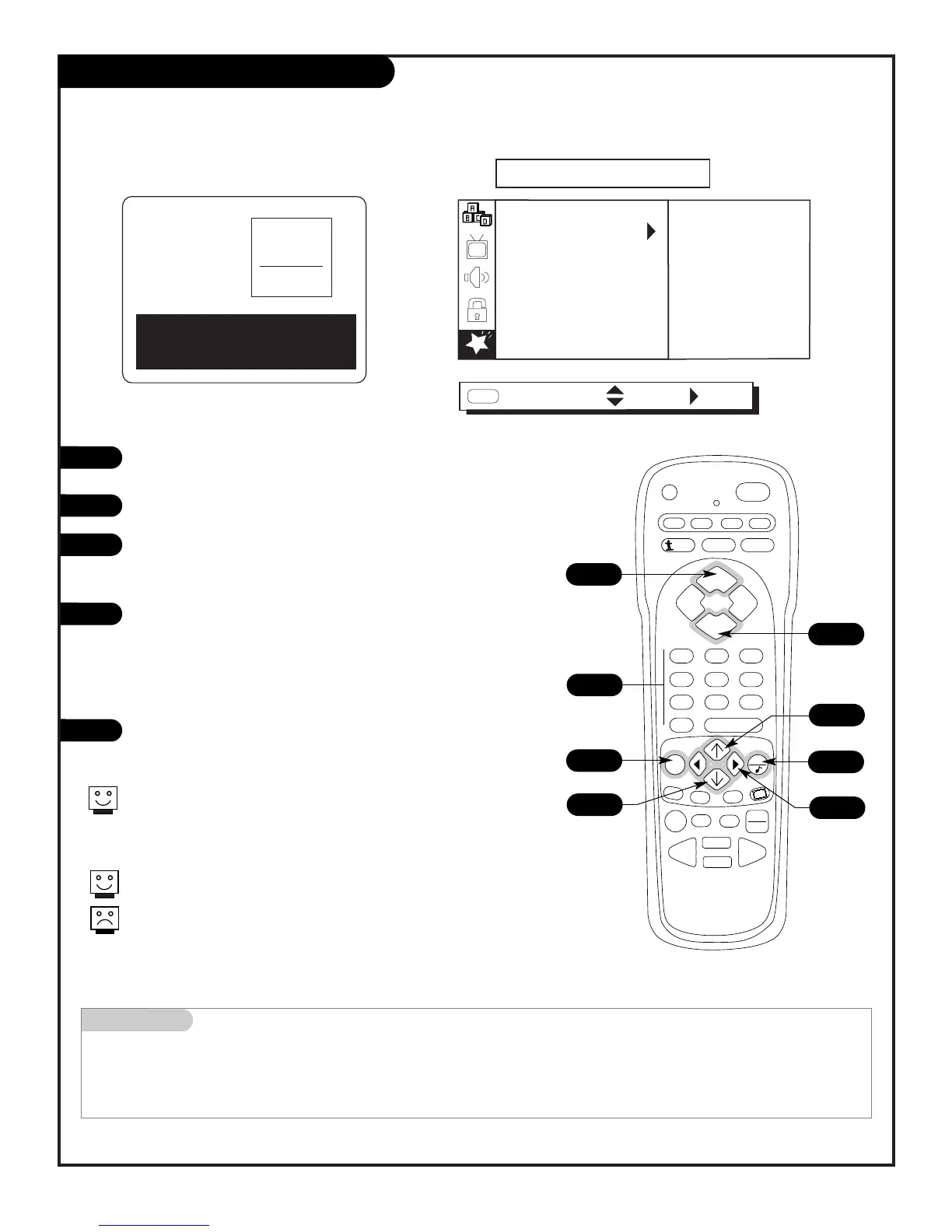
Pick a preset label to help identify the network you just tuned to or are currently watching
Using the NUMBER keypad or the CHANNEL Up/Down arrow,
pick the channel you want to label.
Press MENU repeatedly to choose the Special menu.
Use the Up/Down arrow to select CH. LABELS, then press the
Right arrow.
Select a Label for the Channel
Press the Down arrow key (each press will bring up a different
label) to go through the alphabetical listing, starting with A -
B - C - D, etc.
Or, use the Up arrow key to go through the alphabetical listing
backwards, starting with Z - Y - X - W, etc.
- - - - Broadcaster’s label will appear if one is provided.
Press QUIT to accept the label and return to regular TV viewing
or use the NUMBER keypad to select another channel and
repeat from Step 2.
Channel/Time Display with Channel Labels
Mini glossary
---- Allows a label to appear if one is provided by the broadcaster.
None This label prevents any labels from appearing.
CH 32-UPN
2:45
STEREO
PIP
CH 2-CBS
PM
Closed Captions scroll across the
screen as an aid to viewers and the
hearing impaired....viewer



 To Next Page