PAGE 41
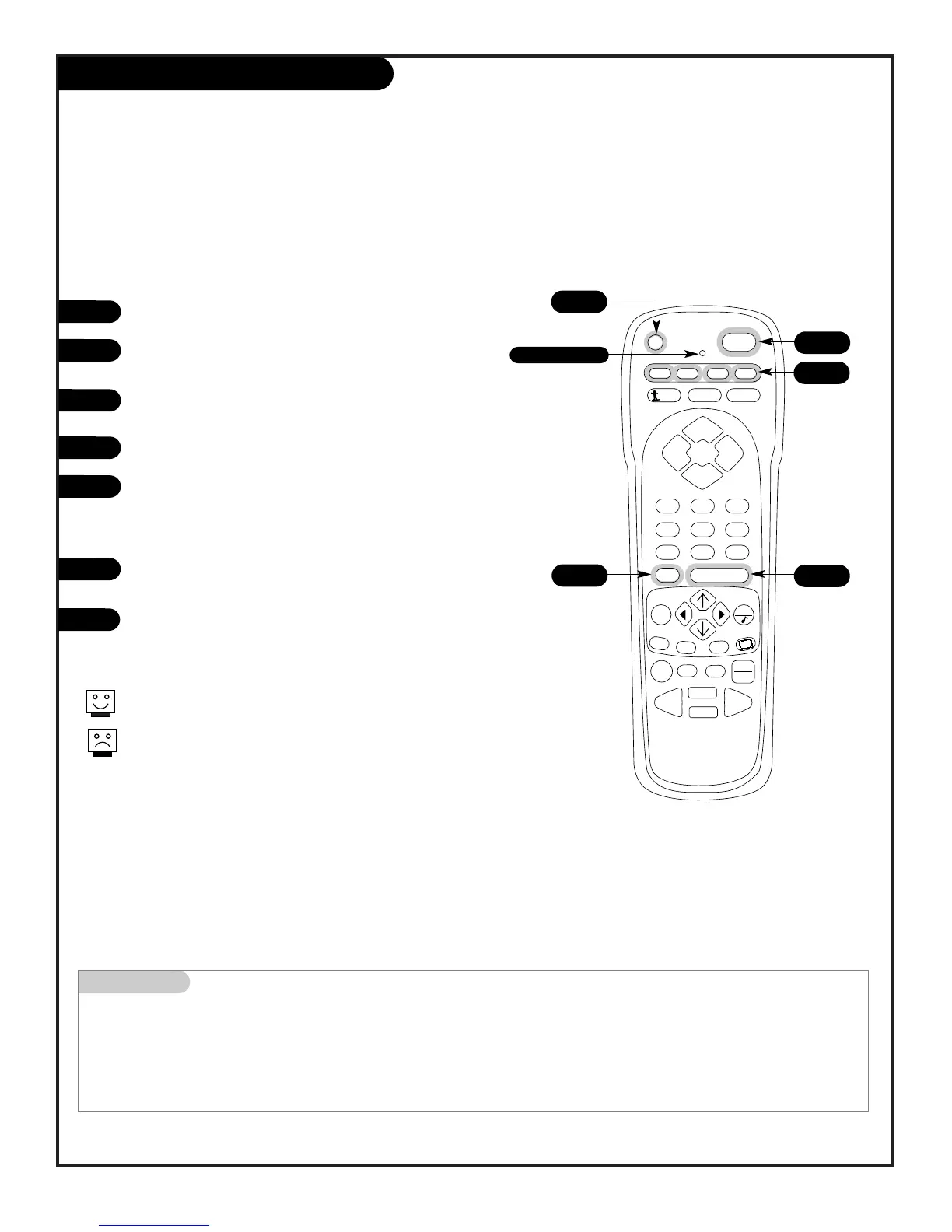
Remote Control Auto Find
206-3802
Mini glossary
AUTO FIND Another way of finding a brand code for controlling auxiliary equipment such as a VCR, DVD player, etc. that is
not available through the regular remote brand code programming method.
1
2
3
4
5
6
You can quickly get out of Auto Find by pressing PRG.
If the indicator light stays on while you press Power instead of turn-
ing off, all the codes have been tried and your device can’t be con-
trolled.
Use Auto Find to automatically search and try all possible brand codes
Turn on the device you want the remote to control.
Press and hold PRG until the indicator light turns on,
then release PRG.
Press the key for the device you are trying to program
(CABLE, VCR, AUX, TV).
Press 0-0-0 (zero-zero-zero), then press ENTER right away.
Aim the remote at the correct device and push the POWER
key (The indicator light will turn off while the POWER key is
pressed). Allow a second to pass, then push the POWER key
again. Repeat until the device turns off.
Push ENTER to save the code (The indicator light will flash 3
times and then turn off).
Press POWER to turn the device back on.
7
4
4/6
3
2
Indicator Light
5/7



 To Next Page