Hookup Directory
206-3802
PAGE 6
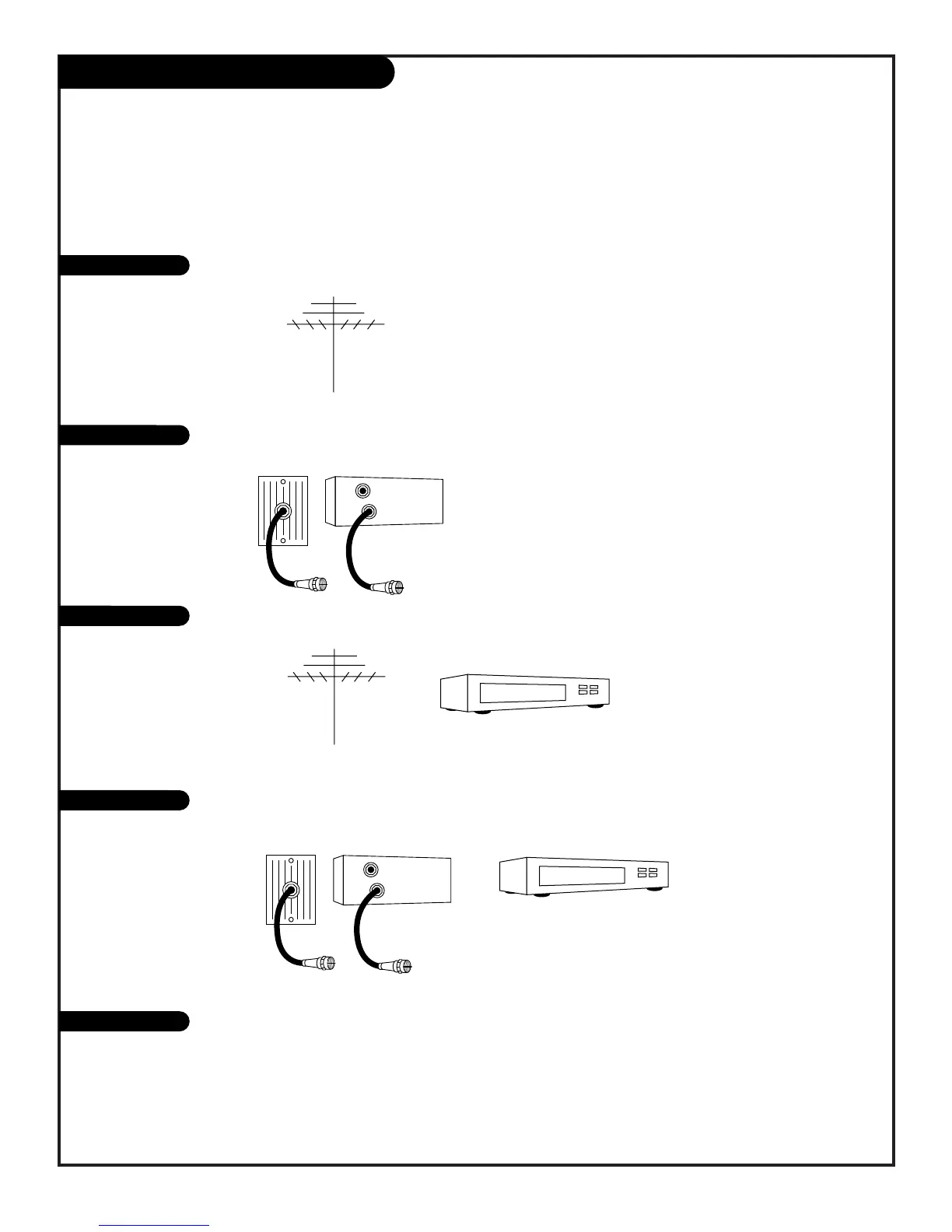
If you are using an antenna and no other equipment, go to . . . . . . . . . . . . . . . . . . page 7
If you subscribe to cable service and use no other equipment, go to . . . . . . . . . . . . . . . page 8
If you are using an antenna and have a VCR, go to . . . . . . . . . . . . . . . . . . . . . . . page 9
If you subscribe to cable service and have a VCR, go to . . . . . . . . . . . . . . . . . . . . . page 10
This page directs you to the appropriate page for hook up of your Entertainment Machine
IMPORTANT!!
Use this page to decide where you need to begin your setup. First, find the line below that best describes what you want
to do, then go to that page number.
Note: Design and specifications are subject to change without prior notification.
Antenna only
Cable only
Antenna with VCR
Cable and VCR
S-VHS/DVD/Stereo
If you have a Super VHS VCR, a DVD Player, go to . . . . . . . . . . . . . . . . . . . . . . . . . . . . page 11
If you want to connect Audio equipment, go to . . . . . . . . . . . . . . . . . . . . . . . . . . . . . . page 12



 To Next Page