Mini glossary
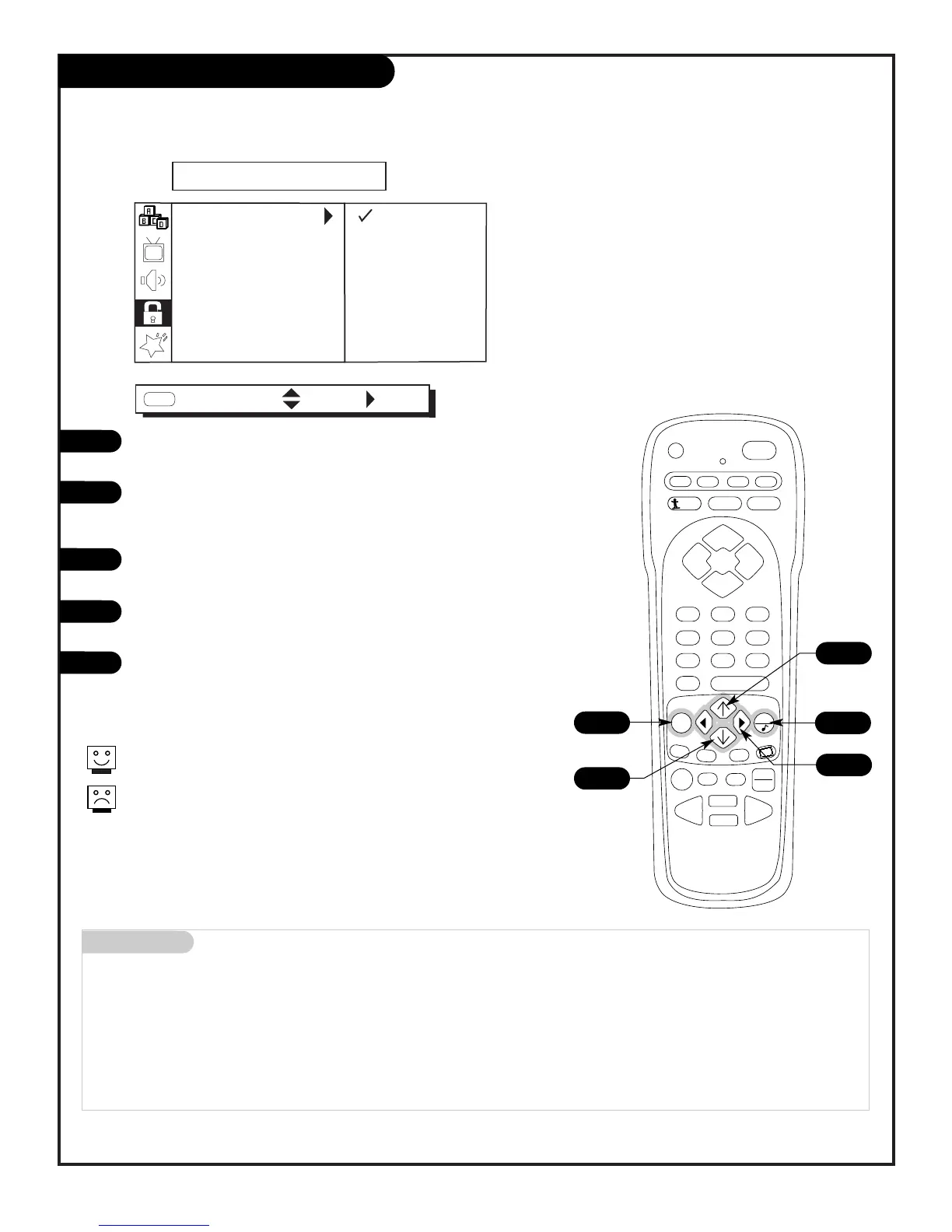
MENU On-screen displays you use to program the TV features.
UP/DOWN Use the Menu UP or DOWN
directional arrow to “select” or highlight and choose menu options.
LEFT/RIGHT Use the Menu LEFT or RIGHT
directional arrow to move to or return from the menu options listings.
QUIT Exits menus and removes on-screen displays.
ENTER Returns to the previously selected menu option on some menus.
On-screen menus automatically disappear after about 10 seconds.
Remote must be in the TV mode for it to control the TV.
Press TV on the remote to select TV mode.
Press MENU repeatedly on the remote control, to “select” one of
the five main menus on your screen like PARENTAL CONTROL.
Use the UP/DOWN directional arrow to select an option like AUX.
BLOCK. (You can select the other menu options like AGE BLOCK
by pressing the UP or DOWN directional arrow repeatedly.)
Once the option is selected, in this case AUX BLOCK, press the
RIGHT directional arrow to go to the next selection of options.
Use the UP or DOWN directional arrow to choose an option, in
this case BLOCKED or UNBLOCKED.
When finished, press MENU repeatedly to go back to the main
menu or press QUIT to remove the menus and submenus from the
TV screen.
5
1/5
2/4
2/3
2/4



 To Next Page