206-3802
PAGE 38
Programming the Remote
Mini glossary
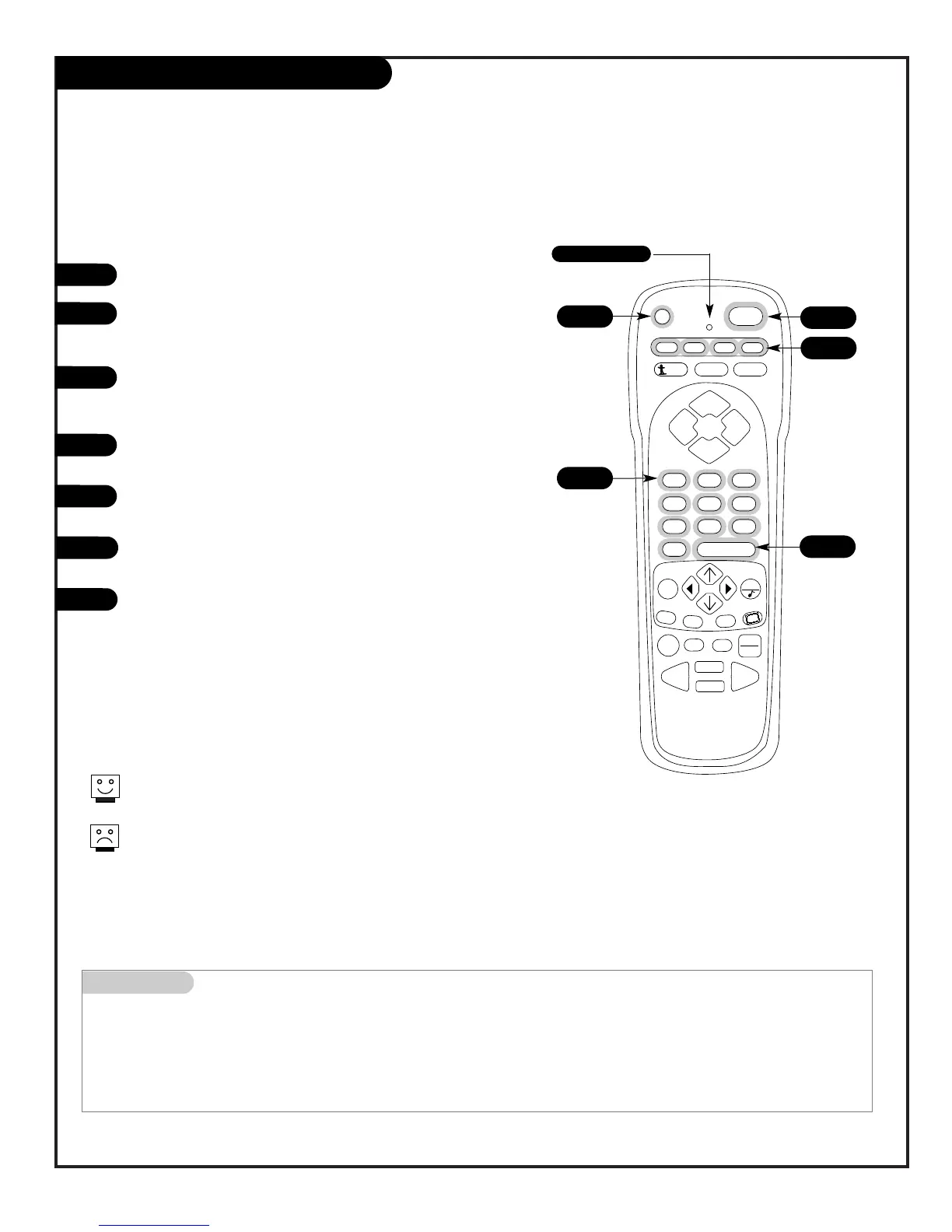
PROGRAMMING Procedure to set up remote to operate other equipment.
PRG Programming mode key.
DEVICE Infra-red remote controllable electronic accessory equipment.
1
2
3
4
5
6
Set up your remote control to operate other brand name devices
7
4
6
Programming your Zenith remote may allow you to use one remote
to work up to 7 different devices.
Not all devices will work with your Zenith remote control.
5
3
Turn on the device you want to program.
On the chart on page 42/43, find the type of device you’re
programming, and then find the brand name. Make a note of
the three-number code, you’ll need it soon.
Press and hold PRG. It’s recessed so it doesn’t get pushed
accidentally. Use a small, blunt object. When the indicator
light turns on, you can release PRG.
Push the key name with the type of device you’re program-
ming (VCR, CABLE, AUX, TV).
Using the NUMBER keypad, enter the three-number code you
found on page 42/43.
Press ENTER to save the code. (The indicator light will flash
3 times, then turn off to indicate the code is valid.)
Point the remote at the device and push POWER. It should
turn off. If not, try the other codes listed and continue from
step three.
Note: To reset remote to factory settings, enter 9-1-1, in
Step 5.
Note: After programming, be sure to press the mode key
first to operate the device you have just programmed.
7
Indicator Light



 To Next Page