FLASHBK (FLASHBACK)
Returns to the last channel viewed.
Up/Down/Left/Right Arrows
UP/DOWN ARROWS
Move PIP inset around screen.
LEFT/RIGHT ARROWS
Move PIP inset around screen.
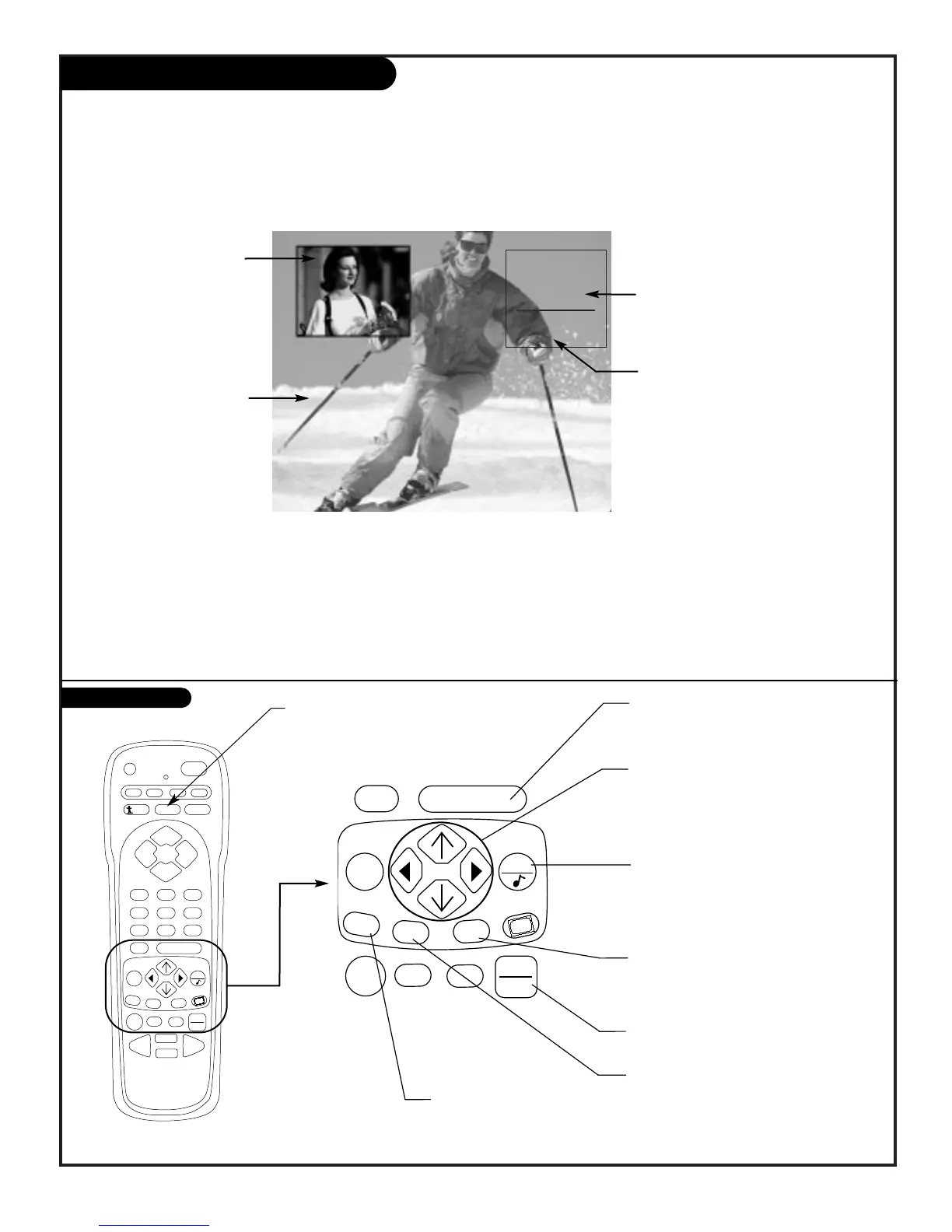
PIP Inset Picture
Press PIP to turn PIP on
and off.
Move PIP Around Screen
Press Up/Down/Right/Left
arrows to move the PIP
inset to the other corners
of the screen.
Main Screen Picture
With PIP off, press FREEZ to
place the Main screen pic-
ture in the PIP inset and
“freeze” the image thereby
turning PIP on. (A good
way to freeze the image so
you can write down phone
numbers etc.)
Swap Main Picture with PIP
Press the SWAP repeatedly to swap the images between the Main
picture and PIP inset.
Main Picture Source
Press TV/VCR SOURCE to change the source to ANTENNA/CABLE,
Video 1, or Video 2. (Or, use the Setup Menu.)
Channel/Time/Audio Source Display
Press ENTER to show display. Shows
source for: Main picture, PIP.
PIP Source
Can be ANTENNA/CABLE, Video 1, or
Video 2. (Use the Setup Menu.)
FREEZ
PIP On: Freezes image in PIP inset.
PIP Off: Freezes Main screen picture
in PIP inset and turns PIP on.
QUIT
Exits menus.
ENTER
Shows Channel/Time Display on
Main screen.
TV/VCR SOURCE
Chooses viewing sources.
PIP
Turns PIP on and off.
SWAP
Swap Main and PIP sources
PIP Key Functions



 To Next Page