Hook Up Cable Service (CATV)
206-3802
PAGE 8
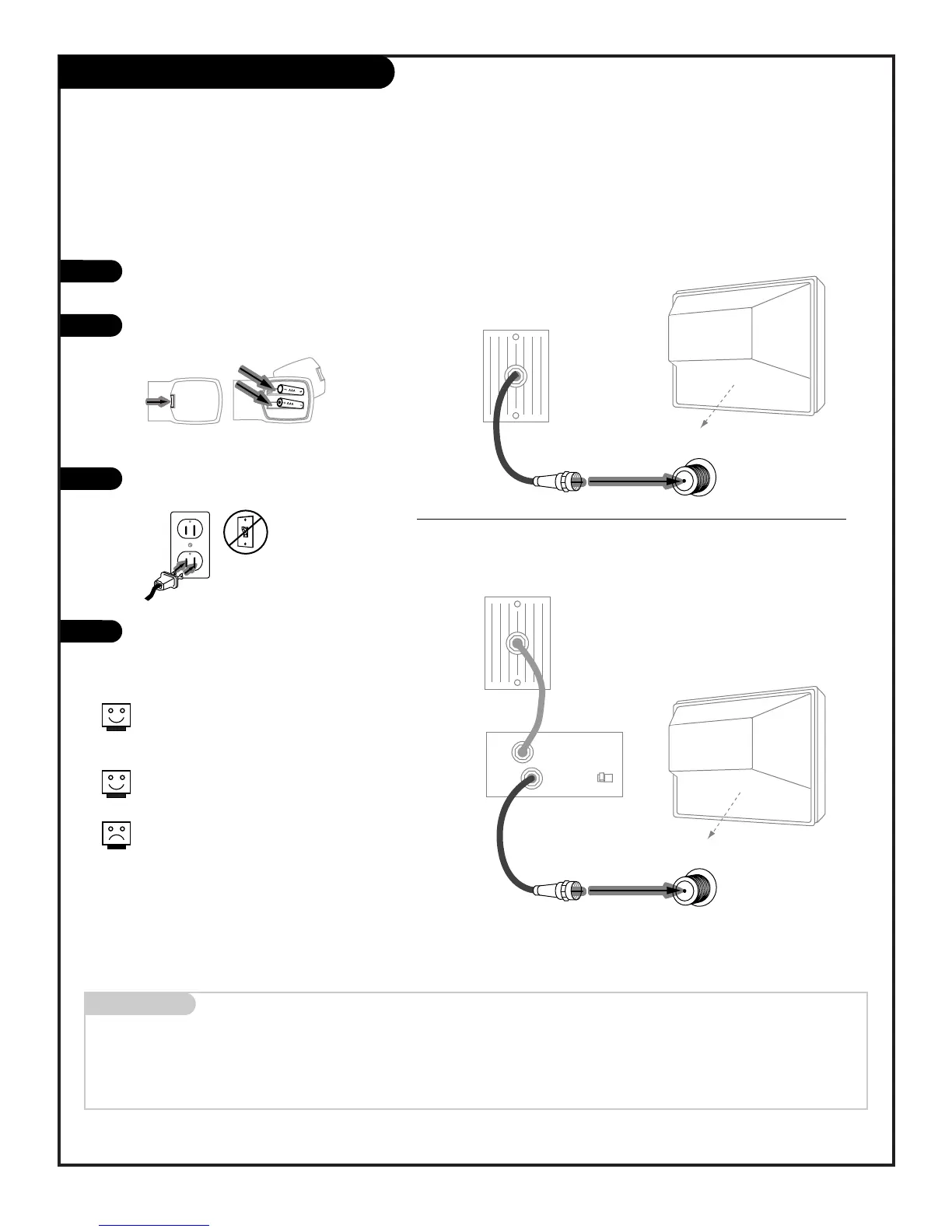
Connect Cable Service to your Entertainment Machine
Hook up your Entertainment Machine,
see diagrams at right.
Remove the back of the remote and put
in two AAA batteries.
Plug in your TV. Do not plug it into a
switched outlet.
Go to page 13 to EZ Program your
Entertainment Machine.
Mini glossary
CABLE SERVICE The wire that supplies all your cable TV (CATV) stations.
If you’re using a cable box, leave your
TV on channel 3 or 4 and use your cable
box to change channels.
Remember to set the cable box output
channel switch to channel 3 or 4.
If you’re using a cable box, EZ Program
(page 13) might only find the channel
your cable service is on
(usually channel 3 or 4). Don’t worry,
that’s all you need!



 To Next Page