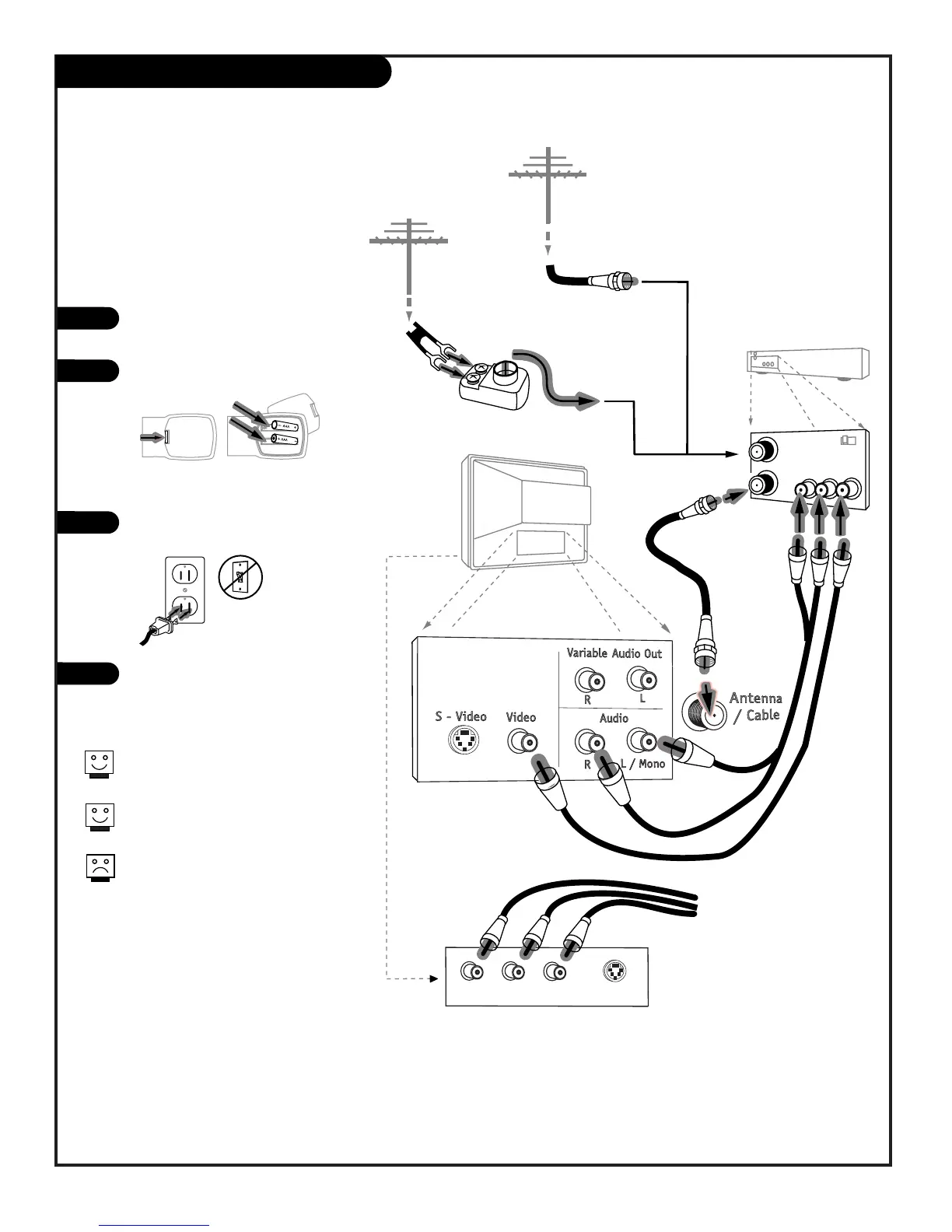
Hook up your Entertainment
Machine, see diagrams at right.
Remove the back of the remote and
put in two AAA batteries.
Plug in your TV. Do not plug it into
a switched outlet.
Go to page 13 to EZ Program your
Entertainment Machine.
Hook Up Antenna and a VCR
206-3802
Connect an off air antenna and
VCR to your Entertainment Machine
Remember to set the VCR output
channel switch to channel 3 or 4.
Video sources provide better
picture and sound.
Without A/V cable hookup, VCRs
will not play videocassettes in
stereo sound.
1
2
3
4
PAGE 9



 To Next Page