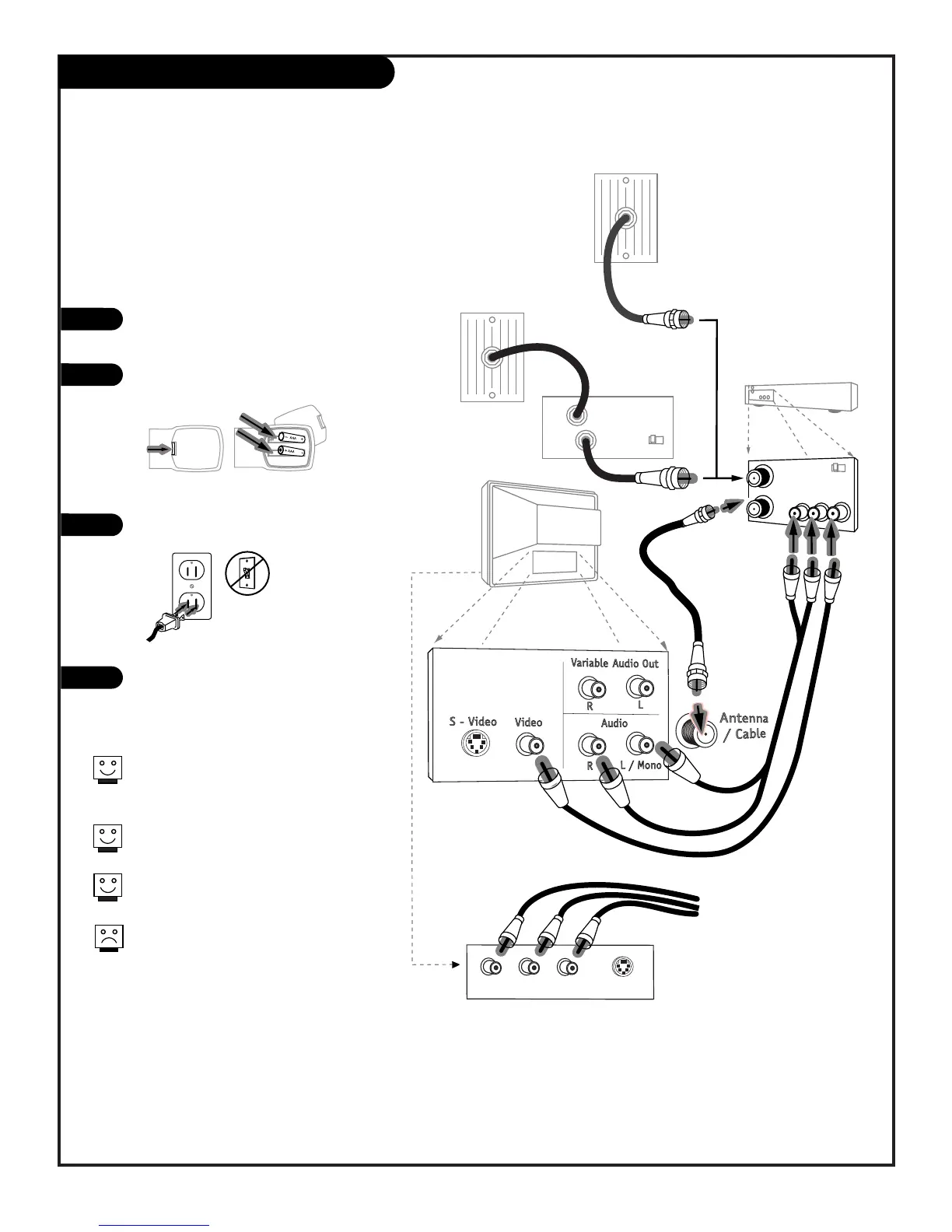
Hook Up Cable (CATV) and a VCR
206-3802
PAGE 10
Connect Cable service and a
VCR to your Entertainment Machine
Leave your VCR and your television
tuned to channel 3 or 4 and use the
cable box to change channels.
Remember to set the cable box output
channel switch to channel 3 or 4.
Auxiliary sources provide better picture and
picture and sound.
No A/V cables are included with your
Zenith Entertainment Machine.
Hook up your Entertainment
Machine, see diagrams at right.
Remove the back of the remote and
put in two AAA batteries.
Plug in your TV. Do not plug it into
a switched outlet.
Go to page 13 to EZ Program your
Entertainment Machine.
1
2
3
4



 To Next Page