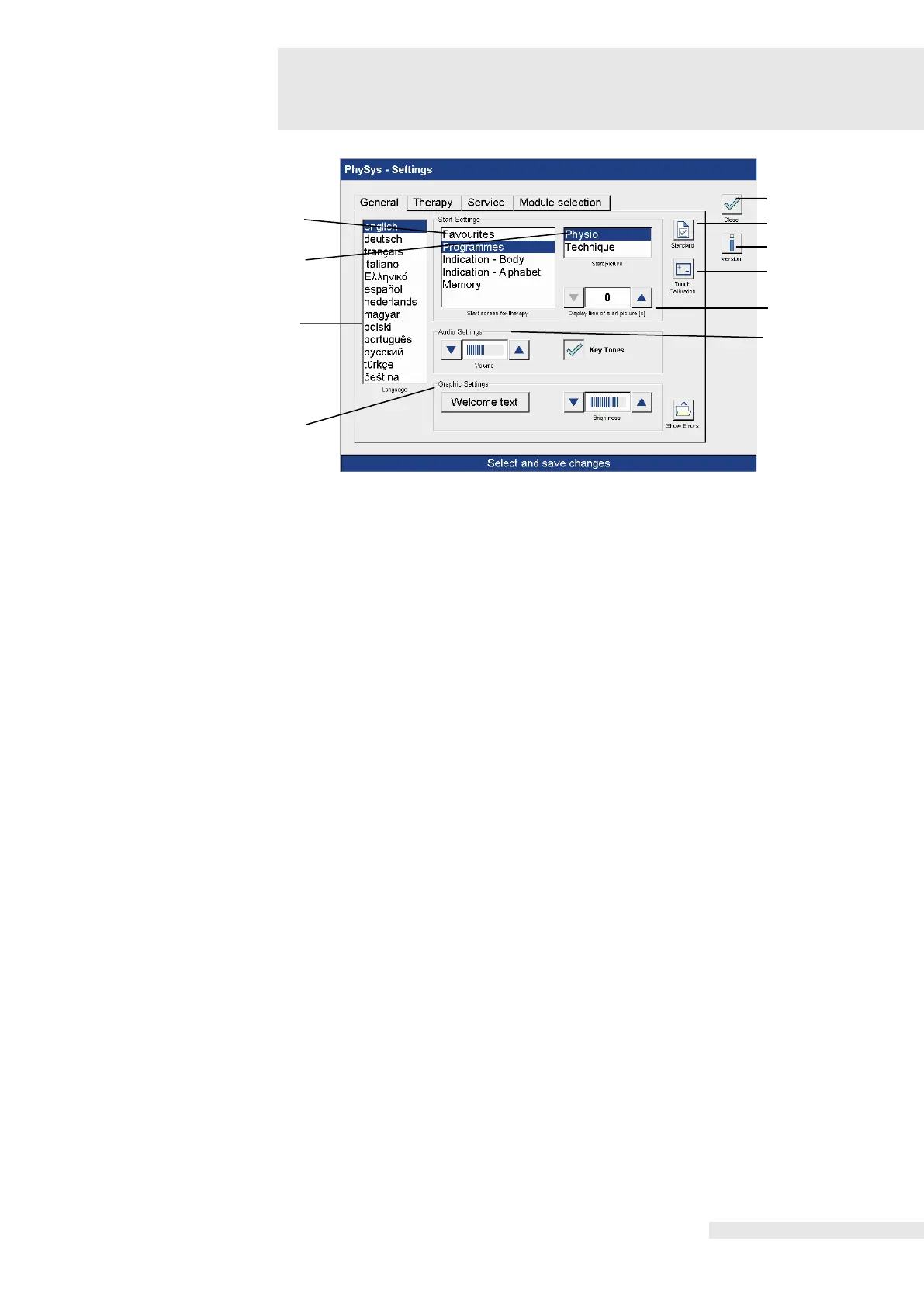
8.1 General
General
The setting options are described below.
The default settings are pre-programmed in the factory as shown on the screen.
Options to individually select the start settings.
Option to select from two start pictures.
The selection is made directly in the corresponding line.
Language selection.
The selection is made directly in the corresponding line.
Activating the “Welcome text” field opens a window with an alphabetical keyboard to enter an
individual welcome text in the start-up screen.
Activating the “Save” button saves the text entered.
Activating the “Cancel” button leads back to the settings menu.
2. Brightness:
Option to adjust the brightness of the screen illumination.
Activating the “Close” button switches immediately to the start screen.
Activating the “Standard” button restores the factory default settings.
Activating the “Version” button opens a window with information on the current software
version.















 To Next Page