8.2 Therapy
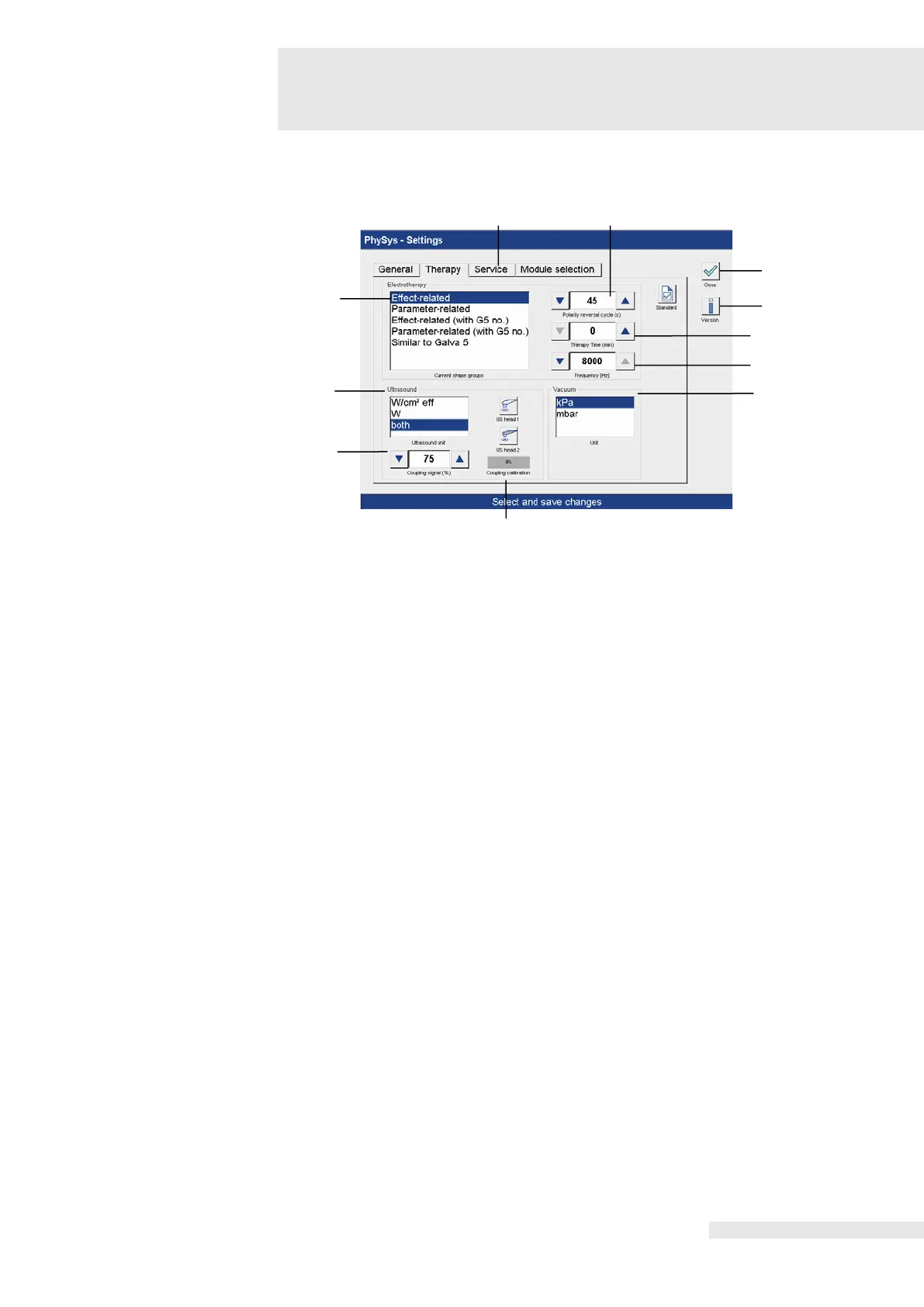
Activating the “Therapy” field opens the “Therapy settings” screen.
Therapy-related settings can be applied here.
The display mode of the electrotherapy programs can be set.
The selection is made directly in the corresponding line.
(2) Polarity reversal cycle
The polarity can be adjusted using the two arrow buttons.
A uniform therapy time for all programs can be set using the two arrow buttons.
Option to adjust the basic frequency at the levels of 2500 Hz, 4000 Hz and 8000 Hz. The
adjustment can be made using the two arrow buttons.
Option to adjust the intensity unit on the bar graph. The selection is made directly in the
corresponding line.
The threshold value of the coupling can be adjusted using the two arrow buttons.
To compensate for possible misalignments of the transducers caused by multiple hours of
operation, coupling alignment can be performed. To do this, the ultrasound transducer to be
calibrated is selected using the “US head 1” and “US head 2” buttons.
For information on performing the coupling calibration, see section 7 “Set-up”.
Option to adjust the intensity unit of the vacuum. The selection is made directly in the
corresponding line.
Activating the “Version” button opens a window with information on the current software
version. Activating the “OK” button closes the window.
The “Service” menu is not relevant for the user. The points listed here are only used in the
event of service by customer service.
Activating the “Close” button opens the window to save the settings. Activating the “Yes”
button saves the modified settings and returns to the start screen. Activating the “No” button
leads back to the start screen without saving the modified settings. Activating the “Cancel”
button interrupts the process.















 To Next Page