9.2 Ultrasound therapy
Using the “Start” button, the “Programmes – Electrotherapy” window opens.
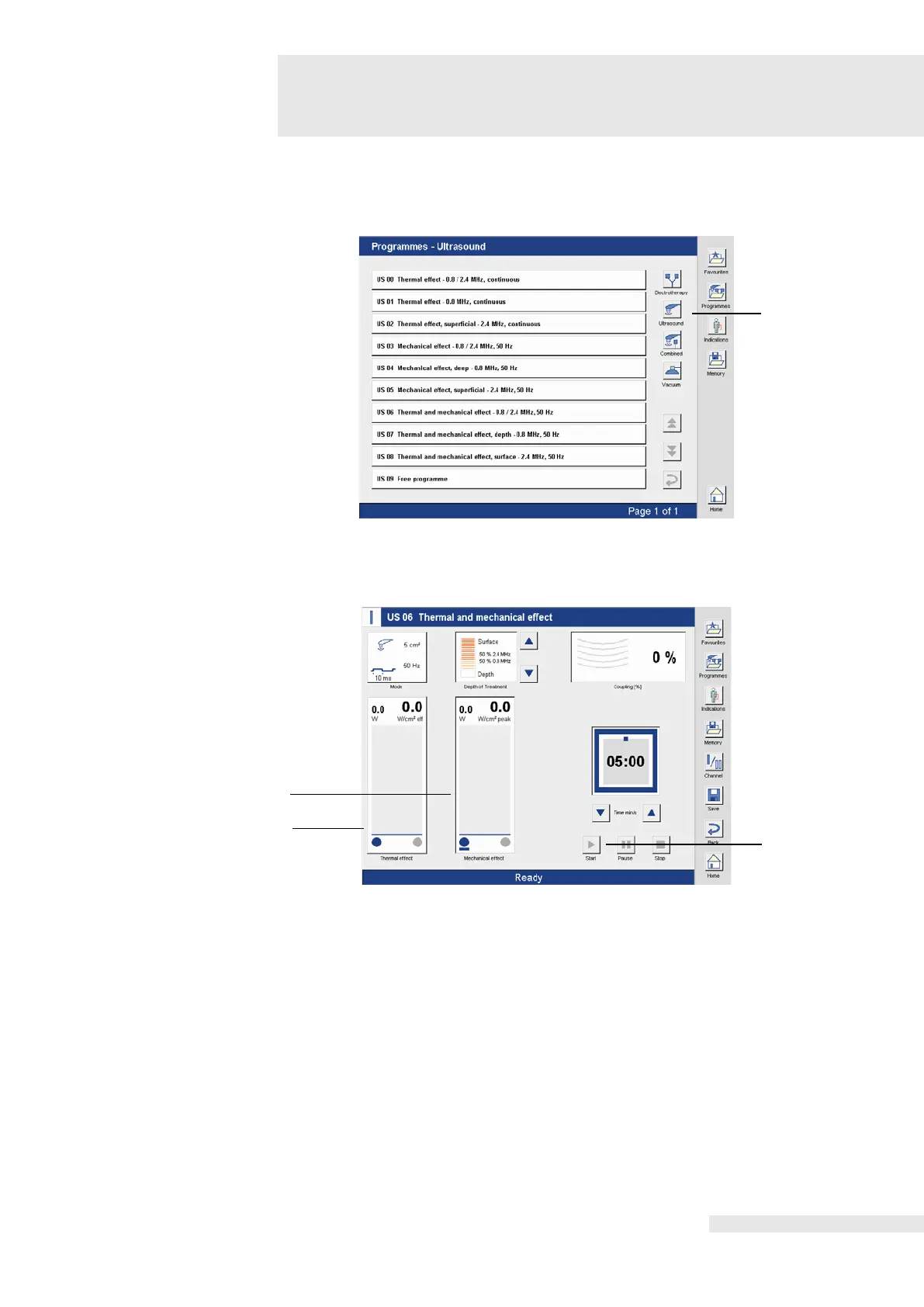
Using the button (1), the “Programmes - Ultrasound” window opens.
The desired ultrasound therapy program is selected directly in the corresponding line.
After the ultrasound therapy program has been selected, the therapy screen opens.
The intensity is adjusted using the left intensity regulator.
Activating the (2) button starts the therapy. The display in the lower status line changes from
“Ready” to “Active” upon the start of therapy. The dose set is shown in both bar graphs (1) and
the therapy time decreases every second. The coupling display is enabled.
After the therapy time has elapsed, an acoustic signal indicates the end of therapy and the
clock is at 00:00. The intensity automatically goes to zero, the bar graph display disappears
and the coupling display is disabled. The display in the lower status line changes from “Active”
time
Using the button (2), the therapy time is reactivated after the end of therapy.















 To Next Page