9.4 Vacuum unit (VacoP)
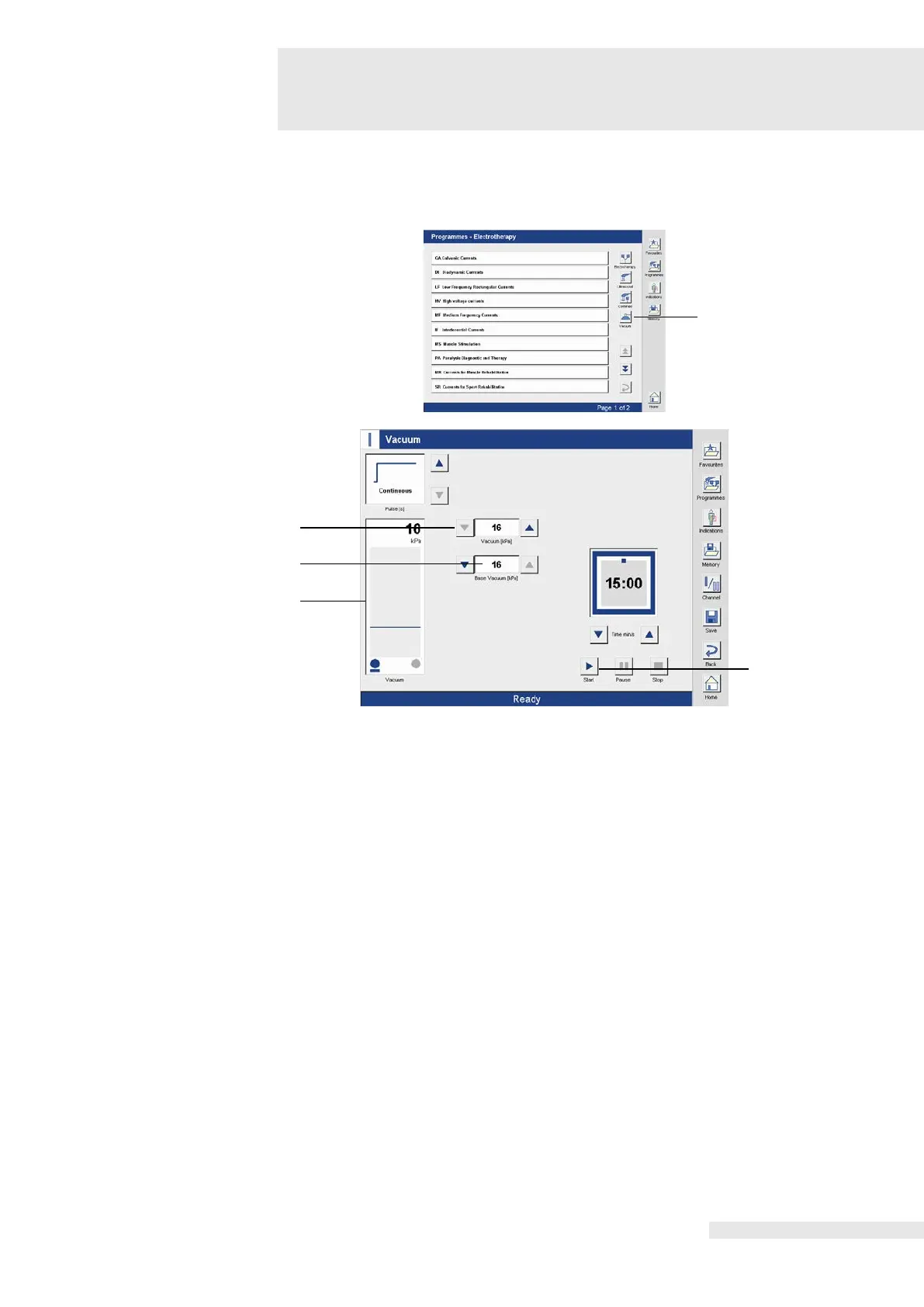
Using the “Start” button, the “Programmes – Electrotherapy” window opens.
Using the “Vacuum” button, the Vacuum window opens.
A base vacuum of 16 kPa is set as a default (3).
The drawing in of the vacuum electrodes is activated using the “Start” button (4). The display in
the lower status line changes from “Ready” to “Active”.
The level of the base vacuum is shown in the bar graph (1) and the therapy time decreases
The vacuum is adjusted using the right and left arrow buttons next to the window (2) or using
the left intensity regulator.
After adjusting the vacuum, the current vacuum level is displayed in the bar graph.
After the therapy time has elapsed, an acoustic signal indicates the end of the therapy, the
clock is at 00:00, the vacuum level automatically goes to zero and the bar graph display goes
out.
The display in the lower status line changes from “Active” to “Ended”.
Activating the therapy
time
Using the “Start” button, the therapy time is reactivated after the end of therapy.
Since the vacuum unit is used in most cases in connection with electrotherapy, the “Pause”
button is not active during solo operation.















 To Next Page