9.4 Vacuum unit (VacoP)
display elements and
buttons
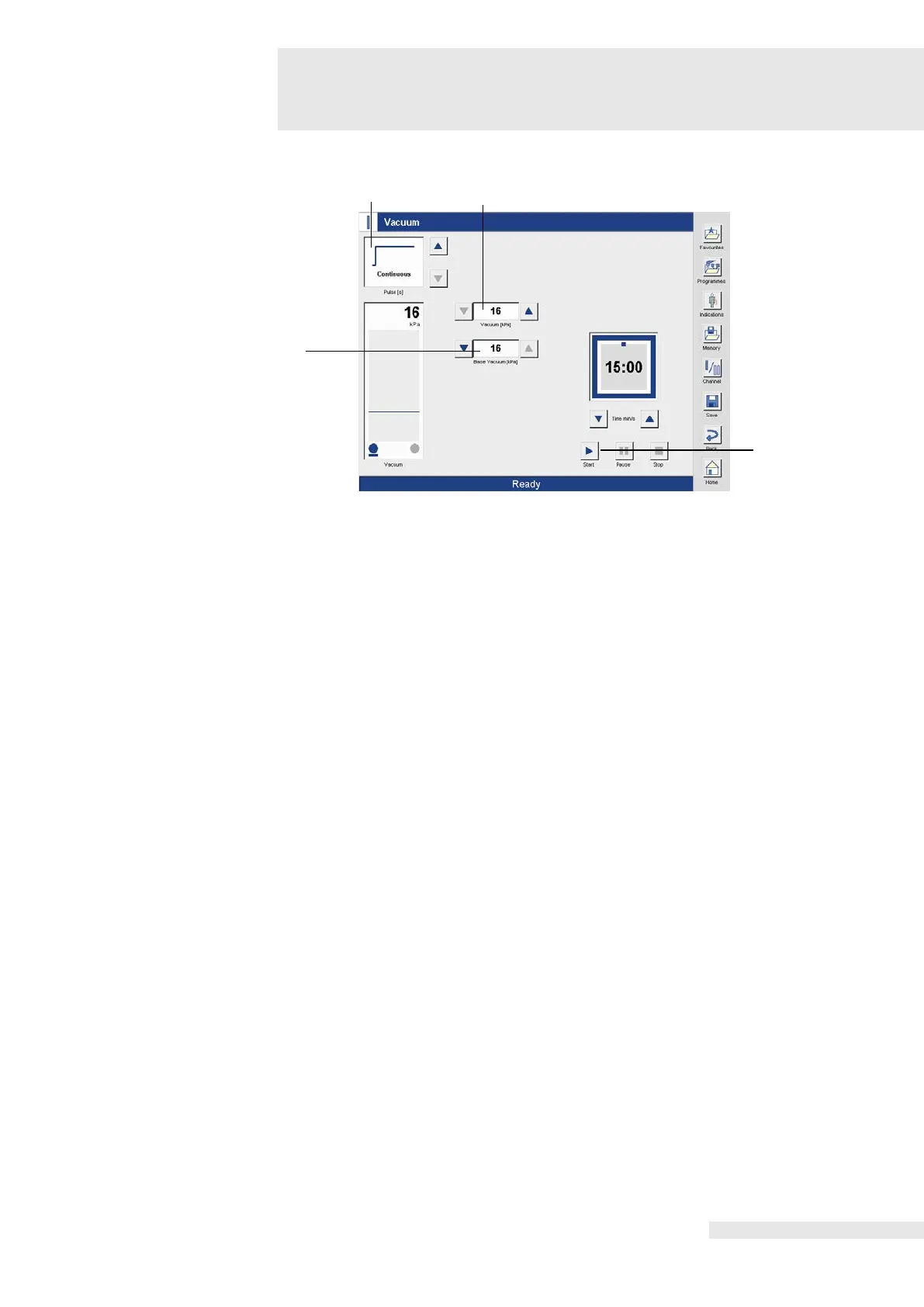
Displays the base vacuum set as default.
The base vacuum can be increased or decreased up to 12 kPa using the two arrow buttons.
Shows the parameters of the current program.
The following parameters are displayed:
Operating mode, unpulsed or pulsed, showing pulse time.
In pulsed operation, the pulse duration is set using the two arrow buttons next to the display
Shows the set vacuum. The vacuum is adjusted using the right and left arrow buttons.
Activating the button activates the base vacuum to draw in the electrodes.
The procedure up to the therapy screen is analogous to the procedure described in section 8.1
“Electrotherapy”.
Pulsed operation is only possible with the large vacuum electrodes.















 To Next Page