9.7 Indication menu
The indication menu is used for support during therapy selection.
Activating the “Indications” button opens the “Indications” menu.
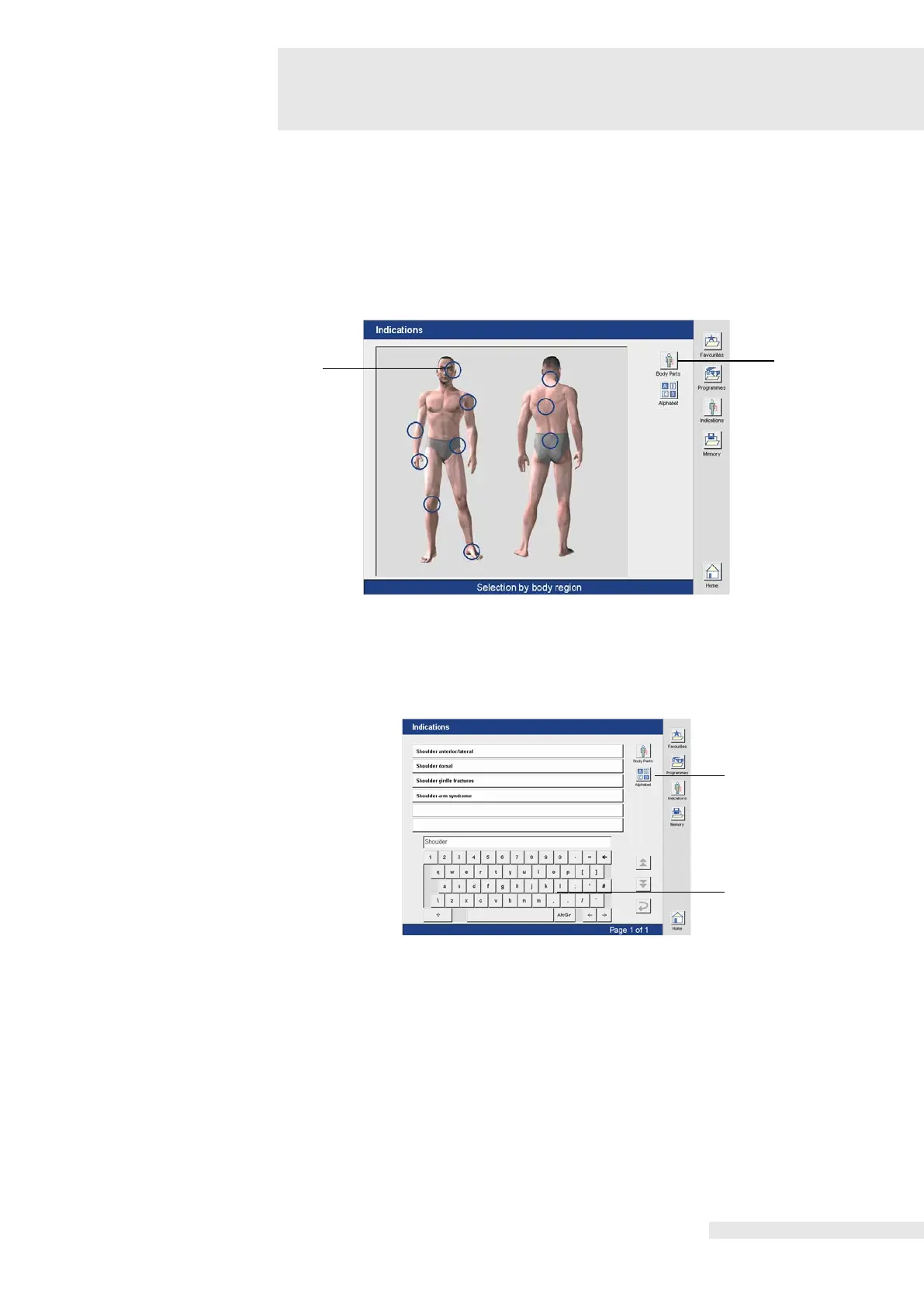
In the “Indications” menu there are two options available to select the desired application:
• through selecting a body region
•
Selecting the application
by body region
Activating the button (1) opens the “Selection by body region” menu.
The body region is selected by clicking on the blue circle (3).
Selecting the application
by list
Activating the button (2) opens a menu in which the treatment regions are listed in alphabetical
order.
The selection is made through an entry via the keyboard (4).
Regardless of whether the application is selected using body regions or the list, the program
steps are identical here and are therefore described only once below.















 To Next Page