9.2 Ultrasound therapy
Description of the display
elements and buttons
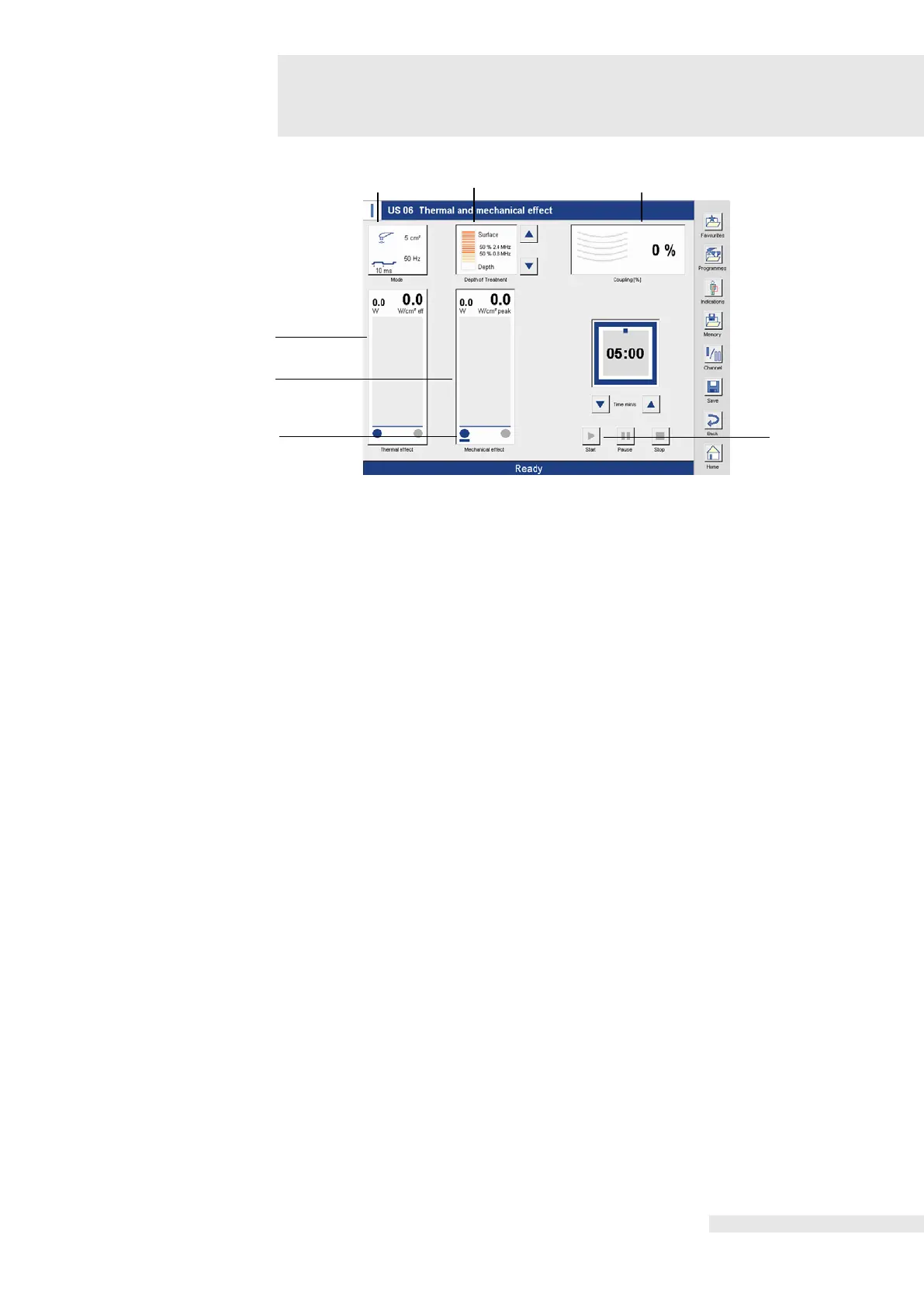
(1) / (2) Thermal effect /
Mechanical effect
The bar graph displays (1) indicate the set intensity.
The programs US 00, US 01, US 02 and US 09 emit the unpulsed ultrasound output and
therefore exclusively have a thermal effect. In the therapy screen, only the thermal effect bar
graph is shown and can be adjusted. In the case of the pulsed programs, the option for
separately controlled thermal and mechanical effects can be used to individually select
whether the ultrasound therapy should focus on the thermal effect or on the mechanical effect.
To individually change the ratio specified by default, the bar graph is activated directly in the
bar graph display. The blue bar in the lower part of the bar graph display (2) indicates that the
The separately controlled mechanical and thermal effects enable an individual selection as to
whether the ultrasound therapy is to focus on the heat effect or the mechanical effect.
To individually change the specified ratio, activate the desired bar graph directly in the bar
graph display.
The blue bar under the blue dot indicates which bar graph is activated.
Shows the parameters of the current therapy program.
The following parameters are displayed:
Data from the active ultrasound transducer, operating mode, pulse time, pulse frequency.
Activation of the “Mode” button opens the “Ultrasound parameters” window. Here the other
ultrasound transducer can be activated and the parameters can be changed in a user-defined
manner.
The ultrasound transducer, change in the operating mode, pulse frequency and the associated
pulse time are selected by activating the corresponding button.
If the ultrasound therapy is performed in water, the temperature monitoring of the ultrasound
transducer must be modified prior to the therapy.
Activating the “Water bath” button modifies the ultrasound transducer for water bath treatment.
The bar graph shows the frequency ratio from 0.8 MHz to 2.4 MHz in percent. The individual
setting is adjusted using the two arrow buttons to the right of the display window.
Additional information can be found in the therapy manual.
Coupling display. The coupling is displayed graphically, in different colours depending on the
coupling level, as well as digitally in percent.
Activating the button starts the therapy.















 To Next Page