ZIPWAKE DYNAMIC TRIM CONTROL SYSTEM - FOR INTEGRATION 19
9 INTERCEPTOR SETUP
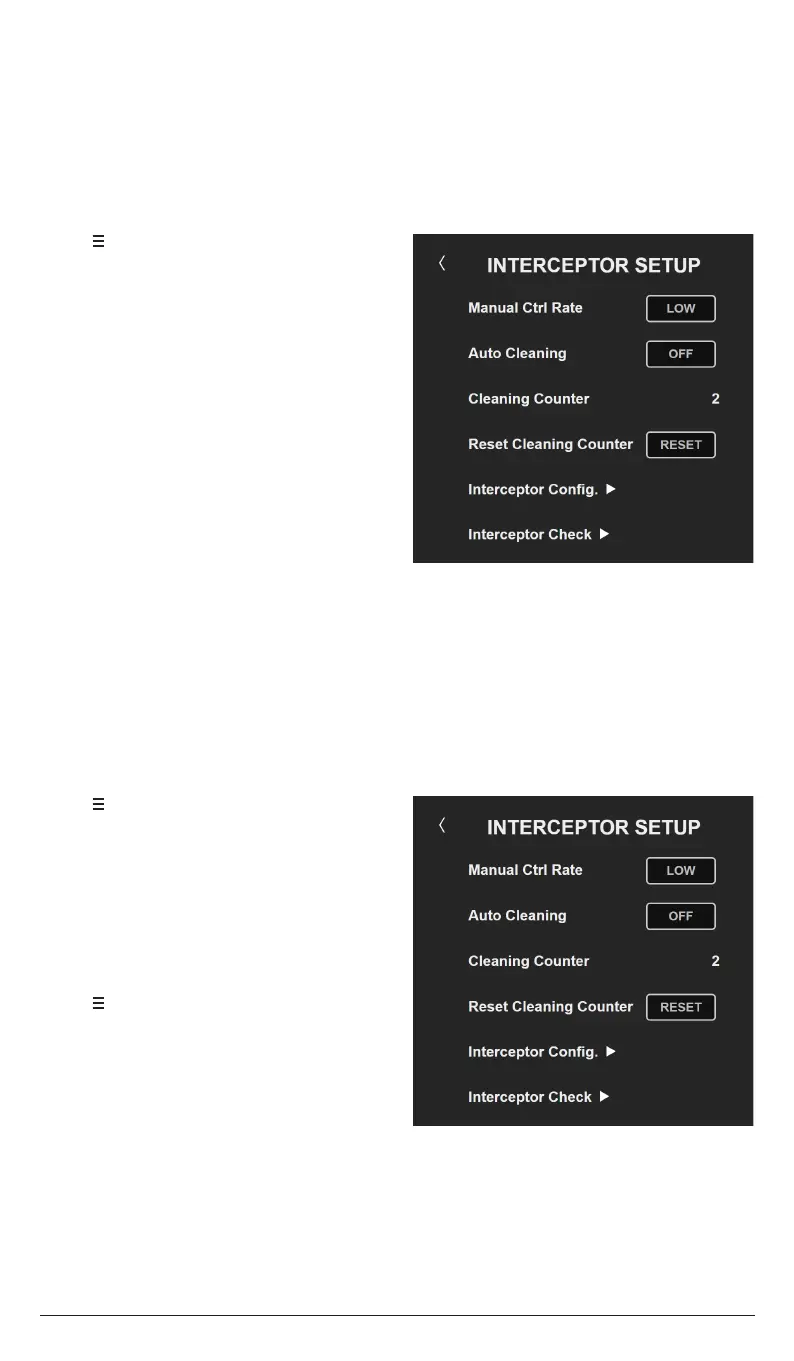
9.1 MANUAL CONTROL RATE
1. Tap to open the System Menu.
2. Tap Interceptor Setup.
3. Select the desired Manual Control Rate.
With the system in Manual mode, the relationship between the turning rate of the control
wheels and the interceptors’ actuation speed can be adjusted from low to high. A high
control rate provides fast actuation for more aggressive manual piloting, whereas a low
setting is the default and suciently fast for most helmsmen.
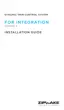
9.2 AUTO CLEANING
1. Tap to open the System Menu.
2. Tap Interceptor Setup.
3. Select the desired Auto Cleaning
interval.
Reset the cleaning counter:
1. Tap to open the System Menu.
2. Tap Interceptor Setup.
3. Tap RESET to zero the Cleaning
Counter. Tap YES in the pop-up
window to confirm.
With Auto Cleaning enabled the system automatically carries out 3 consecutive cleaning
cycles (blade moves in-out-in) with a periodicity selectable from 24 hours to 4 weeks.
Moving the interceptor blade frequently in-and-out is an eective way to prevent fouling
on the insides of the interceptors when boats stay in the water for long periods.
Refer to the Installation Guide’s wiring diagram for information about connecting system
power if Auto Cleaning is to be used.
NOTE!
Disable Auto Cleaning or disconnect power to the system when the boat is hauled out
of the water.


 To Next Page