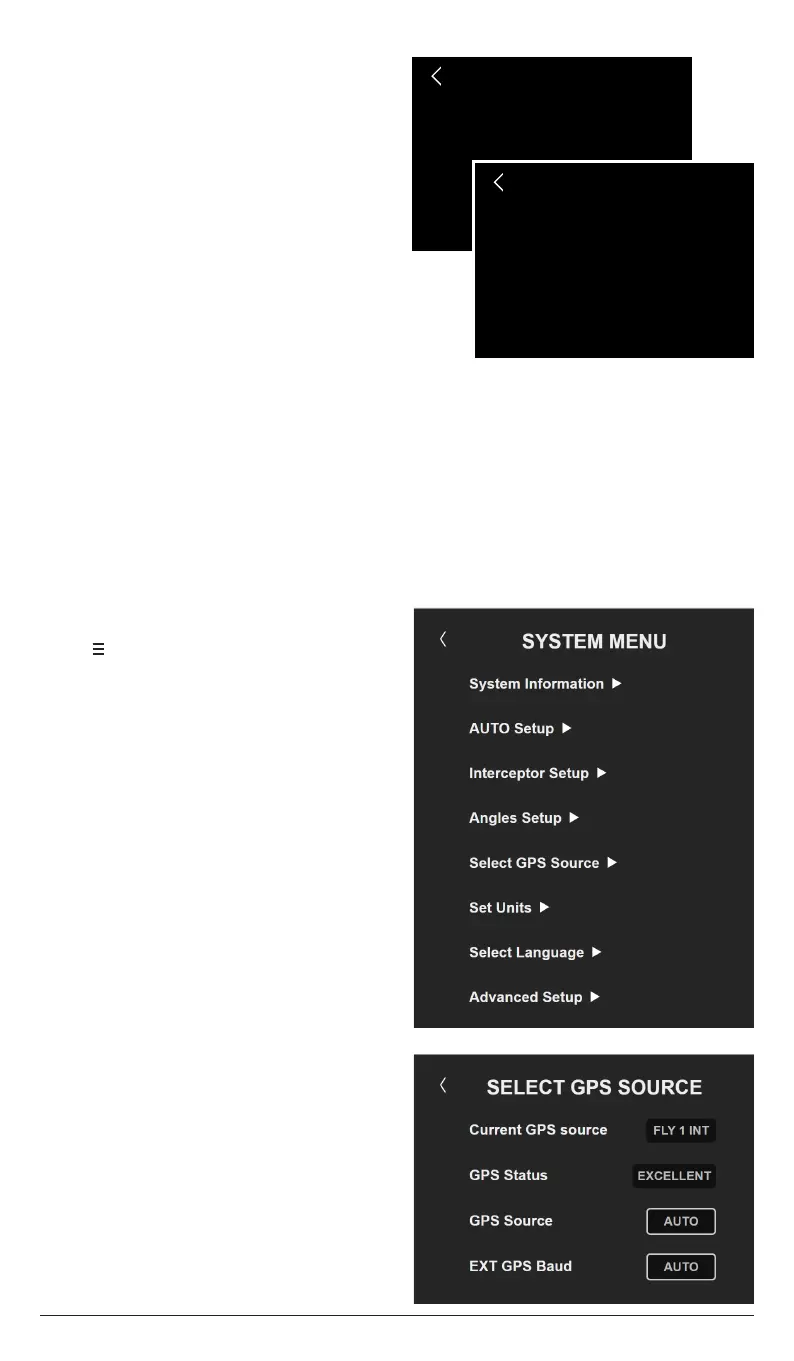
RESET PITCH & ROLL
Resetting Pitch and Roll angles…
AUTO PITCH CURVE
Calculating AUTO Pitch curve…
ZIPWAKE DYNAMIC TRIM CONTROL SYSTEM - FOR INTEGRATION12
NOTE!
You can always start from the beginning by performing a Factory Reset (chapter 12.5).
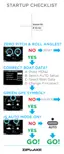
6.1 SELECT GPS SOURCE
1. Tap to open the System Menu.
2. Tap Select GPS Source.
3. GPS Source is set to AUTO by default.
The system will automatically select the
GPS with the best reception and show it
in the menu header.
4. GPS Status should be GOOD or
EXCELLENT. If not, see troubleshooting
(chapter 14).
10. The system now resets the pitch and
roll angles and calculates the Auto
Pitch Control Curve, which tells the
system how much the interceptors will
be extended at each speed when Auto
Pitch Control (chapter 8) is activated.
Tap NEXT or wait for the main display
to appear.
The Initial Start procedure is often done on shore in conjunction with system
installation. We also recommend confirming the following when the boat is launched:
6 AFTER LAUNCH


 To Next Page