ZIPWAKE DYNAMIC TRIM CONTROL SYSTEM - FOR INTEGRATION26
14 TROUBLESHOOTING
14.1 SYSTEM ERROR INFORMATION
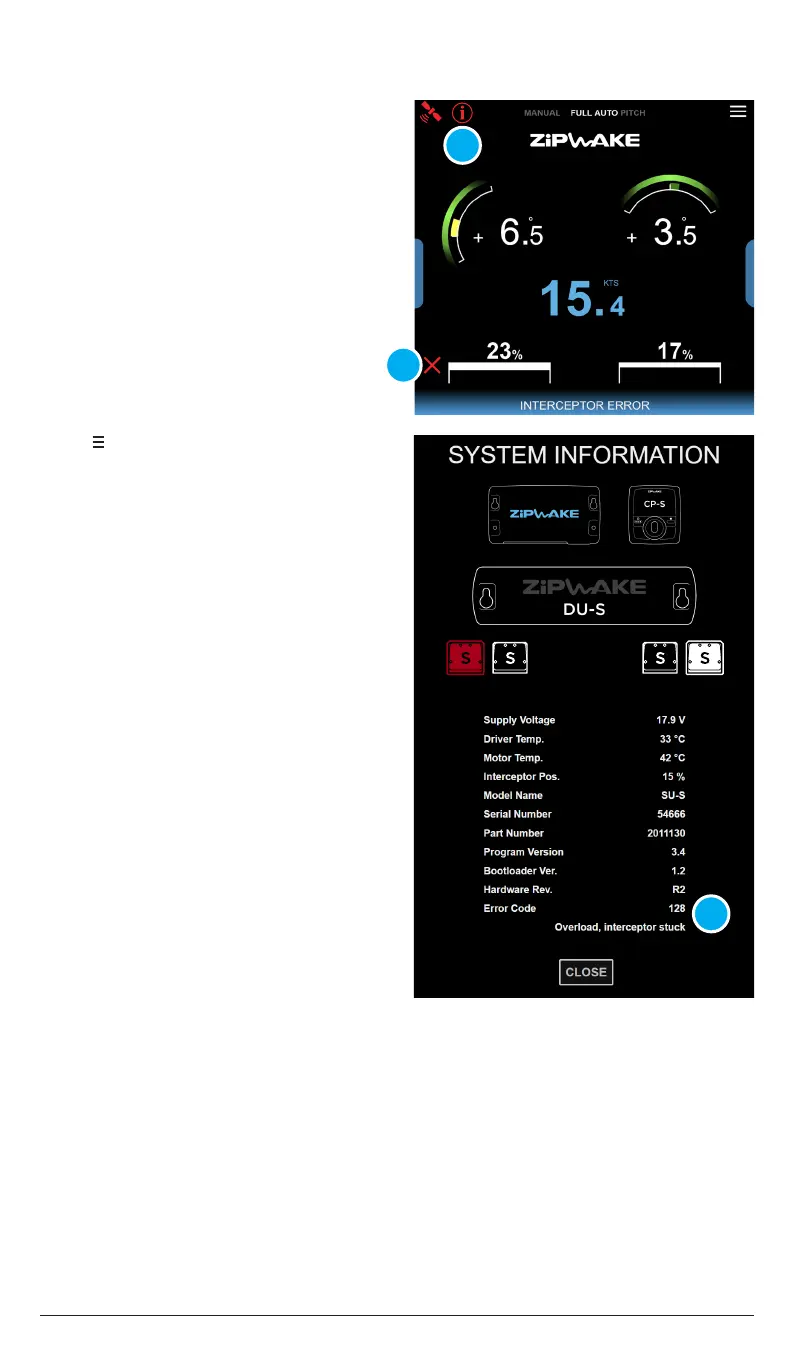
A flashing error symbol (A) indicates
system errors that need attention.
An interceptor error symbol (B) indicates
an error with one or more interceptors.
For a complete list of error descriptions
and corrective actions see chapter 14.2.
1. Tap to open the System Menu.
2. Tap System Information.
3. Tap the unit that reports an error
(marked in red).
4. Read the error message(C) and go to
chapter 14.2 for corrective actions.
A
B
C


 To Next Page