The Trim Control System may affect the
course keeping of your boat. Always pay
close attention to steering the boat.
ATTENTION
OK
Integrator Module
Version 4.0
ZIPWAKE DYNAMIC TRIM CONTROL SYSTEM - FOR INTEGRATION6
A
3 INSTALLATION
3.1 CONNECTING AN EXTERNAL GPS
Follow the steps in the Zipwake Installation Guide (Series S or E) for mounting and
connecting interceptors, the distribution unit(s), integrator module, control panel(s)
and extra GPS on your boat.
The integrator module requires at least one external GPS signal via
NMEA 2000, a Zipwake external GPS or a Zipwake control panel.
The system will automatically use the source with the best reception.
Refer to the wiring diagram in the Installation Guide.
3.2 IGNITION SWITCH INSTALLATION
3.3 CONNECT TO DEVICES
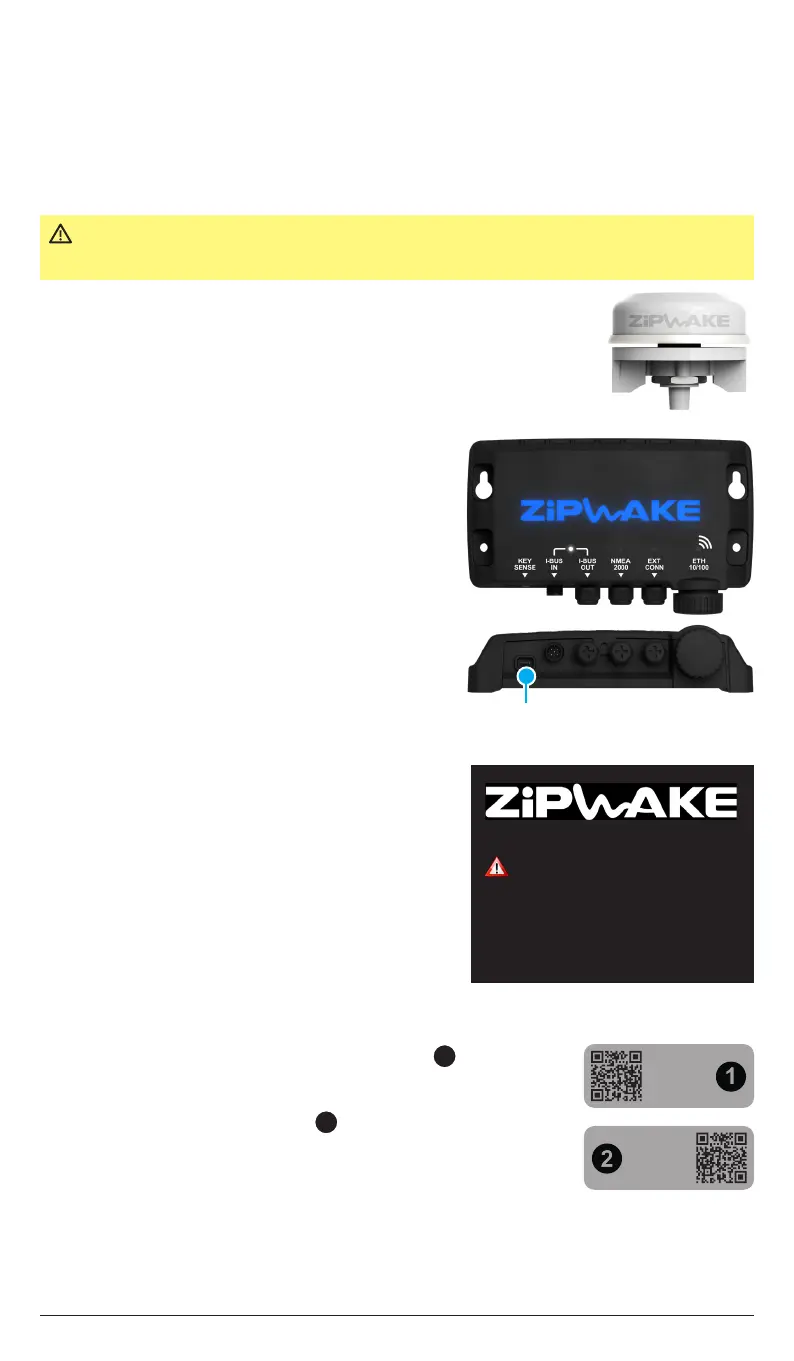
Connect the boat’s ignition switch to the Key
Sense input (A) on the integrator module so
that the system is automatically turned on/
o when the ignition (engine) is turned on/o.
Refer to the Installation Guide wiring diagram.
NOTE!
If a Zipwake control panel(s) is installed, connect
the boat’s ignition switch to the Key Sense input
on the back of the control panel in the same way
as on the integrator module.
IMPORTANT The system’s automatic control functions remain o/turn o when no
GPS speed signal is available.
MULTIFUNCTION DISPLAY (MFD)
The Zipwake application automatically appears
on a connected (compatible) MFD. Refer to
the MFD manufacturer or manual for detailed
information on compatible models and how
to launch integration applications, such as the
Zipwake application on your MFD model. At first
start-up, follow the steps (chapter 5) on the MFD
to complete the system installation.
MOBILE DEVICE
Scan the QR-code on the integrator module label to connect
to the Wi-Fi network (also available from the System Information
page when the Zipwake application is installed). Scan the QR-
code from integrator module label to launch the Zipwake
application (APP) and add it to the device start screen for
future use. At first start-up, follow the steps (chapter 5) in the
application to complete the system installation.
NOTE!
Follow all the steps of the initial start (chapter 5) and confirm that the pitch and roll
angles are reset and the orientation angle is entered correctly.
1
2
ZIPWAKE-27523
Wi-Fi
Passw: 947c6b83
http://zipwake.local
APP


 To Next Page