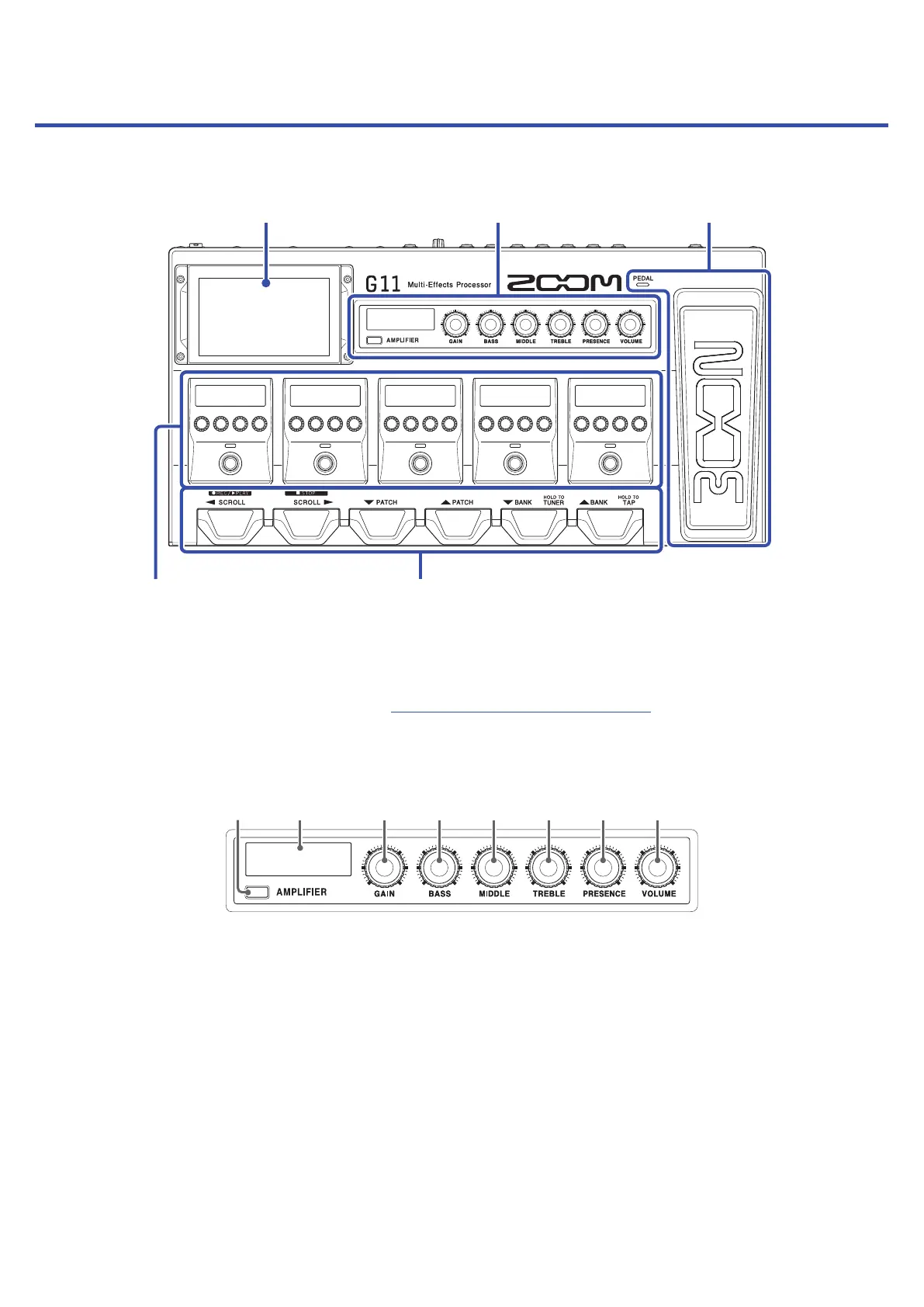
Functions of parts
█
Top
❶
Touchscreen
❷
Amplier Section
❸
Expression pedal
❹
Effects Section
❺
Footswitches
❶
Touchscreen
Operate the touchscreen to select and set patch memories as well as to make
G11 settings, for example.
For details about operation procedures, see “Using the touchscreen” on page9.
❷
Amplier Section
Use the dedicated knobs and the display to adjust amplier settings as with a real amp.
① ② ③ ④ ⑤ ⑥ ⑦ ⑧
①
AMPLIFIER button
This turns the amp on/off. (It lights when on.)
②
AMPLIFIER display
This shows the name of the selected amp and the parameter being adjusted.
③
GAIN knob
This adjusts the gain.
④
BASS knob
This adjusts the volume of low frequencies.
⑤
MIDDLE knob
This adjusts the volume of middle frequencies.
11



 To Next Page