Adjusting the pedal
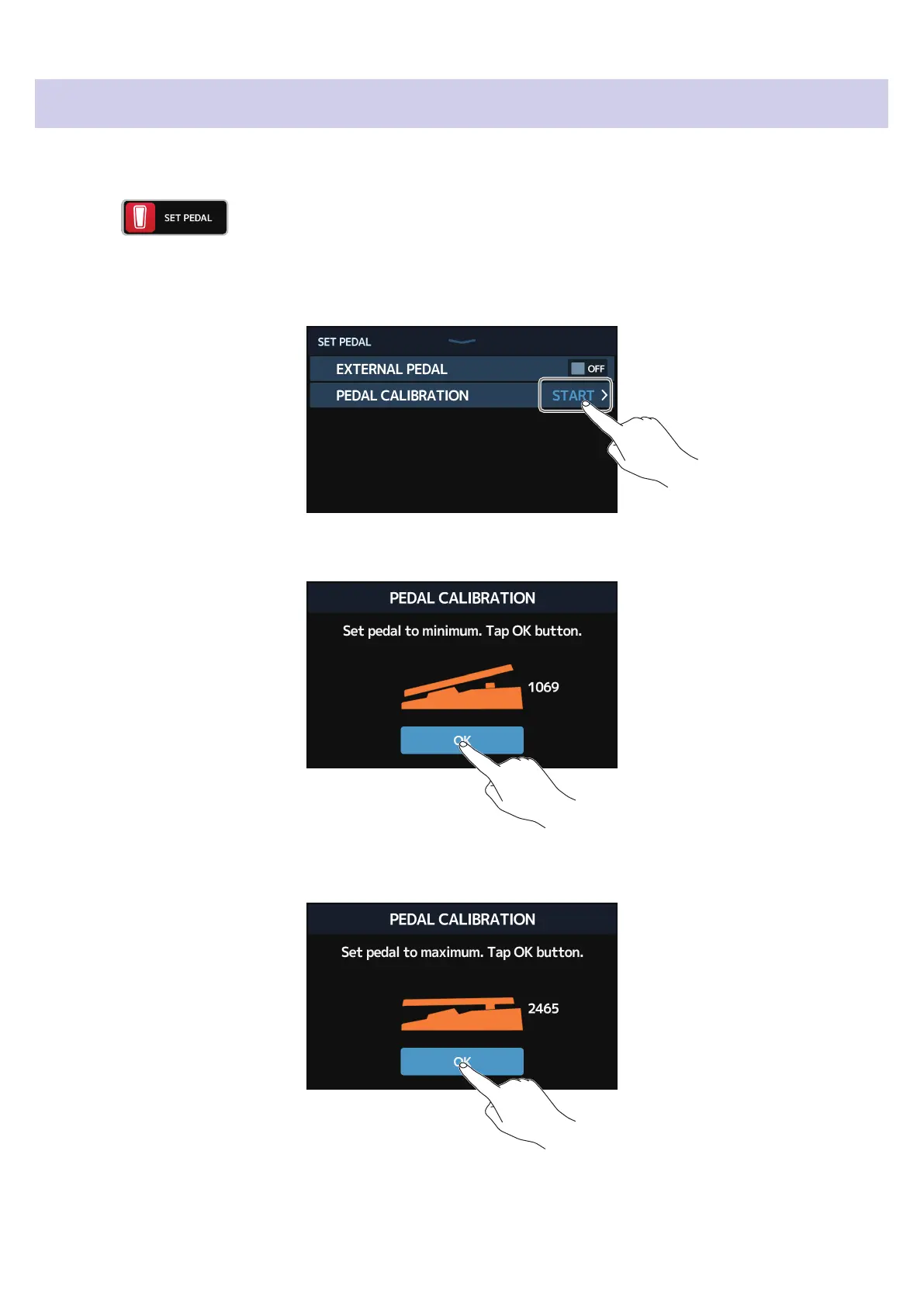
Calibrate the built-in expression pedal to adjust its sensitivity.
1.
Touch on the Home Screen.
2.
Touch START next to PEDAL CALIBRATION.
This starts pedal calibration.
3.
When the pedal is in its unpressed state (the front of the pedal is at its highest point), touch OK.
4.
When the pedal is in its most pressed state, touch OK.
53



 To Next Page