6.
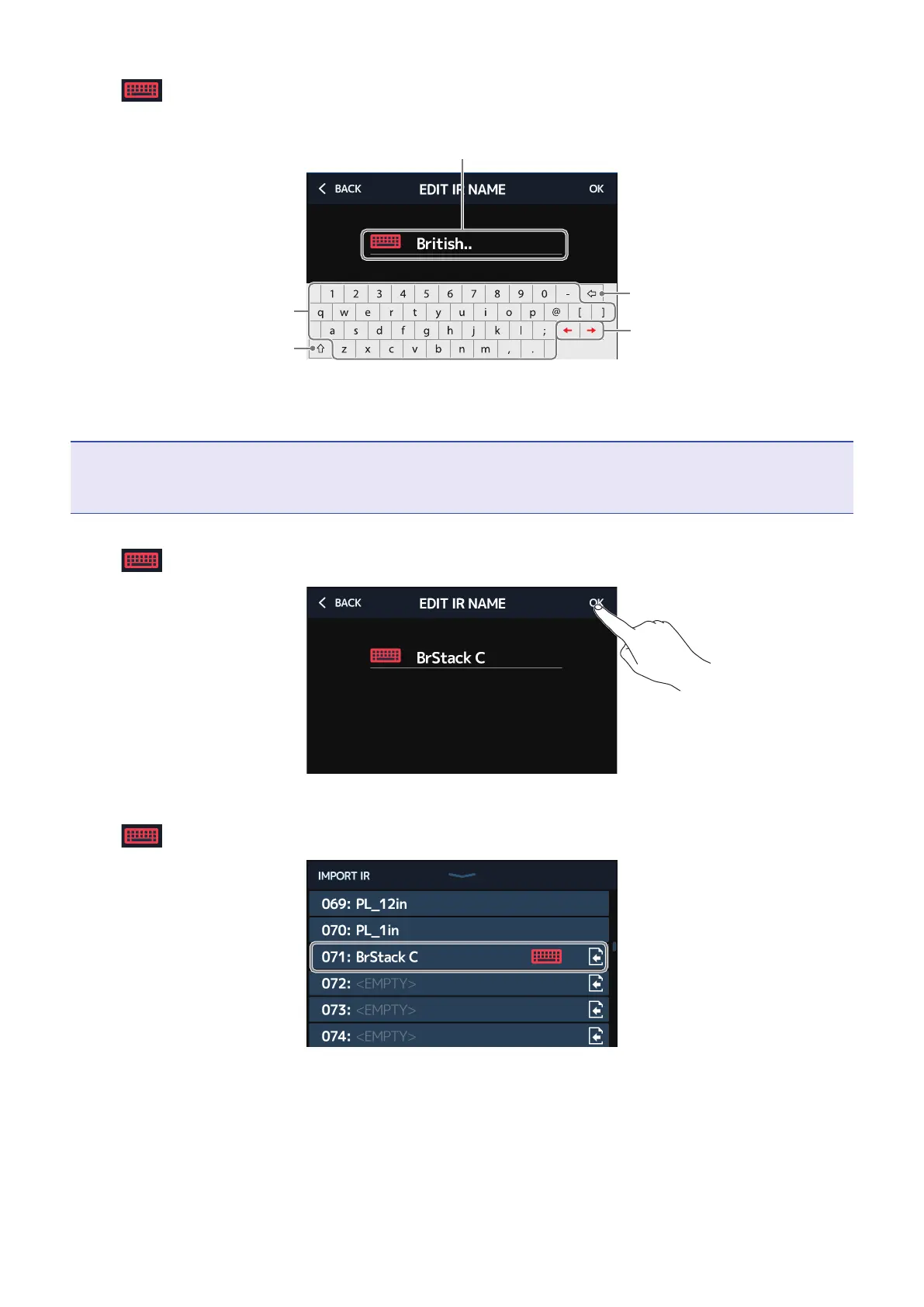
Touch to open a keyboard, and input a name for the impulse response.
Delete characters
Input characters
Move the cursor
Shift key
Use to change between upper-
case and lowercase characters
and to change the character type.
Character input area
A cursor shows the input position
NOTE
The characters and symbols that can be used are as follows.
! # $ % & ' ( ) + , - . ; = @ [ ] ^ _ ` { } (space) A–Z, a–z, 0–9
7.
Touch to conrm the impulse response name. Then, touch OK.
The selected impulse response will be assigned.
Touch
to change the name.
88



 To Next Page