Proxy Device Adding
If is successfully connected to and registered with the SIP Proxy 2N Helios IP Mobile
®
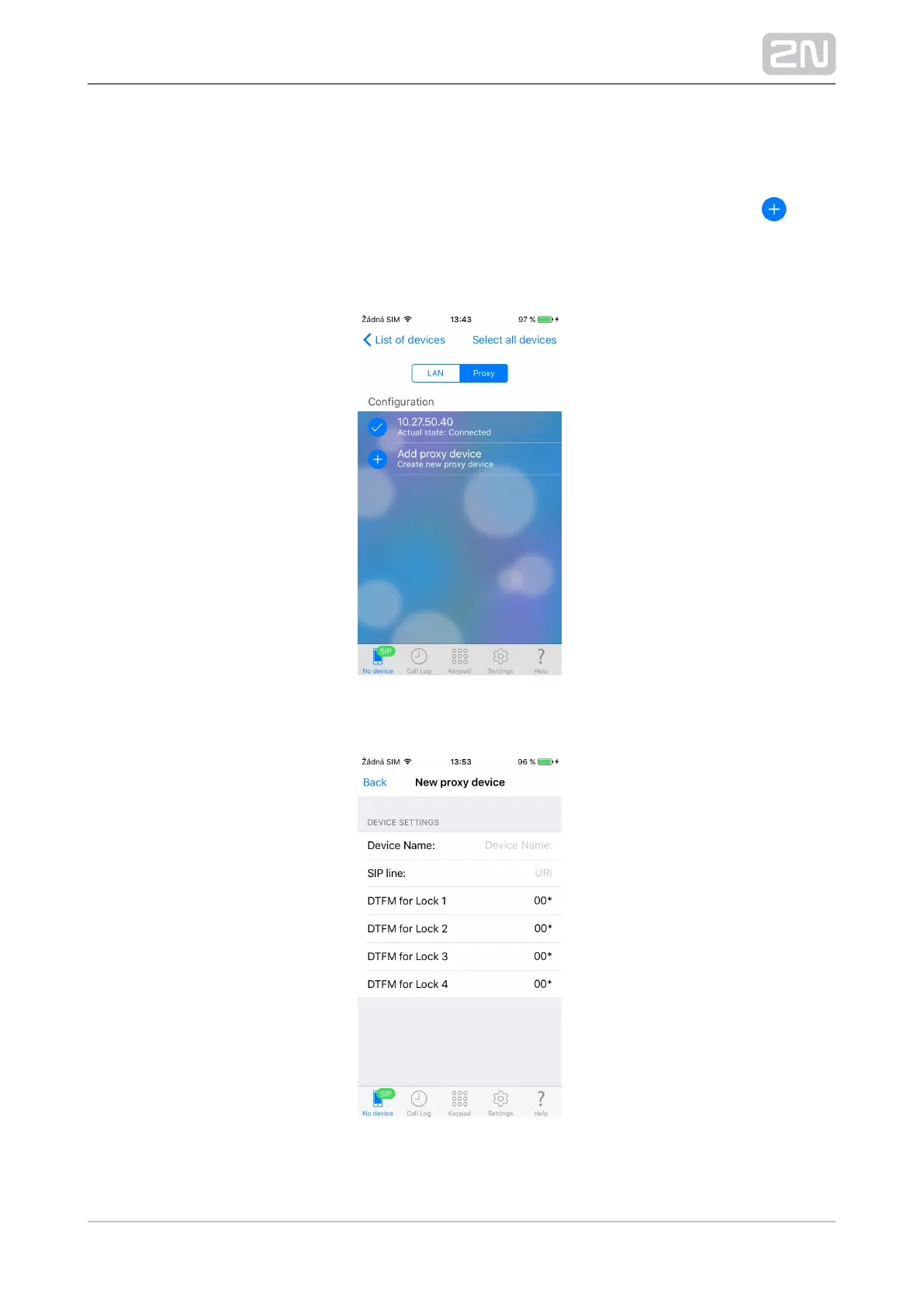
server, SIP Proxy devices can be added to the Devices list manually. Click the icon
located in the right-hand bottom corner of the List of devices main window to enter
the editing menu. Then switch the editing menu to the Proxy devices section using the
tab below the application title row.
Select the Add proxy device row to add a SIP Proxy device.
Complete the following parameters:



 To Next Page