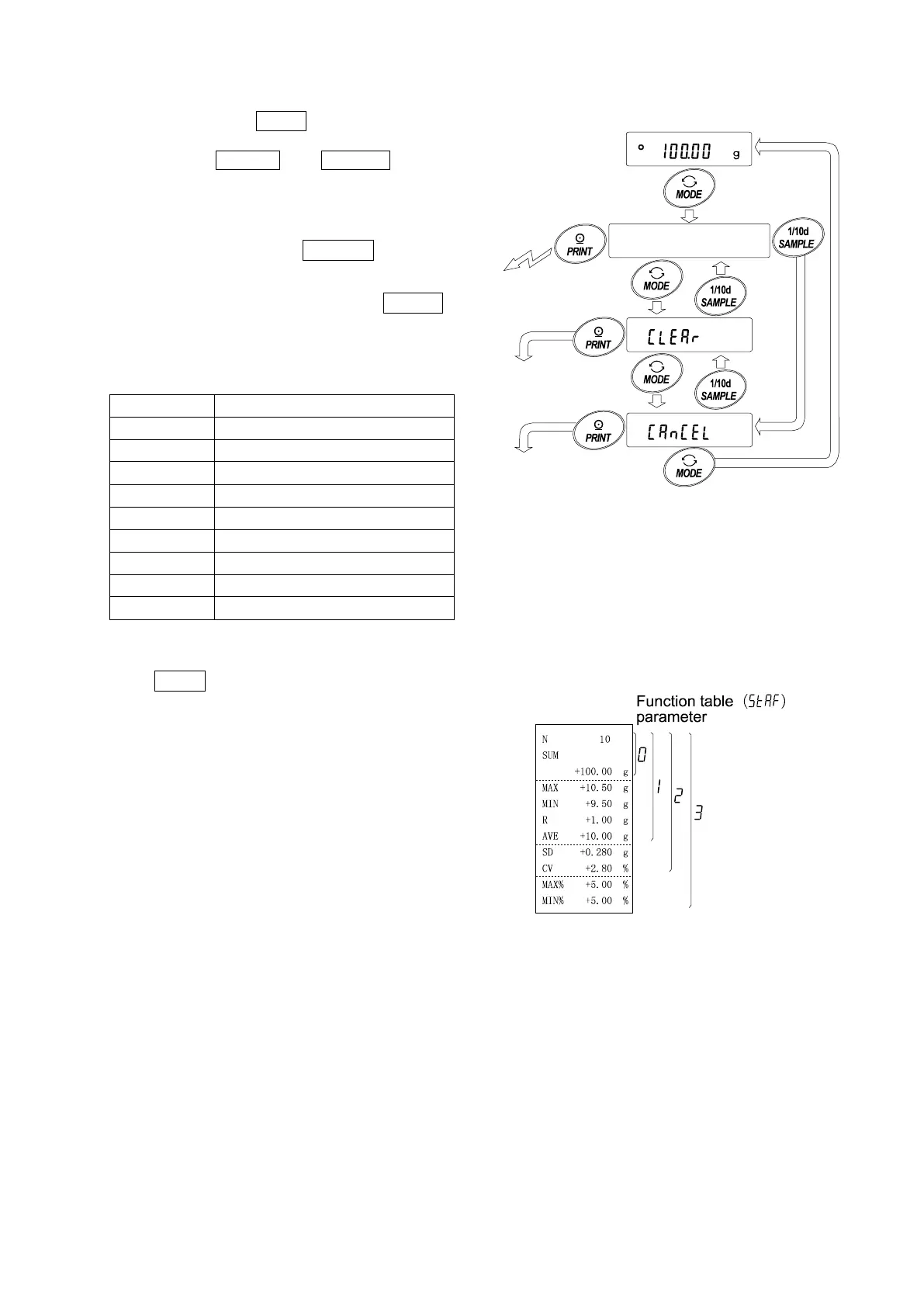
Outputting the statistical results
5 Each time the MODE key is pressed, the display changes: the
results as selected in “Statistical function mode output items
(5taf)”, Clear and CanCel .
Notes
When the number of data is 1, the coefficient of
variation is displayed as - - - - - - - .
When the average is 0, the coefficient of
variation / relative error is displayed as - - - - - - - .
Statistical items are indicated on the upper left
of the display using the following symbols.
MAX
R
Range (Maximum – minimum)
SD
MAX
Relative error of maximum value
Relative error of minimum value
6 While the results are displayed, press the
PRINT key to output the results.
N010
To delete
the latest data
To clear
the statistical
data
Displays the statistical results
selected in the function table
Outputs the results.



 To Next Page