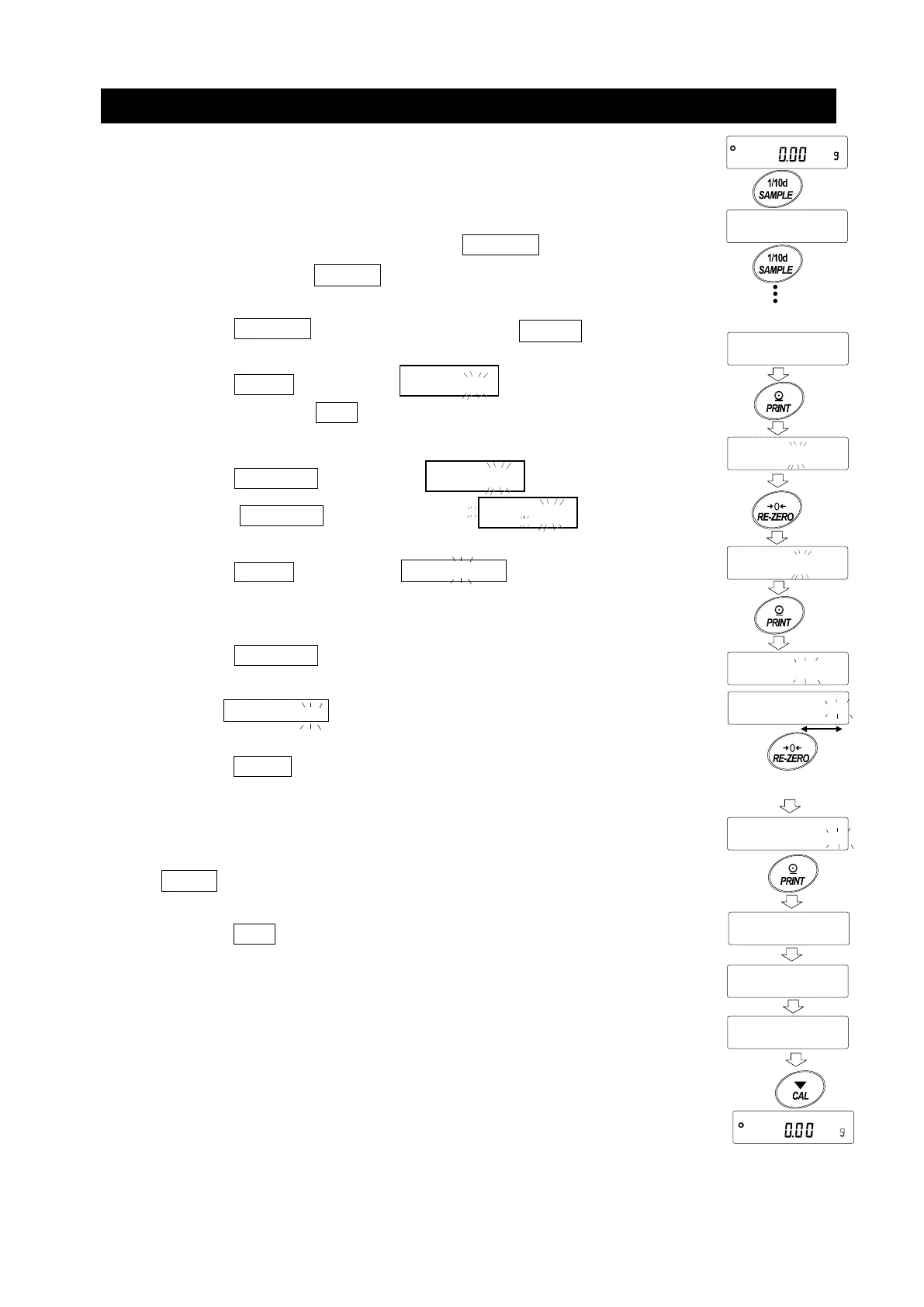
Enable Password Lock Function
By the password function (
) of the Function table, the
password function can be switched between "Invalid (
) /
Valid (
) / Valid (
)".
1. In the weighing mode, press and hold the SAMPLE key for
2 seconds to display
bA5Fnc
.
2. Press the SAMPLE key several times to display
Locfnc
.
3. Press the PRINT key to display
pA55 0 .
(To cancel, press the CAL key.)
4. Press the RE-ZERO key to display
PA55
.
(Press the RE-ZERO key again to display PA55
.
5. Press the PRINT key to display
5urE ,
YES .
("
" blinking while "No" selected.)
6. Press the RE-ZERO key to switch
/
.
7. Display
5urE ,
YES . (YES blinking when selected YES.)
8. Press the PRINT key while YES is selected to enable the password
lock function.
(With
PA55 1
, password input is requested when the display is ON).
9.
Loc no.
is displayed. To register (change) the password, proceed to
4 on the "Registering Password (Changing)". If you will not register,
press the CAL key twice to return to the weighing display.
OFF
ALL
ALL
times
Select No
bA5Fnc
5UrE,
for 2 seconds
Change Yes/No
5UrE,
oFF
ALL
Select Yes
5UrE,
Confirm
5urE,
End
Loc no.



 To Next Page