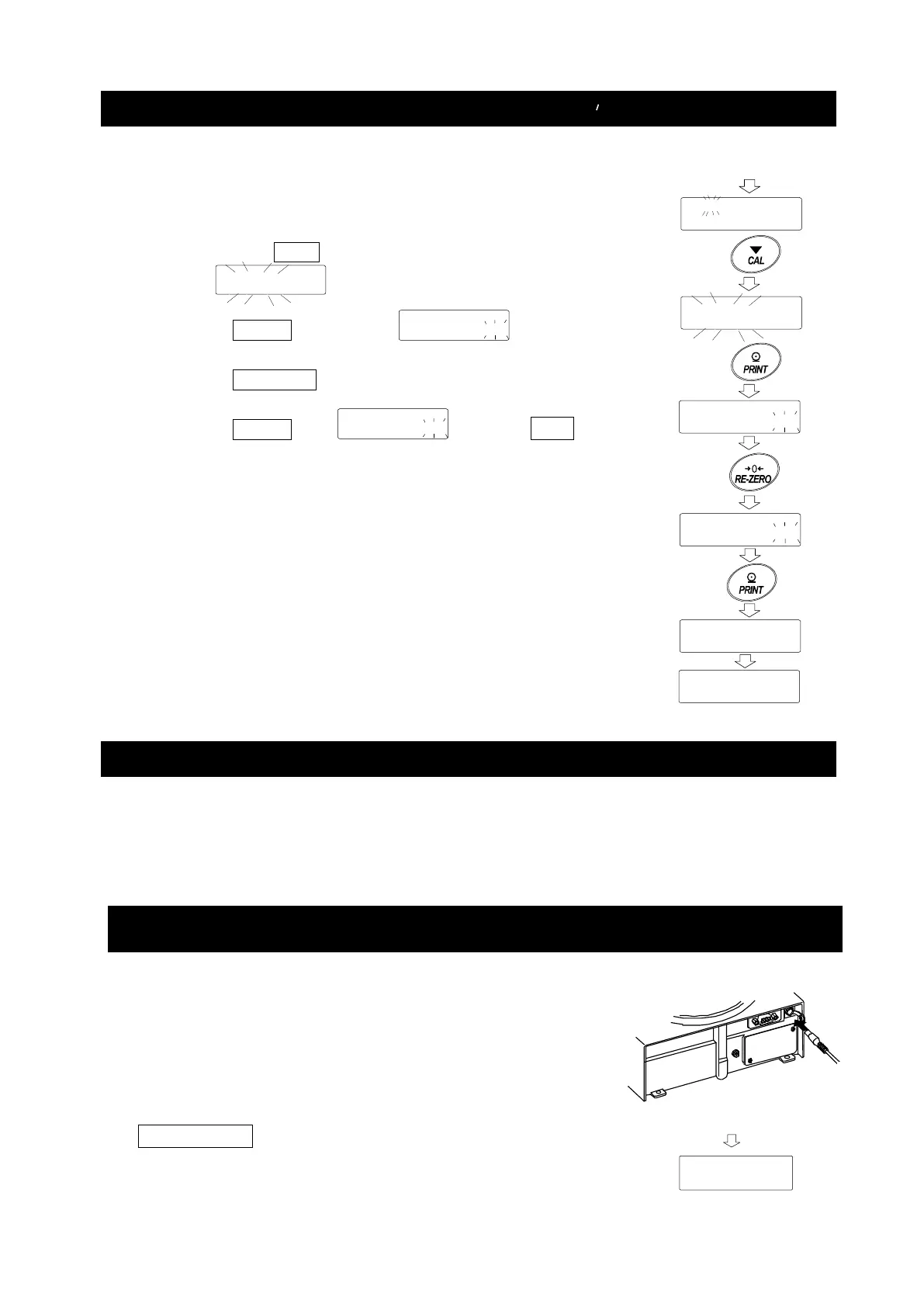
How To Delete The Password (U5Er 01 to 10 )
1. Refer to "Changing Password" and select the user
(
to
) and display the Password input
screen.
2. Hold down the CAL key when setting the password and
display (blink).
3. Press the PRINT key to display .
4. Press the RE-ZERO to change
/
5. Press the PRINT when to display
and delete the password.
Note
□ The administrator's password cannot be deleted.
Please refer to "Registering Password (Changing)" and
"Changing Password" to change an arbitrary password.
Missing Password
If the correct password is missing, the balance can not be used.
Contact your local A&D dealer to reset the password to factory settings.
Checking the Balance Software Version
The balance specifications vary depending on the
balance software version. Follow the steps below to
check the balance software version.
1 Unplug the AC adapter from the balance and plug it
back in.
2 P- *.*** is displayed with the software version in
place of *.***.
P-4.304
n01
CLEAr
CLEAr
CLEAr
Refer to
n01
CLEAr
CLEAr
CLEAr
End
for 2 seconds
n01



 To Next Page