Changing Password
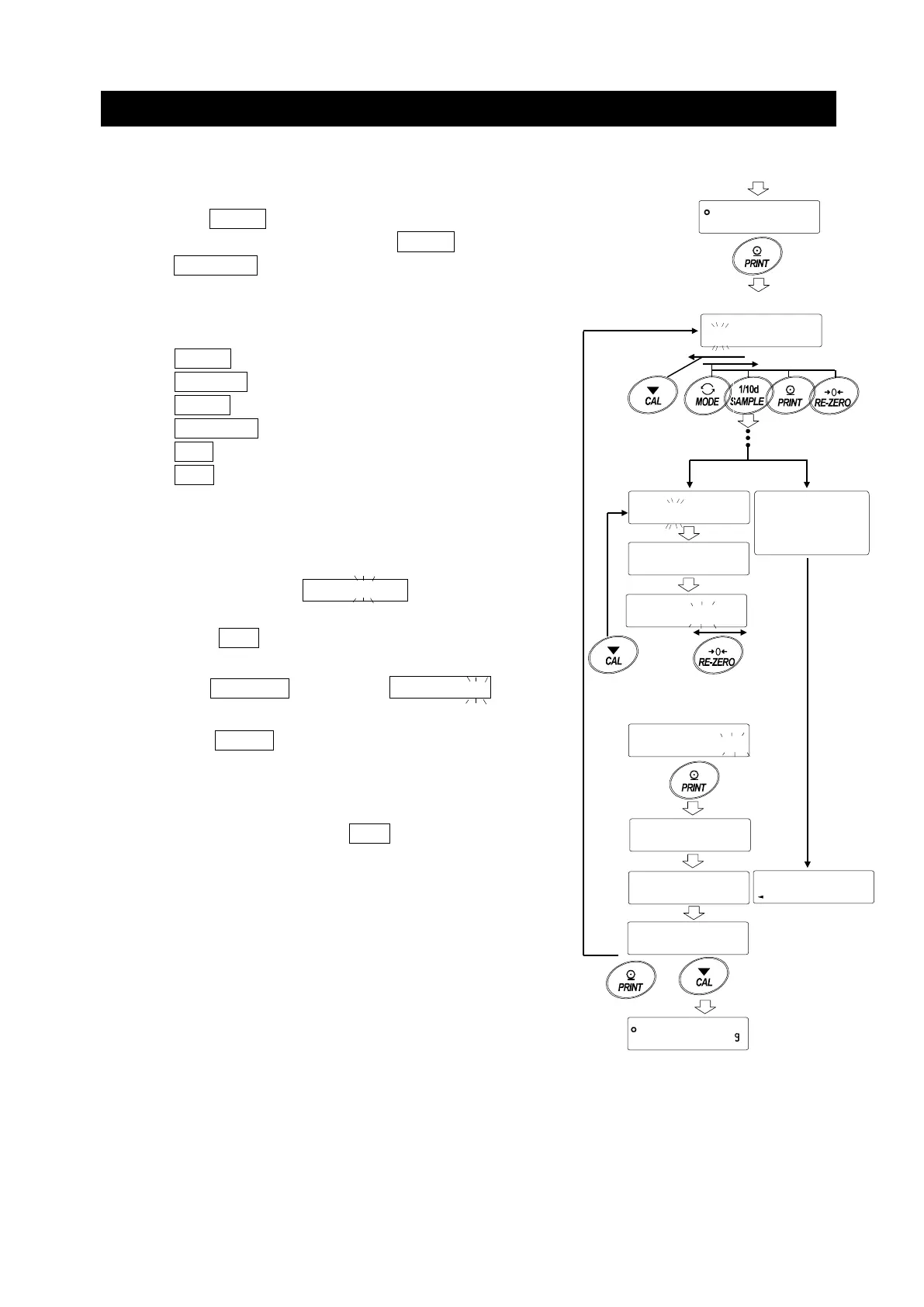
1. Refer to "Registering Password (Changing)" and
display the login level you want to change the password
on.
2. Press the PRINT key to display the current password.
At factory settings, the password is
.
(the RE-ZERO key, 4 times)
3. Set the new password using the following keys.
The balance will turn automatically after no operation
for 10 minutes.
MODE key ................... Character
SAMPLE key................ Character
PRINT key .................. Character
RE-ZERO key ............. Character
CAL key ....................... Back key
CAL key(long press)..Delete password
(Refer to "How To Delete The Password
to
)
4. Input 4 characters of the new password using
these keys.
5. The balance displays
5urE ,
YES where "No"
is blinking when "No" is selected.
(Press the CAL key to return to the 4th character
input.)
6. Press the RE-ZERO key to display
5urE ,
YES
where "YES" is blinking when "YES" is selected.
7. Press the PRINT key to store the new password
when "YES" is selected.
8. When the setting is completed, the next level is
displayed. To continue the setting, set it from "6".
To end the setting, press the CAL key 3 times to
return to the weighing display.
Note
□ If you forget your password, the balance can not be used.
Please record and keep the password you registered.
□ The password that is already registered by the
administrator (
) cannot be registered by the user
(
to
).
Refer to
"Registering Password (Changing)"
Current password display
2222
ADM
5urE ,
5urE ,
Determine
5urE ,
End
No key operation
for minutes
letter
Display off
letter
0.00
ADM
ADM



 To Next Page