169
passenger compartment returns to
acceptable levels.
Look at the screen only and when it
is necessary andsafe. If you need to
look at the screenfor a long time, pull
over to a safe place so as not to be
distracted while driving.
Immediately stop using the system
in the event of a fault. Otherwise the
system might be damaged. Contact an
Abarth Dealershipas soon as possible
to have the system repaired.
AUXandUSB
SOURCE
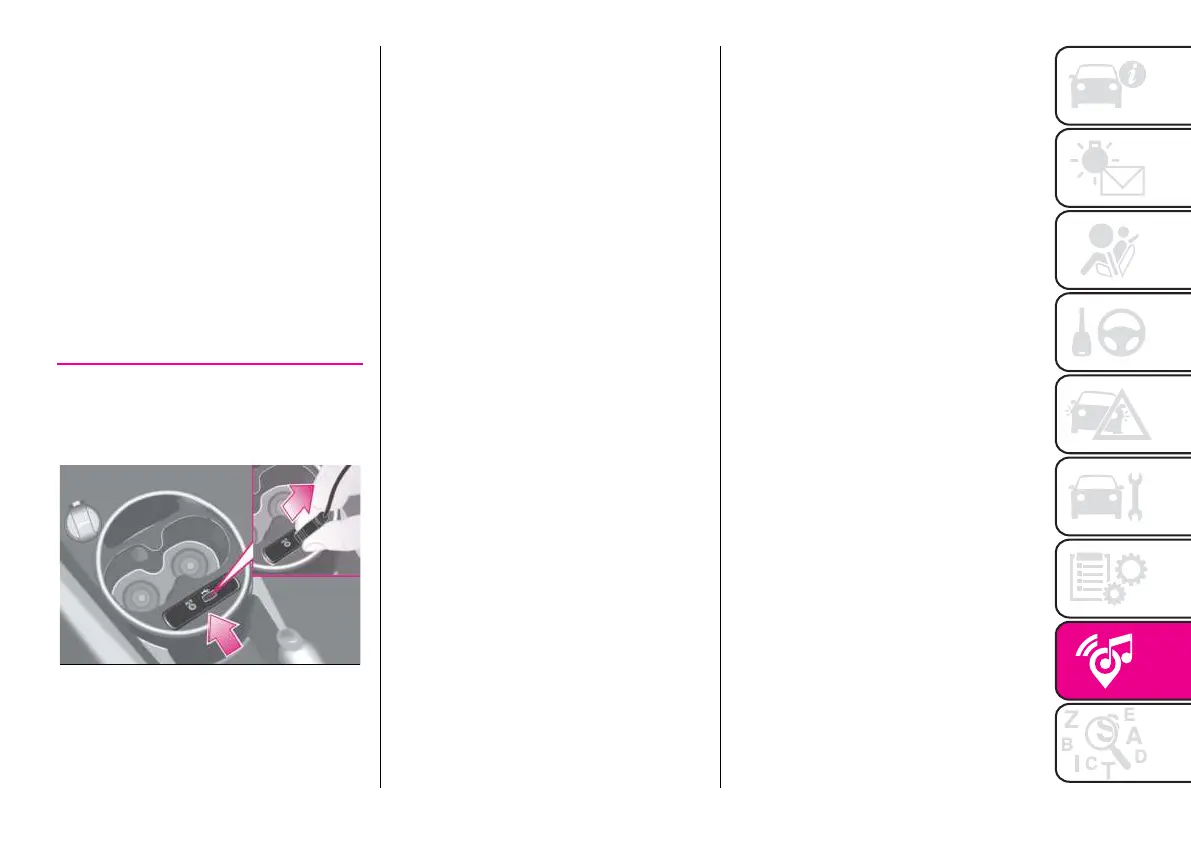
To connect an external device, use the
AUX input fig. 146.To activate USB
mode, insert a suitable device into the
car USB port.
146AB0A0427C
WARNING After using a USB
recharging socket, we recommend
disconnecting thedevice (smartphone),
always removing the cable from the
vehicle socket first, never from the
device fig. 146. Cables left flying
or connected incorrectly could
compromise correct recharging and/or
the USB socket condition.


 To Next Page