Connecting a PC
To connect a PC to the drive, there are two alternatives:
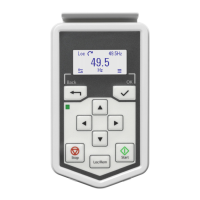
• Use an ACS-AP-I/S/W assistant control panel as a converter. Use a USB type A –
type Mini-B cable. The maximum permitted length of the cable is 3 m (9.8 ft).
• Use a USB to RJ45 converter. You can order it from ABB (BCBL-01,
3AXD50000032449). Connect the cable to the Panel and PC tool port (RJ45).
For information on the Drive composer PC tool, refer to Drive composer PC tool user's
manual (3AUA0000094606 [English]).
You can use the CCA-01 cold configuration tool to download software and change drive
parameters without connecting the drive to the input power. The CCA-01 does not
operate if the drive is powered.
Installing options
The drive has two option module slots:
• Front option: Communication module slot under the front cover.
• Side option: Multifunction extension module slot on the side of the drive.
Refer also to the applicable fieldbus module manual for the installation instructions. For
other option modules, refer to:
•
BTAC-02 pulse encoder interface module (page 205)
•
BREL-01 relay output extension module (page 221)
•
BAPO-01 auxiliary power extension module (page 227)
•
BIO-01 I/O extension module (page 231).
■ Installing a front option
WARNING!
Obey the safety instructions of the drive. If you ignore them, injury or death,
or damage to the equipment can occur. If you are not a qualified electrical
professional, do not do installation or maintenance work.
1.
Do the steps in section Electrical safety precautions (page 17) before you start the
work.
2. Remove the screw on the drive front cover, then remove the front cover.
3. If the option module has a locking tab, pull it up.
86 Electrical installation – IEC


 To Next Page