58 | NGC8200 AND PGC1000 USER MANUAL | 2101510MNAH
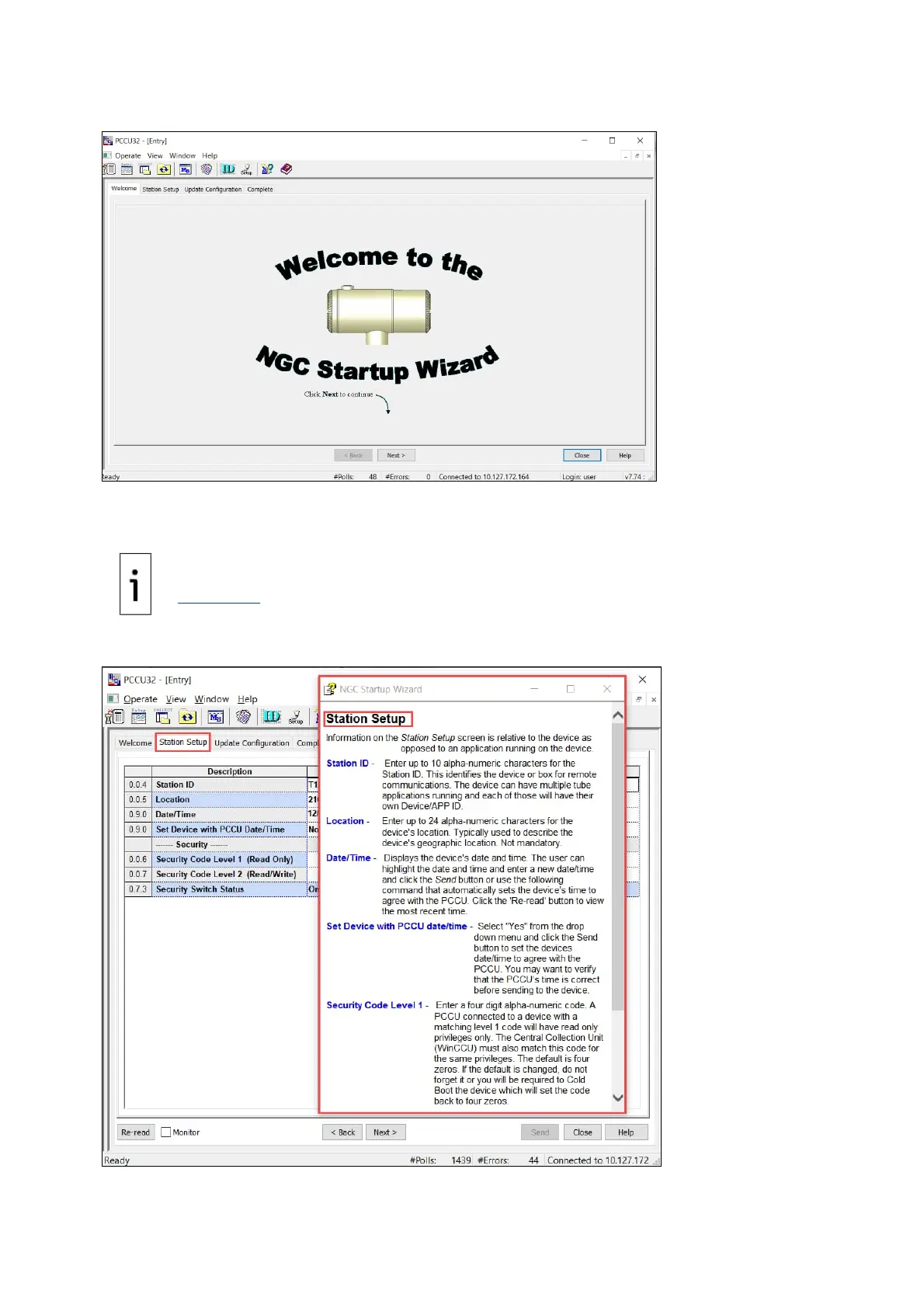
Figure 6-21: Startup Wizard
Follow the prompts in the Wizard. The wizard may run concurrently with the Diagnostics. Follow the
wizard to complete configuration even if the diagnostics are still running.
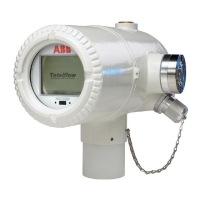
IMPORTANT NOTE: As each wizard screen is displayed, its associated help topic also displays
(Figure 6-22). If the topic is closed, you can display it again by clicking Help on the desired screen.
Figure 6-22: Context sensitive Help topic


 To Next Page