Start-up 79
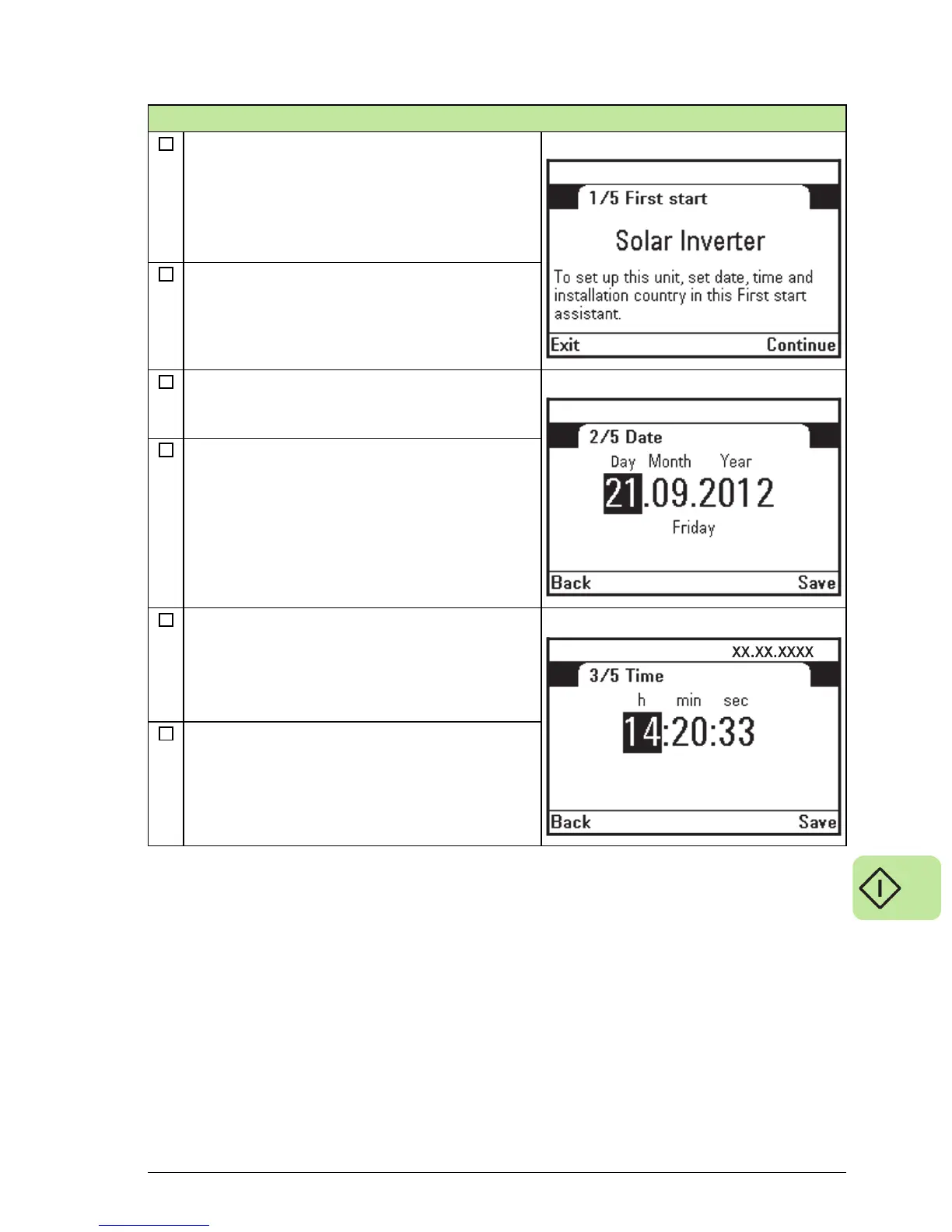
First start assistance appears automatically to
the screen if the inverter has been powered up
for the first time after factory tests. First start
assistance also appears automatically if the
unit has been powered up but the first start-up
settings have not been confirmed by the user.
Press right softkey to continue forward.
Set the date with the Up or Down Arrow keys.
Use the Right or Left Arrow keys to move
between the Day, Month and Year.
Press the right softkey to Save the date and to
proceed forward.
The date appears on the upper right part of the
status bar.
Set the time with the Up or Down Arrow keys.
Use the Right or Left Arrow keys to move
between the Hours, Minutes and Seconds.
Press the right softkey to Save the time
selections and to proceed forward.
First start-up



 To Next Page