Character size Rows in view Characters on row
Small, mono-spaced (6x12
pixels)
5 rows
10 rows with large screen
20
Large, variable width (13x14
pixels)
4 rows
8 rows with large screen
min 8
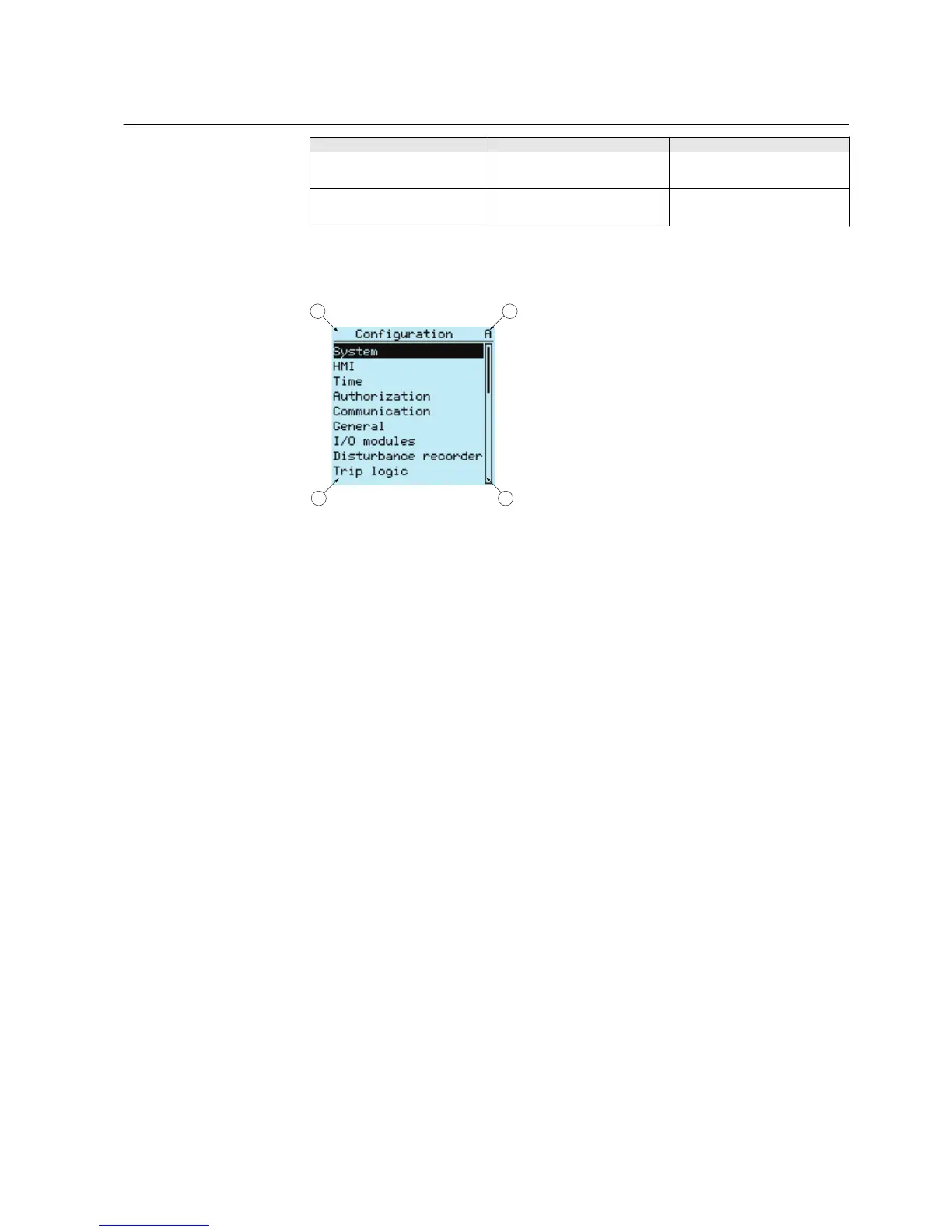
The display view is divided into four basic areas:
A070705 V2 EN
Figure 2: Display layout
1
Header
2 Icon
3 Content
4 Scroll bar (displayed when needed)
• The header area at the top of the display view shows the current location in the
menu structure.
• The icon area at the upper right corner of the display shows the current action or
user level.
Current action is indicated by the following characters:
• U: Font/Firmware is being updated
• S: Parameters are being stored
• !: Warning and/or indication
Current user level is indicated by the following characters:
• V: Viewer
• O: Operator
• E: Engineer
• A: Administrator
• The content area shows the menu content.
• If the menu contains more rows than the display can show at a time, a scroll bar
is displayed on the right.
1MRS756708 A Section 3
615 series overview
615 series 17
Operation Manual



 To Next Page