The time between selecting the object and giving a control command
is restricted by an adjustable time-out. When an object is selected, the
control command has to be given within this time.
6.3 Resetting IED
6.3.1 Clearing and acknowledging via LHMI
You can reset, acknowledge or clear all messages and indications, including LEDs
and latched outputs as well as registers and recordings, with the Clear button. Pressing
the Clear button activates a selection menu, where you can choose which clearance
or reset function you want to make. You can also clear events and alarms assigned to
alarm LEDs with the Clear button.
1.
Press
to activate the Clear view.
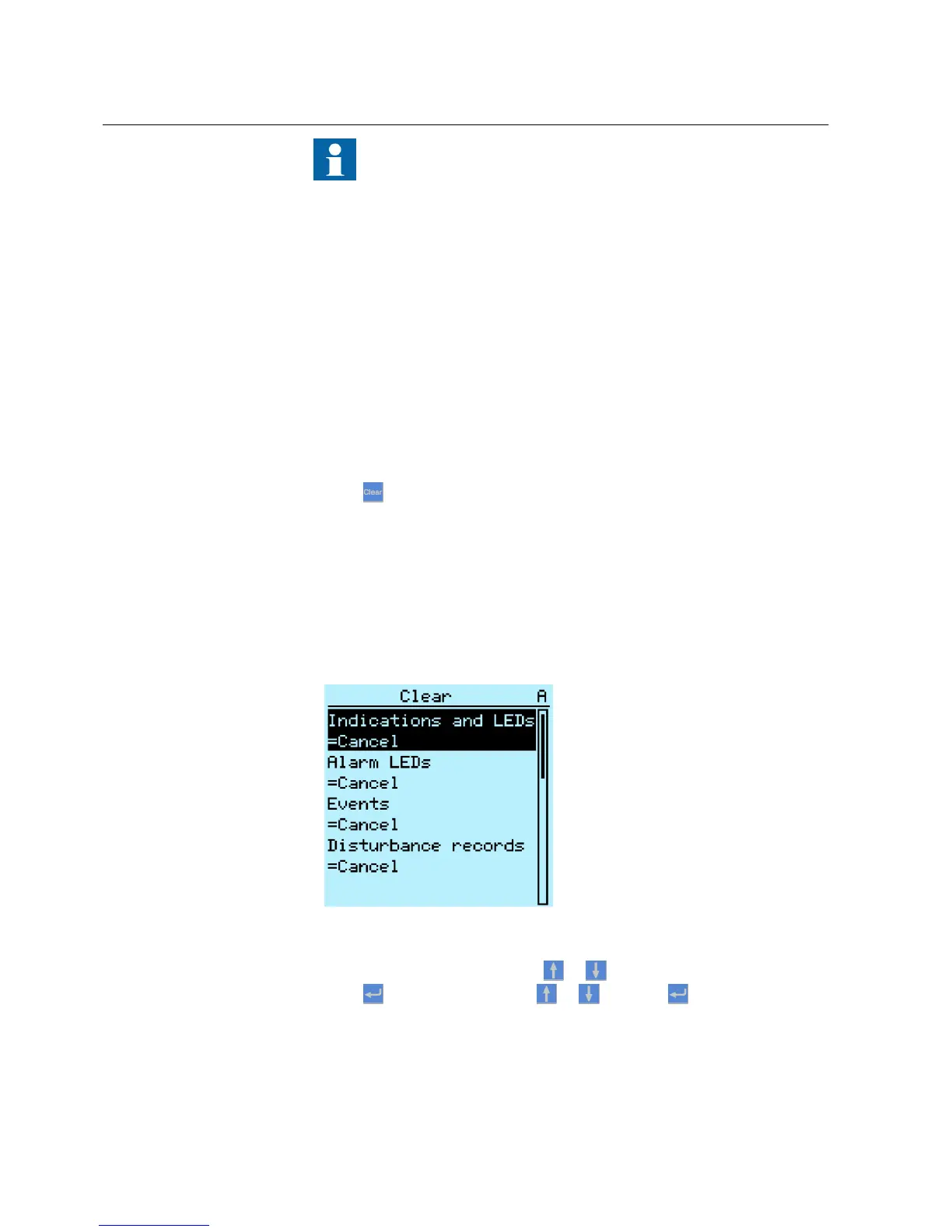
All the items that can be cleared are shown:
• Indications and LEDs
• Alarm LEDs
• Recorded data
• Events
• Disturbance records
• Temperature functions
• Trip lockout functions
A070860 V2 EN
Figure 52: Clear view
2.
Select the item to be cleared with
or .
3.
Press
, change the value with or and press again.
The item is now cleared.
4. Repeat the steps to clear other items.
Section 6 1MRS756708 A
Operating procedures
74 615 series
Operation Manual



 To Next Page