5454 55|
13. Operation via web browser
If there is an arming fault
If there is an error which would normally prevent the system from being armed then the system is not armed
via week planner events either.
Ten minutes before a week planner arming event is due the alarm panel starts the warning tone for week
planner arming as usual, but when the event is due the alarm panel is not armed. The alarm panel logs an
"arming fault" and activates "arming fault" outputs.
Please note, zones with the "force arming hidden" attribute are hidden if they are open when automatic
arming is due.
Disarming events
When the alarm panel reaches the time for a disarming event, it disarms all relevant partitions.
There are no speci c warnings for disarming partitions via week planner events.
Manual arming/disarming and week planner events.
If a user arms a partition which is to be armed later via a week planner event the partition remains armed.
Similarly, if a user disarms a partition which is to be disarmed later via a week planner event the partition
remains disarmed.
Manual arming and disarming have no e ect on the times in the week planner.
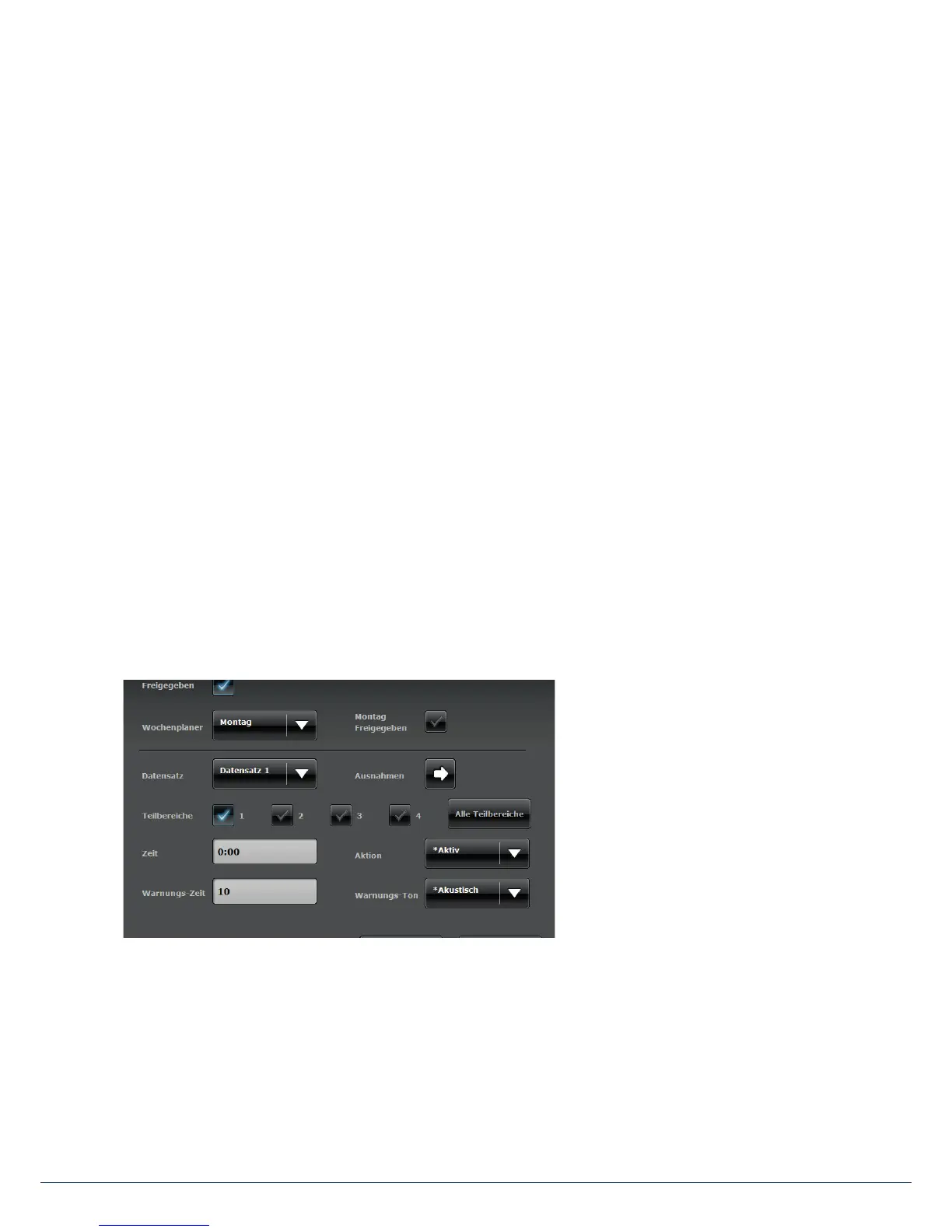
If you require at least one scheduled switch, go to "System con guration" and select "Time schedules active/
inactive". This opens a new window:
The following uses an example to show
how to set up a time schedule. In the
example, the alarm panel should
disarm at 7a.m. every day and arm at
7p.m.



 To Next Page