OVERVIEW OF SYSTEM COMPONENTS - 2
VerifyNow System User Manual Page 16 14340.J
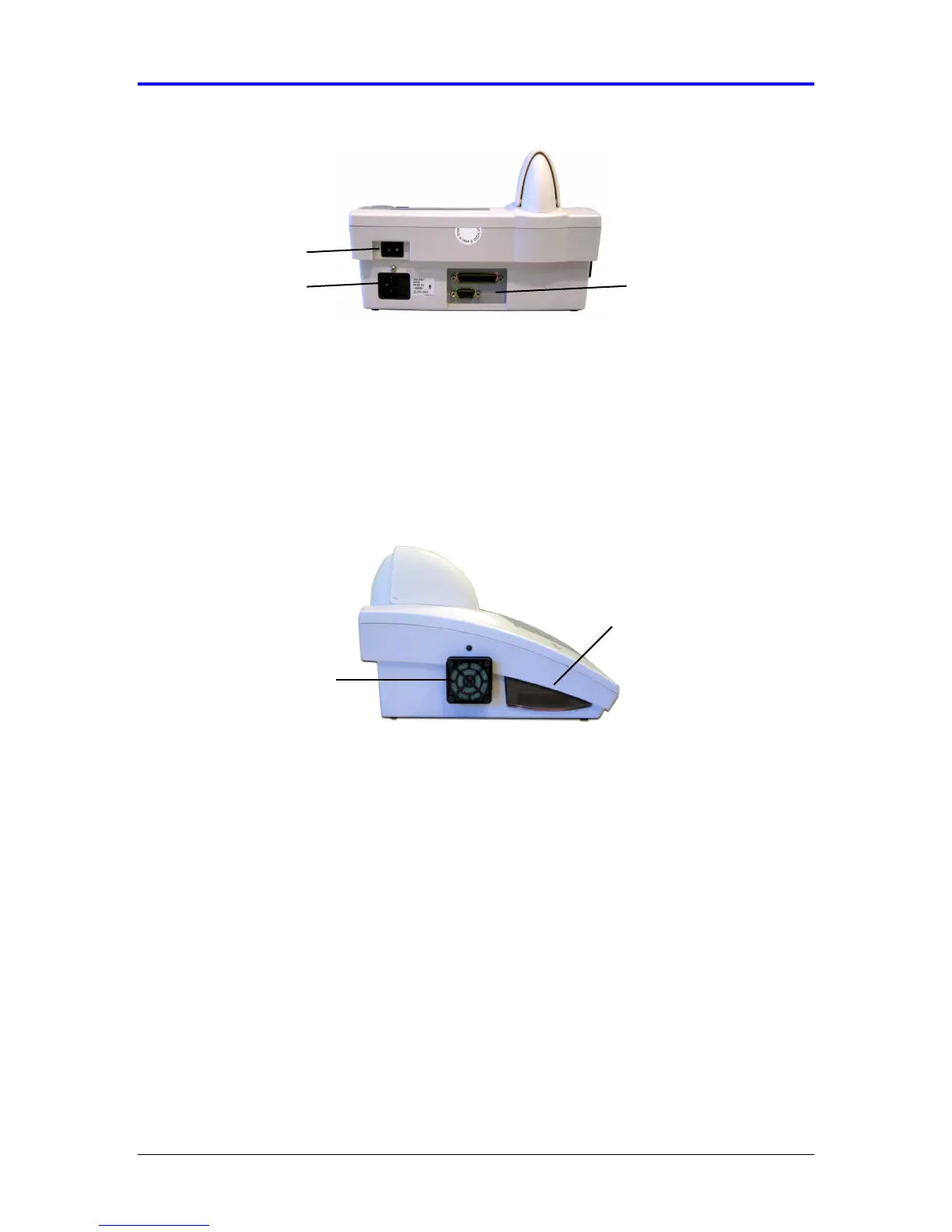
Figure 2-3 Power Switch
2.1.6 Bar Code Scanner
The bar code scanner is located on the left side of the instrument (Figure 2-4). When
activated, it illuminates a bar code light so that the bar code on the white assay
pouch can be presented by the user to be scanned, decodes the bar code, and
transmits the information to the instrument software. The instrument software
identifies the assay device expiration date and lot information. See section 6.4,
Procedure number 10 for additional information.
Figure 2-4 Bar Code Scanner and Fan
2.1.7 Fan
The instrument is equipped with an exterior fan vent next to the bar code scanner to
cool the internal electronic components. Avoid placing equipment adjacent to the fan
that obstructs airflow. Periodic cleaning of the fan filter may be performed to avoid
overheating of the instrument. See section 9.3 for fan filter replacement instructions.
2.1.8 Printer (Accessory)
The printer is an optional accessory to the instrument. The printer enables an
operator to print assay results, QC results, and instrument usage statistics. See
section 8.8 for instructions on enabling the printer.
2.2 Assay Device
The VerifyNow System uses disposable assay devices to conduct the test. There are
three types of assay devices relating to the appropriate platelet function test: Aspirin,
P2Y12, and GP IIb/IIIa inhibitors (specifically for monitoring abciximab or
Bar Code Scanner
Fan
Power Switch
Fuse
Printer and Network
Connections



 To Next Page