INSTRUMENT SETTINGS - 8
VerifyNow System User Manual Page 80 14340.J
running a patient test until the EQC test has been successfully completed.
The instrument’s default setting is daily. Use the following procedure to adjust the
setting based on your institution’s preference:
1.
From the main menu, enter Operator ID and Password, if required. Use
the keypad to enter the Operator ID number at the prompt. Press the Tab key to
advance to the Password prompt to enter the password number.
2.
Press the Maintenance key.
3.
Press the Parameter key. Refer to the Appendix for information on navigating
within the Maintenance section.
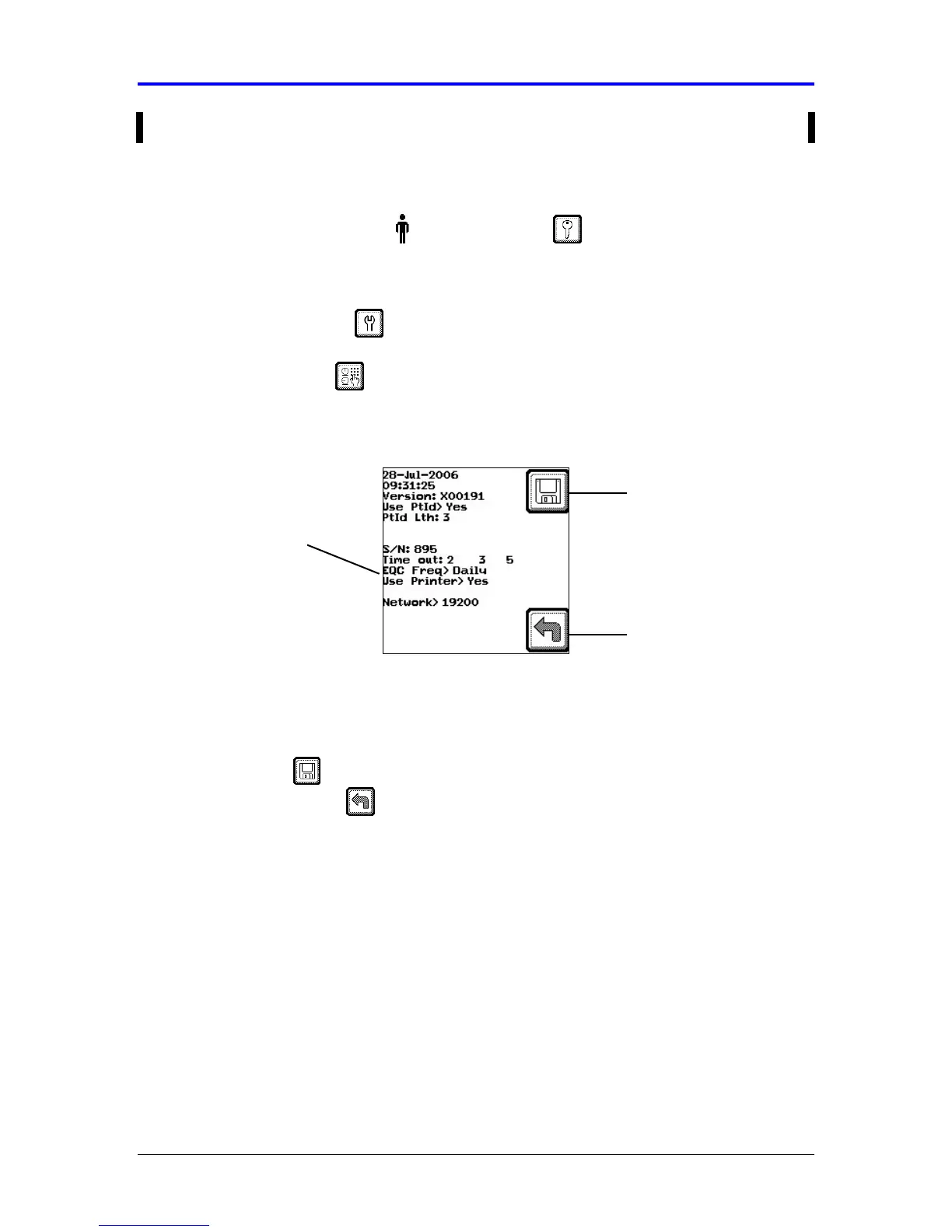
Figure 8-7 EQC Frequency
4.
Press the Tab key 6 times to advance the cursor to the EQC Frequency setting.
At the EQC Freq prompt, press either the (←
←←
←) or (→
→→
→) key to change the setting to
6 hours, 8 hours, 12 hours, daily, weekly, or monthly.
5.
Press the Save key to keep the new setting and return to the Maintenance
menu. Press the Back key twice to return to the Main Menu without saving
the changes.
8.8 Enable Printer
The VerifyNow printer is an optional accessory to the instrument. The printer enables
an operator to print assay results, QC results, and instrument usage statistics. To
enable the VerifyNow instrument to output this information to the printer, the printer
feature must be set to “Yes.” Use the following procedure to configure the instrument
to support the printer accessory:
Back
Save Setting
EQC Frequency



 To Next Page