INSTRUMENT SETTINGS - 8
VerifyNow System User Manual Page 72 14340.J
3.
Press the Next key. Refer to the Appendix for information on navigating
within the Maintenance section.
4.
Press the Adjust Contrast key.
5.
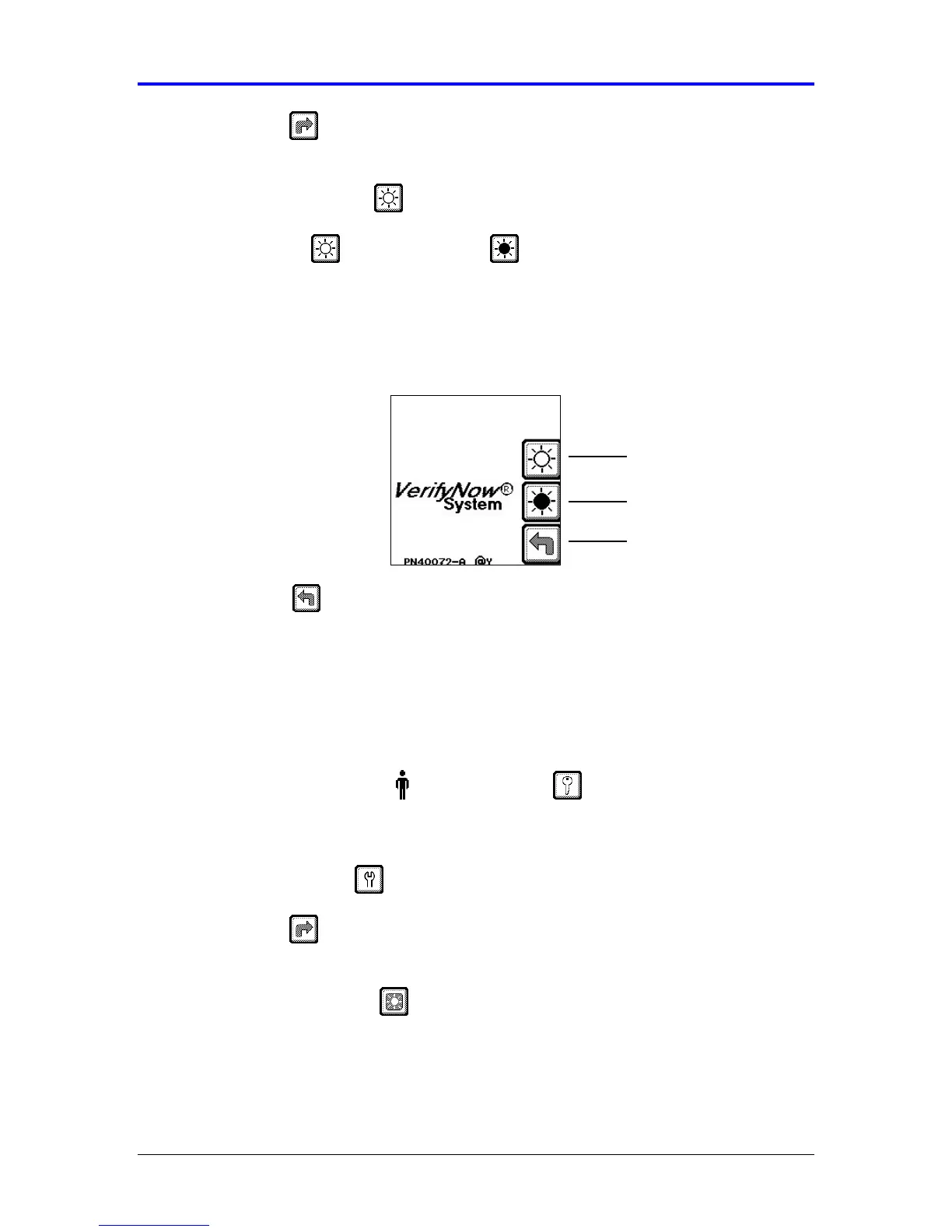
Press the Lighten key or the Darken key to adjust the screen to the
desired contrast (Figure 8-1). Find a setting that has better visibility with the
room’s lighting.
Figure 8-1 Adjust Contrast
6.
Press the Back key twice to return to the Main Menu.
8.2 Adjust Backlight
The backlight can be toggled on or off to improve visibility of the screen - depending
on the ambient lighting in the room where the VerifyNow Instrument is located.
1.
From the main menu, enter Operator ID and Password, if required. Use
the keypad to enter the Operator ID number at the prompt. Press the Tab key to
advance to the Password prompt to enter the password number.
2.
Press the Maintenance key.
3.
Press the Next key. Refer to the Appendix for information on navigating
within the Maintenance section.
4.
Press the Adjust Backlight key, to toggle the backlight on or off (Figure 8-2).
Find a setting that has better visibility with the room’s lighting.
Back
Darken
Lighten



 To Next Page