INSTRUMENT SETTINGS - 8
VerifyNow System User Manual Page 78 14340.J
NOTE: Routine users (at least one person per shift) should be assigned an
authority level of Q,A or greater.
6.
To edit a user record, press the Tab key until the cursor moves into the list of
operators.
• Press the (←
←←
←,→
→→
→) keys to scroll up or down the list.
• Once you have highlighted the operator information to be edited, press the
Edit Record key to bring the information to the top of the list.
• Next, use the (←
←←
←,→
→→
→) keys to edit the information.
• When editing is complete, press the Update Record key to add the
information to the operator list.
7.
To delete a user record, select the operator as above for editing, then press the
Delete key. This will remove all information on the user.
8.
Press the Save key to keep the new setting and return to the Maintenance
menu. Press the Back key twice to return to the Main Menu without saving
the changes.
8.6.1 Operator Authority Log
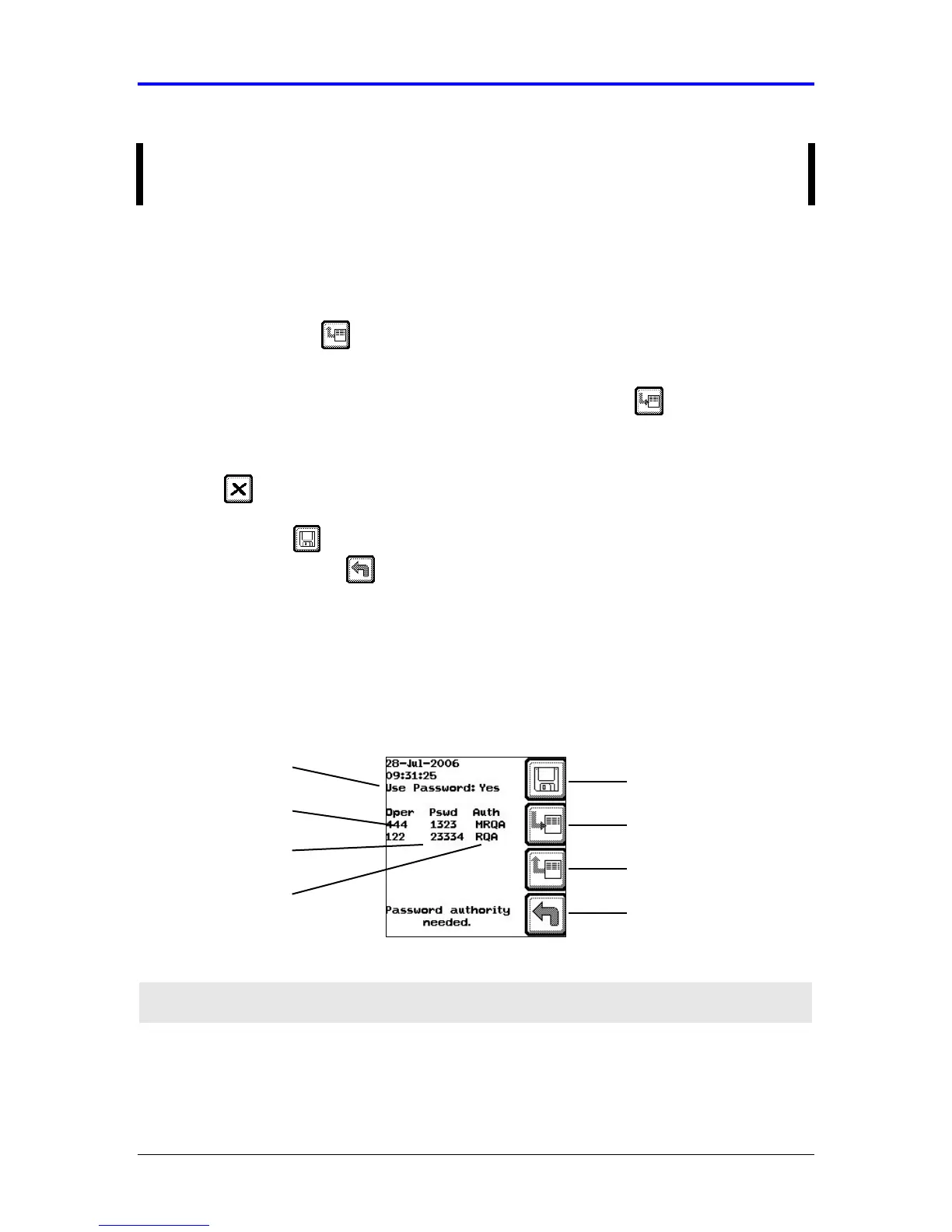
The cursor is initially positioned on the Use Password field. Navigate up and down an
individual list using the (←
←←
← , →
→→
→) keys or between lists by using the Tab key.
Figure 8-6 Operator Authority Log
Feature Description
Enable
Operator
Identification
Displays whether operator identification is enabled. A “Yes”
indicates that operator ID and password is required to log in. A
“No” indicates this feature is not active.
Operator ID
Password
Enable Operator
Identification
Back
Edit Record
Add/Update Record
Authority Level
Save Setting



 To Next Page