RETRIEVING TEST RESULTS - 7
VerifyNow System User Manual Page 66 14340.J
7.3 View Instrument Usage Log
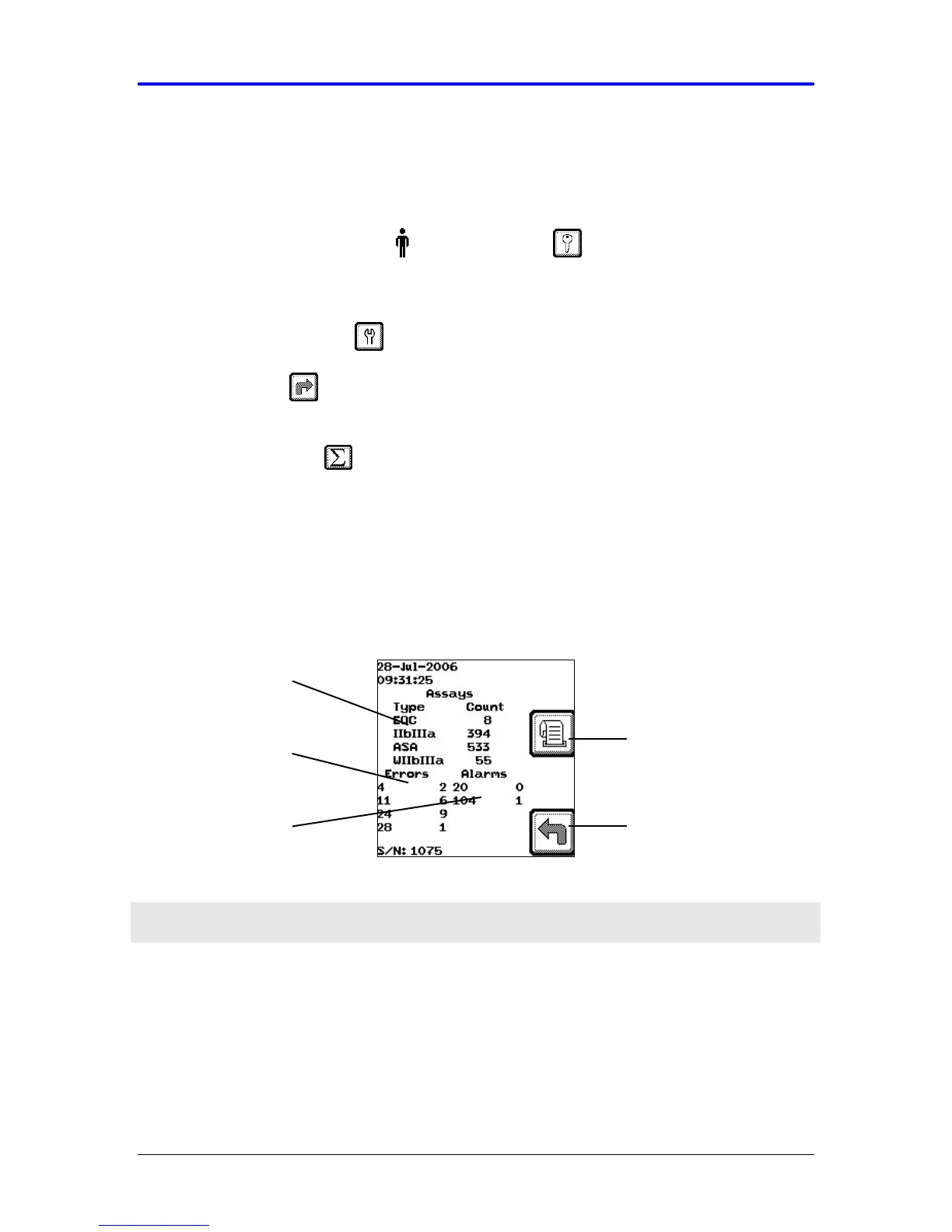
The instrument usage log shows how many assays of each type have been run, as
well as the running total of errors and alarms that have occurred during use. Use the
following procedure to view the Instrument Usage Log (Figure 7-6).
1.
From the main menu, enter Operator ID and Password, if required. Use
the keypad to enter the Operator ID number at the prompt. Press the Tab key to
advance to the Password prompt to enter the password number.
2.
Press the Maintenance key.
3.
Press the Next key four times. Refer to the Appendix for information on
navigating within the Maintenance section.
4.
Press the Statistics key to retrieve the appropriate usage information.
See Section 7.3.1 for a description of the instrument usage log.
7.3.1 Instrument Usage Log
Navigate within an individual list using the (←
←←
← , →
→→
→) keys or between lists (Assays,
Errors, Alarms) using the Tab key.
Figure 7-6 Instrument Usage Log
Feature Description
Assay List Lists the quantity of tests (count) for each assay type or QC. In the
assay list, a W preceding an assay type (e.g. WIIb/IIIa) indicates a
WQC assay run using a specific (IIb/IIIa) assay device.
Error/Attention
List
Lists the quantity of errors or alerts (attentions) logged during
operation arranged chronologically by event number (e.g. errors,
alerts). The left column of the list provides the error/attention
Error/Attention
List
Alarms List
Assay List
Back
Print Result



 To Next Page