RETRIEVING TEST RESULTS - 7
VerifyNow System User Manual Page 65 14340.J
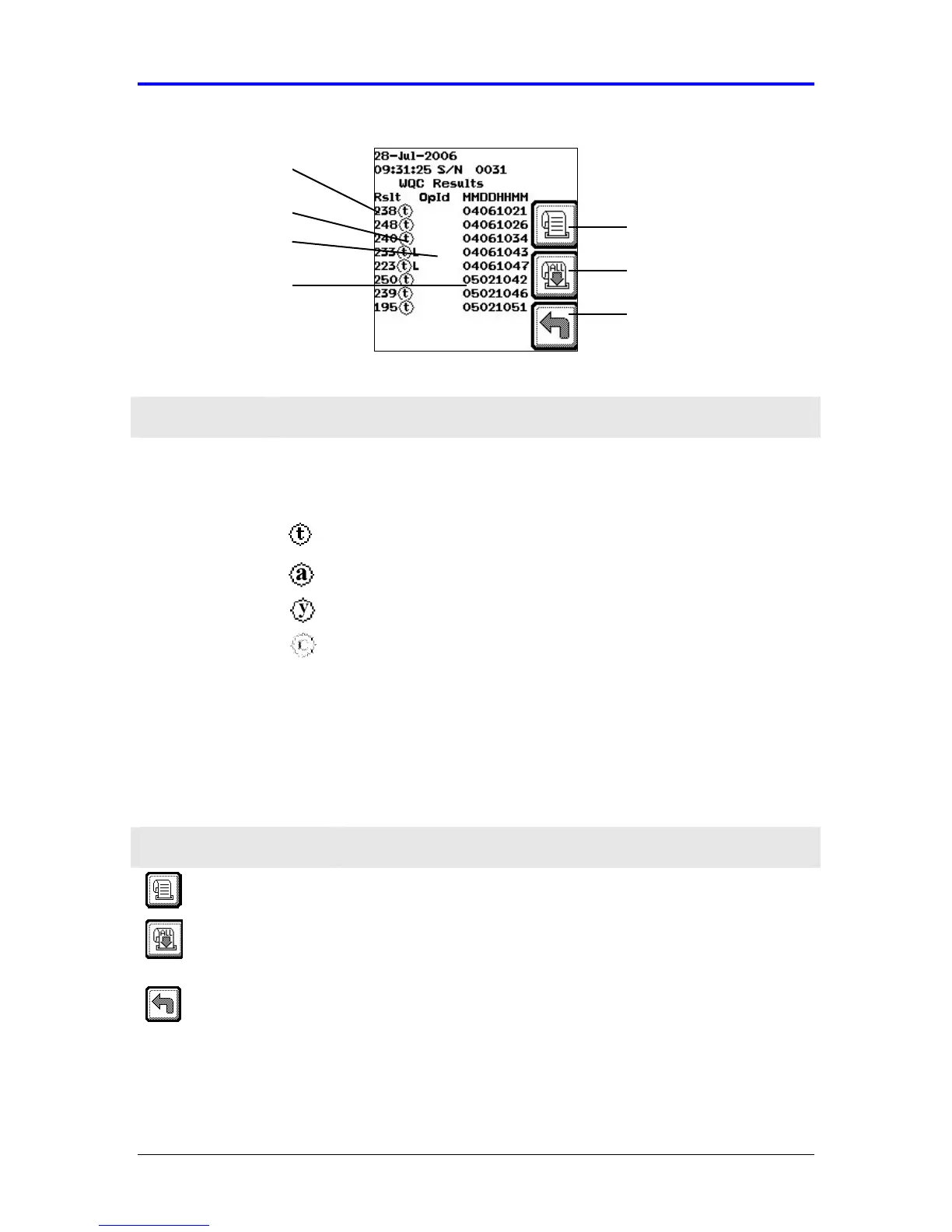
Figure 7-5 WQC Results Log
Feature Description
WQC Result Displays the numerical result for each WQC test performed.
Displays a symbol indicating the type of WQC test performed.
IIb/IIIa assay (PAU result)
Aspirin assay (ARU result)
P2Y12 assay (PRU result)
Assay Type
P2Y12 assay (Base result)
Operator ID Displays the operator who performed the test (when configured).
Date and Time
Stamp
Displays the date and time by month, day, hour (24 hr clock
format), and minute using the following notation, “MMDDHHMM.”
In addition to viewing earlier results, icons keys enable results to be printed
(optional).
Icon Description
Print Result Scroll to the selected record, and select this icon to print the
selected WQC results.
Print All
Results
Scroll backwards through the results using the
←
←←
←
key, and
select this icon to print all WQC results in the log that are
forward of the cursor position.
Back Select this icon to return to the previous screen.
Assay Type
Operator ID
WQC Result
Back
Print All Results
Print Result
Date and Time



 To Next Page