RETRIEVING TEST RESULTS - 7
VerifyNow System User Manual Page 68 14340.J
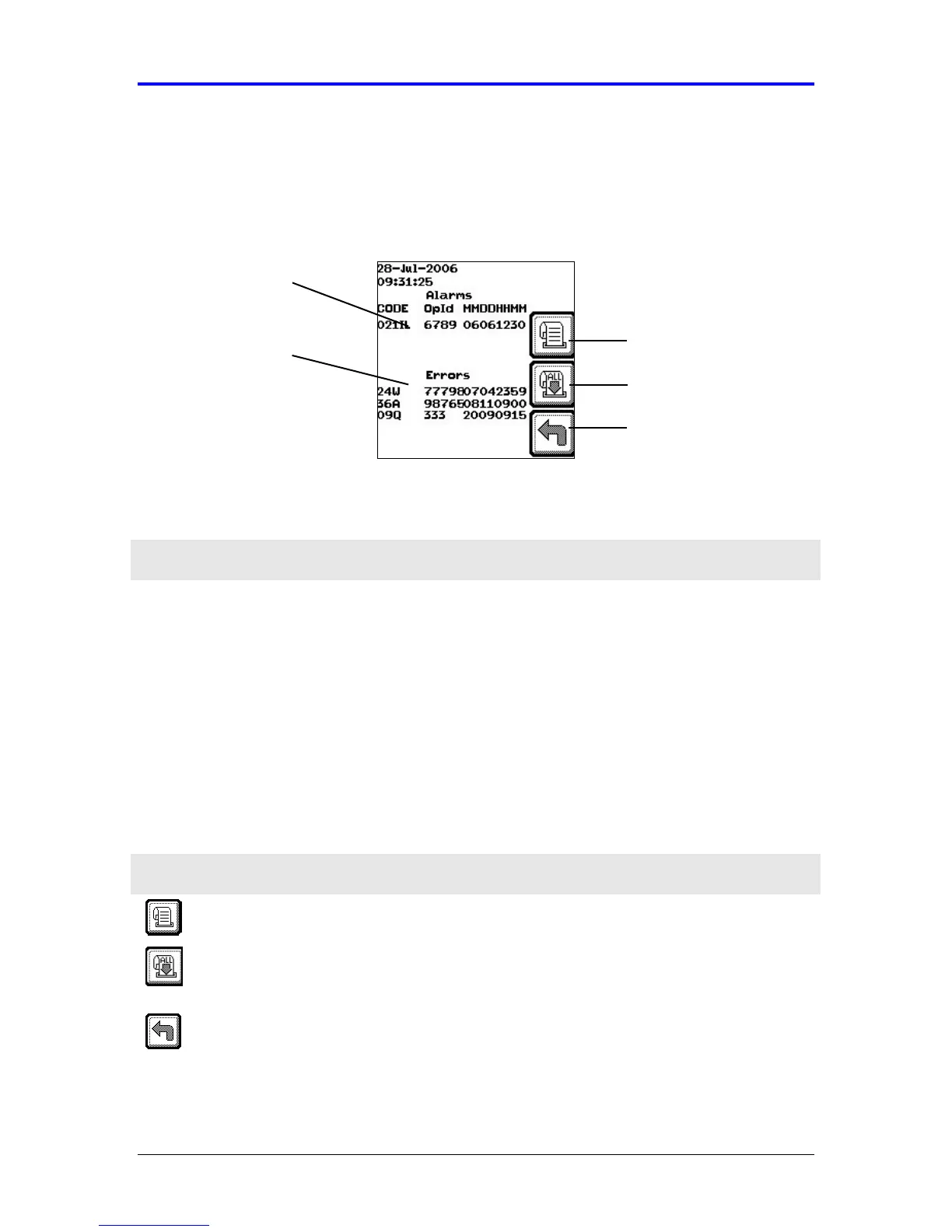
7.4.1 Alarm and Error/Attention Log
The cursor is positioned on the most recent event (e.g. errors, alarms, alerts).
Navigate up and down an individual list using the (←
←←
← , →
→→
→) keys or between lists
(Alarms, Errors) using the Tab key.
Figure 7-7 Alarm and Error/Attention Log
Feature Description
Alarms List Lists the most recent of alarms logged during operation. This
includes the alarm code, operator identification (if enabled), and
the date and time stamp in month, day, hour (24 hr clock format),
and minute, in “MMDDHHMM” format.
Error/Attention
List
Lists the most recent errors or alerts (attentions) logged during
operation. This includes the error/alert code, operator identification
(if enabled), and the date and time stamp in month, day, hour (24
hr clock format), and minute, in “MMDDHHMM” format.
In addition to viewing earlier results, icons keys enable results to be printed (optional)
or another assay started.
Icon Description
Print Result Scroll to the selected record, using the
←
←←
←
and
→
keys, and
select this icon to print the selected results from the lists.
Print All
Results
Scroll backwards through the results using the
←
←←
←
key, and
select this icon to print all results in the selected log that are
forward of the cursor position.
Back Select this icon to return to the Main Menu.
Error/Attention
List
Alarms List
Back
Print Result
Print All Results



 To Next Page